Automate component placement onto TIN
-
Hello, I am trying to populate a TIN 3D surface with components. Within each triangle surface I would like two random components( represented by different colored dots in attached picture). Does anyone have any idea of how to populate the TIN more quickly than placing every component by hand. The TIN was imported into sketchup from ArcGIS.
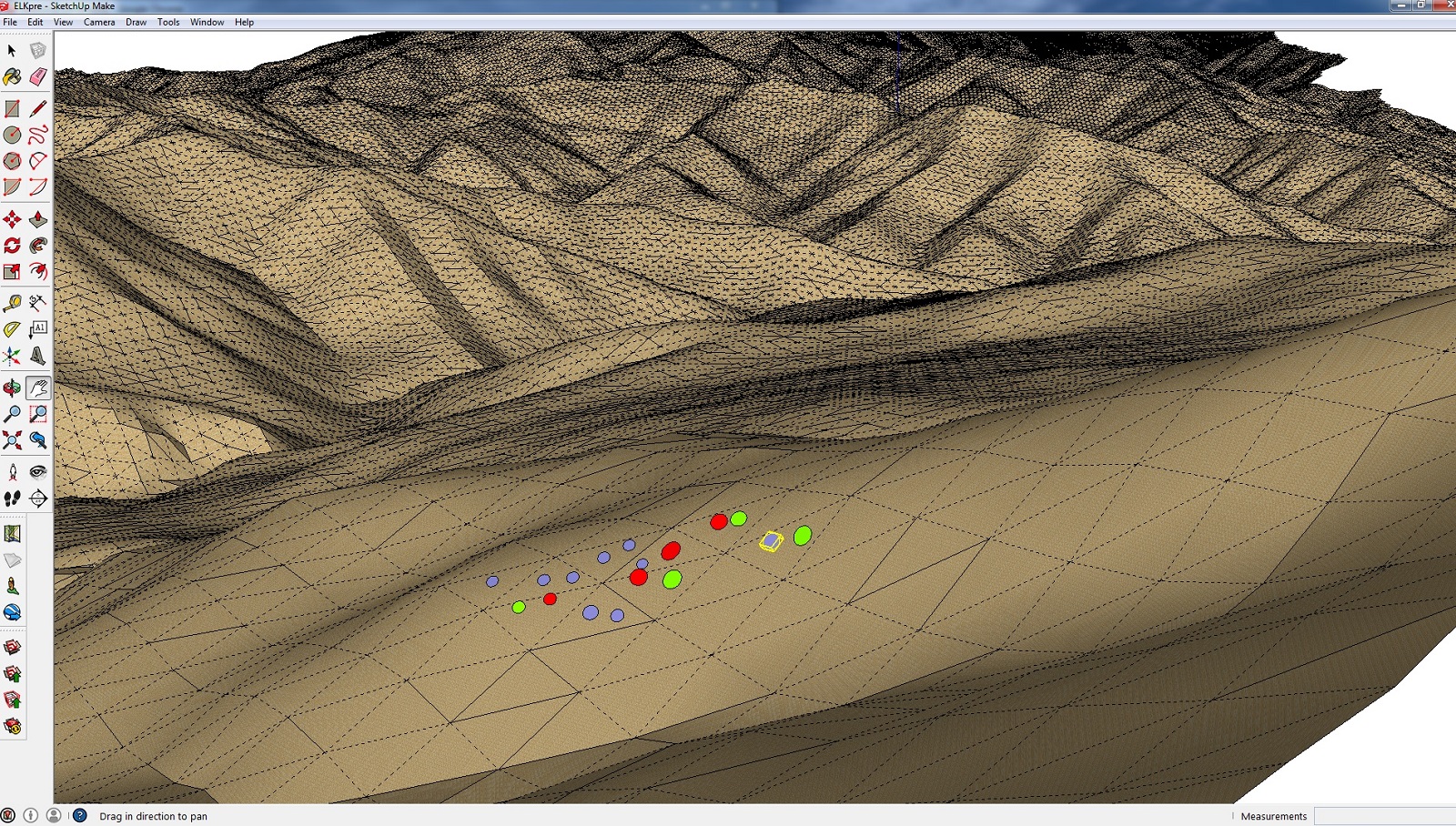
-
@zawisza5 said:
Hello, I am trying to populate a TIN 3D surface with components. Within each triangle surface I would like two random components( represented by different colored dots in attached picture). Does anyone have any idea of how to populate the TIN more quickly than placing every component by hand. The TIN was imported into sketchup from ArcGIS.
I produced this results
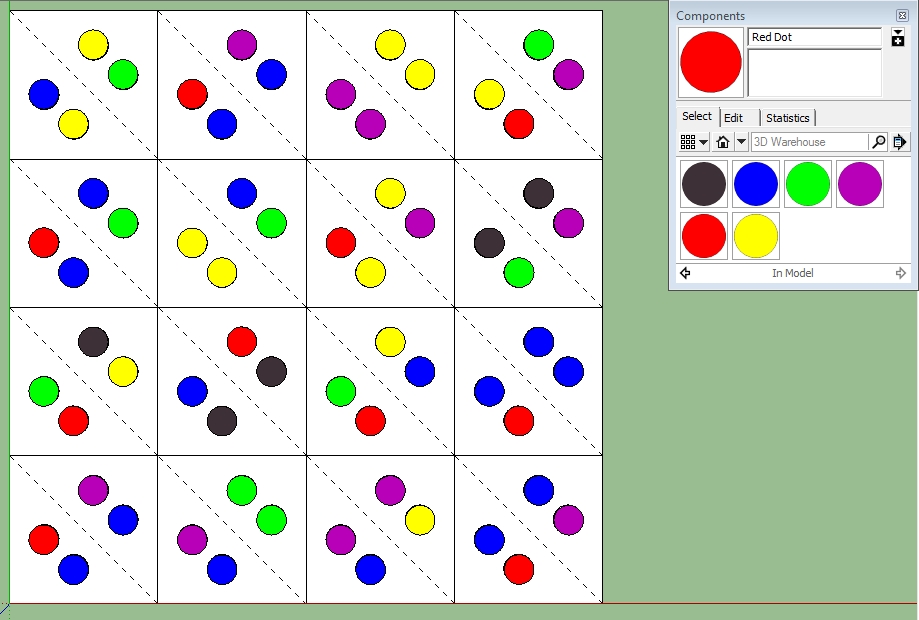
with this code
def placethedots

mod = Sketchup.active_model
ent = mod.active_entities
sel = mod.selection
cdefs = mod.definitions.reject{|cd| cd.group?||cd.image?}
faces = sel.grep(Sketchup;;Face)
faces.each{|f|
 tx=0.0;ty=0.0;tz=0.0;
 p=f.outer_loop.vertices.collect{|v|v.position}
 p.each{|v| tx+=v.x;ty+=v.y;tz+=v.z}
 ax=tx/p.length;ay=ty/p.length;az=tz/p.length
 ctr=Geom;;Point3d.new(ax,ay,az);#ent.add_cpoint(c)
 pt1=ctr.offset([-6,6,0])
 cd=cdefs[rand(cdefs.length)]
 ent.add_instance(cd,Geom;;Transformation.new(pt1,f.normal))
 pt2=ctr.offset([6,-6,0])
 cd=cdefs[rand(cdefs.length)]
 ent.add_instance(cd,Geom;;Transformation.new(pt2,f.normal))
}

end
I first created the six component "dots". Selected the faces then executed the code.

Hello! It looks like you're interested in this conversation, but you don't have an account yet.
Getting fed up of having to scroll through the same posts each visit? When you register for an account, you'll always come back to exactly where you were before, and choose to be notified of new replies (either via email, or push notification). You'll also be able to save bookmarks and upvote posts to show your appreciation to other community members.
With your input, this post could be even better 💗
Register Login


Advertisement