Interactive IES Lights
-
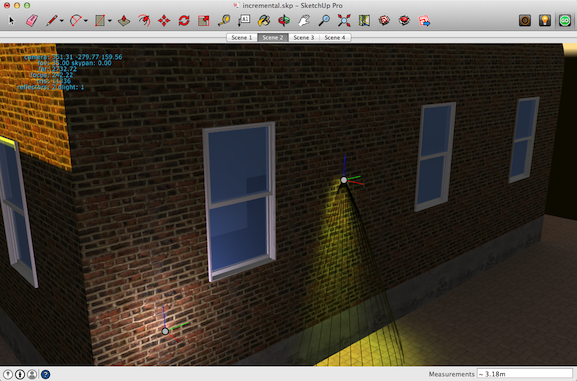
LightUp v4 (Macintosh and Windows) has been released and has a great new feature of being able to interactively adjust lighting right inside the SketchUp viewport. You can assign IES profiles, change colors and move lights around while inside LightUp's sharp, anti-aliased realtime rendering.
As well as adjusting lights, you can change any of the other rendering settings and instantly see the results which massively accelerates the iteration cycle on getting 'the look' you're after.
Once you're happy with the lighting, you can do a full bake of the entire model to make Movies, export as to LightUp Player etc.
-
FYI Users have pointed out that on a Macbook, to access F5, you need to hold down the 'fn' key in the lower left corner of the keyboard while pressing F5.
-
Updated LightUp Player for Macintosh and Windows supports animated Section Planes exported with LightUp.
Get 'em here light-up.co.ukWebplayer updates coming soon.
-
New Web Player updates (v4.0.1) for LightUp v4 with animated Section Planes support.
OSX: Safari, Chrome
Windows: Internet Explorer, Chrome, Firefox

Hello! It looks like you're interested in this conversation, but you don't have an account yet.
Getting fed up of having to scroll through the same posts each visit? When you register for an account, you'll always come back to exactly where you were before, and choose to be notified of new replies (either via email, or push notification). You'll also be able to save bookmarks and upvote posts to show your appreciation to other community members.
With your input, this post could be even better 💗
Register Login


Advertisement