Applying photo / image to curving surface
-
Hi All
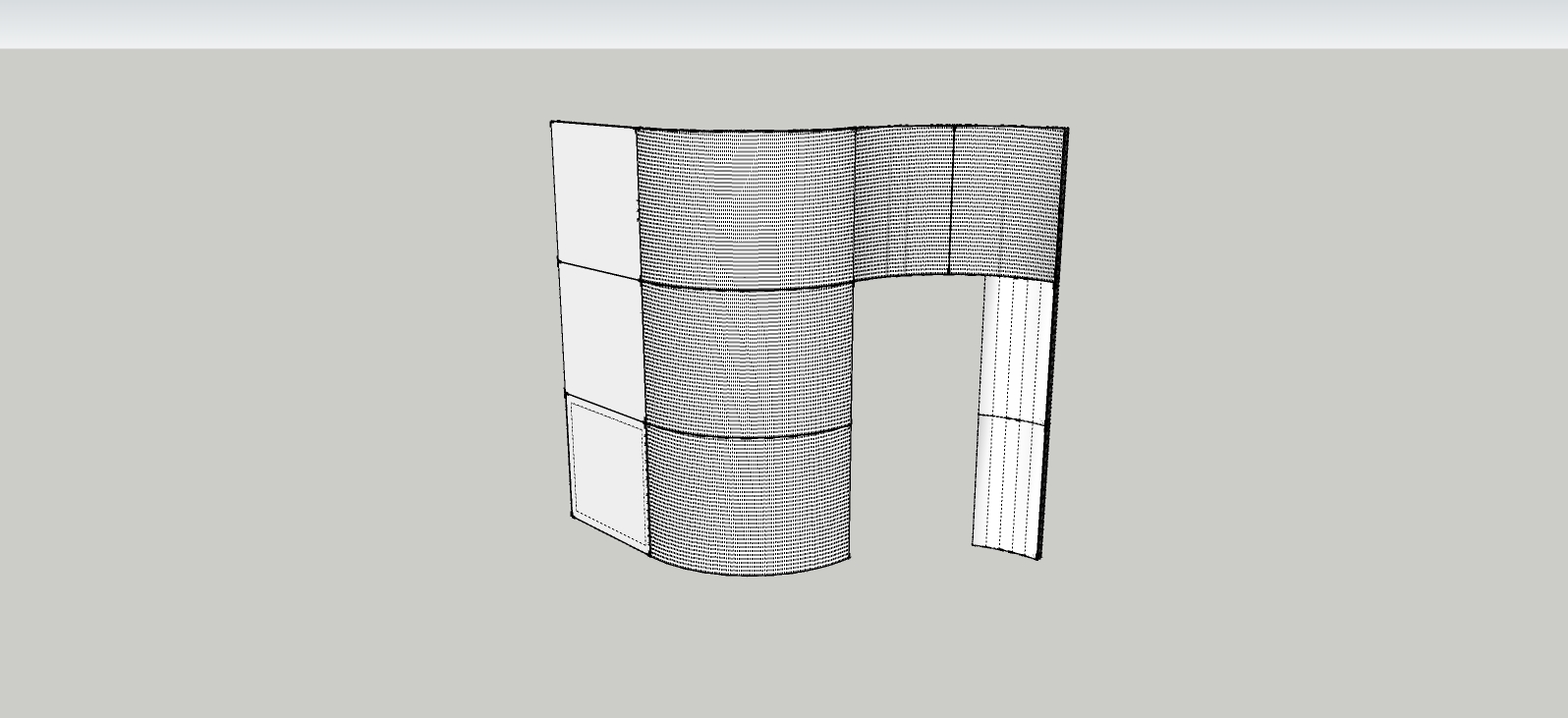
Firstly thanks for this superb resource, it is a wonderful thing, providing many with useful information and helpful tips. I am having some issues with wrapping a photograph to a curved surface, please see attached image. The surface is made of multiple frames with infill panels. I have tried using the projected method, but it is difficult to work out how one would get this to work without the image ( a woman's face) being stretched / distorted with the curve moving in and out. I projected the image, which covered the surface- but as mentioned it was distorted.
I then thought about pasting the image, using the hidden geometry showing. Unfortunately as can be seen from (attached) the hidden lines are tiny and there are many.. I have tried adjusting this with soften edges- not sure if I am barking up the wrong tree here..
Any pointers would be most welcome, and in particular, with the projected method- would I need to do this in sections given the curve sweeps out then back in?!I have looked at Aidan Chopra's tutorial based on a 'corporate logo' text, but his works in a line, if you are with me. Mine needs to take into account the corner the walls occupy.
Many thanks!!
Tom
-
-
or this!

-
Many thanks both, I have downloaded the plug in, looks
very comprehensive.. I will report back.
Best wishes,Tom


Hello! It looks like you're interested in this conversation, but you don't have an account yet.
Getting fed up of having to scroll through the same posts each visit? When you register for an account, you'll always come back to exactly where you were before, and choose to be notified of new replies (either via email, or push notification). You'll also be able to save bookmarks and upvote posts to show your appreciation to other community members.
With your input, this post could be even better 💗
Register Login


Advertisement