How to PushPull along angled, curved path?
-
I'm horrible with keeping up with plugins, etc.. so I'm hoping you guys can help me out. I've got this base moulding here that is 'supposed' to curve around this corner while angling up the stairs. Obviously if I use Follow Me it splays out as it goes up and around the corner. Any thoughts? Hopefully this is an easy one! Thanks.
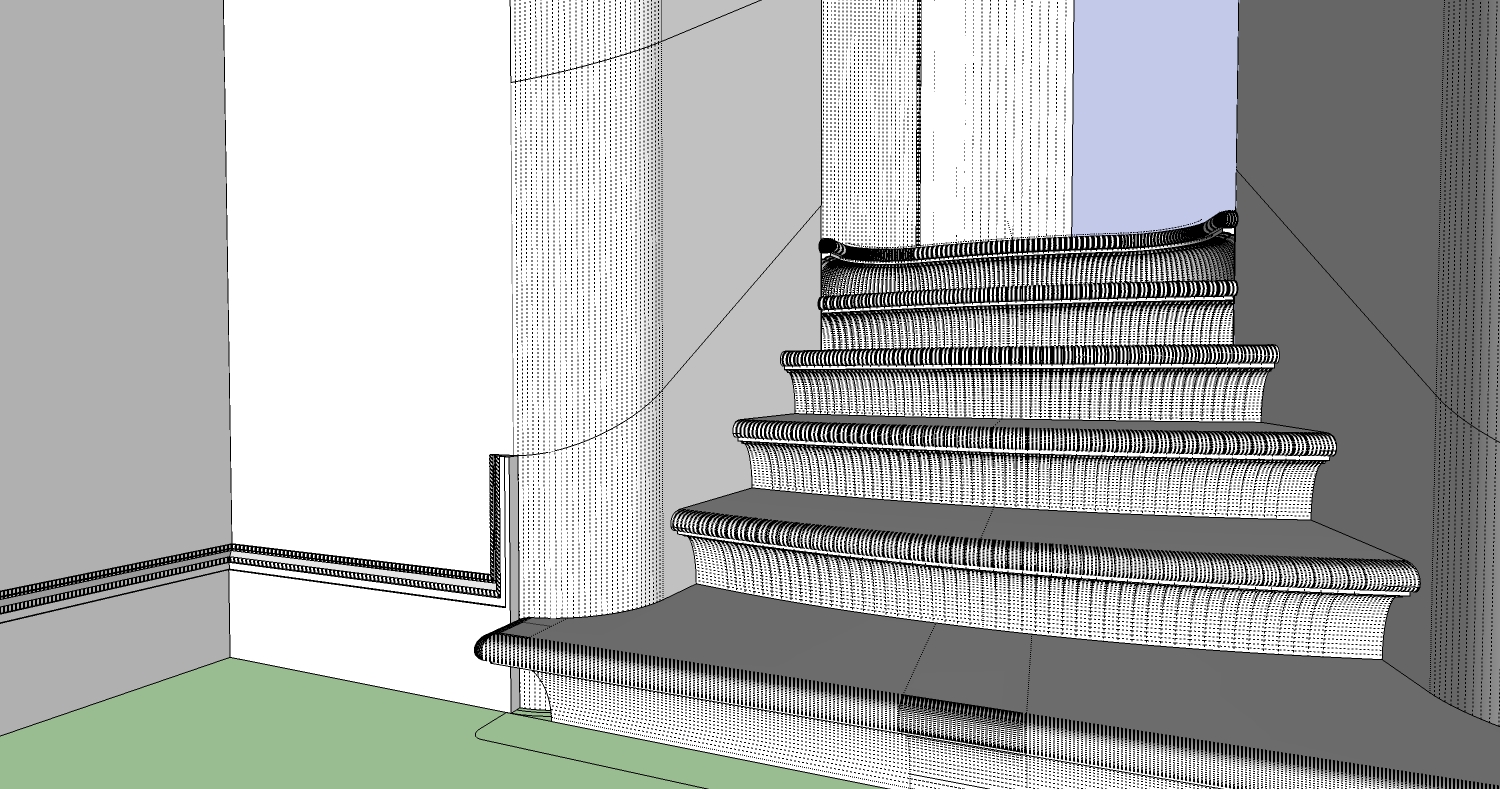
-
follow me and keep.
see plugins index -
Thanks! Not coming out perfectly.. but its close enough. Appreciate the quick reply.
-
How do you get that path that is tangent to both edges?
-
talking about the path in my image, peter?
I just intersected an angled plan to get the path. Which I think is the cause of the problems.. all of those tiny segments were messing up the extrusion. Thanks.
-
Jason, I highly recommend Profile Builder.
There is a free version here:
http://sketchucation.com/forums/viewtopic.php?f=323&t=44237&hilit=profile+builderOr the Pro version here:
http://www.smustard.com/script/ProfileBuilderA quick example:
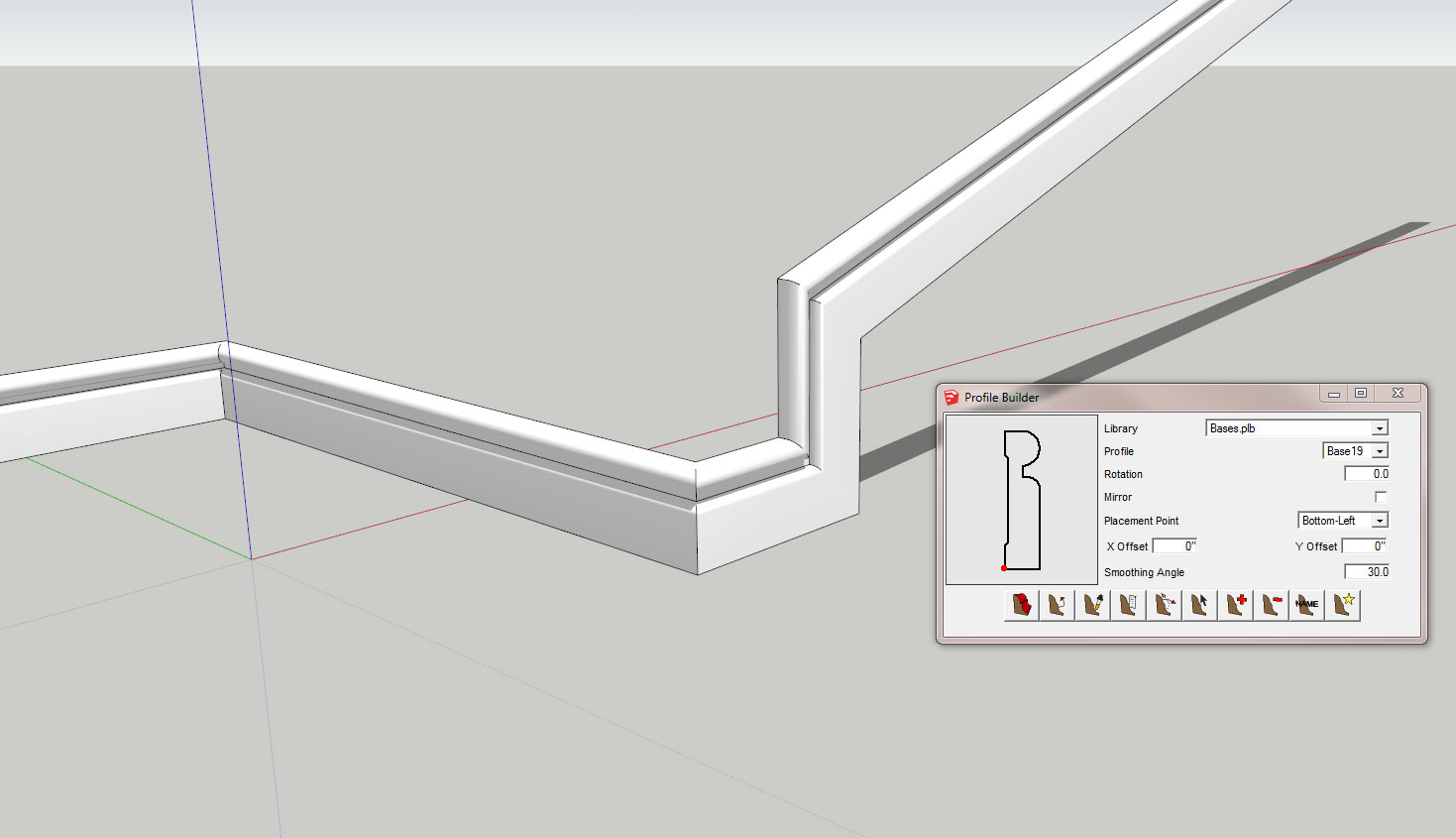
Edit:
I tried one with a curved path like you have and it twisted. Maybe follow me and keep would be better in this application. -
Yes, I mean the curved path between the straight runs. Thanks for the geometry lesson! I was making it more complicated than necessary.
-
FMAK is pretty awesome, and it works alright, but I guess a lot of small segments are a pain.
Actually the profile should run perpendicular to path. FMAK is probably an OK fake in such a case. Extrude edges by rails is more accurate. When I did it it looked good, and the profile was the correct cross section as it continues up the stairs.
[EDIT: I made two paths based on two planes. There was a minute misalignment with the stair wall, which was fixable, and may be due to operator error, making the paths.]
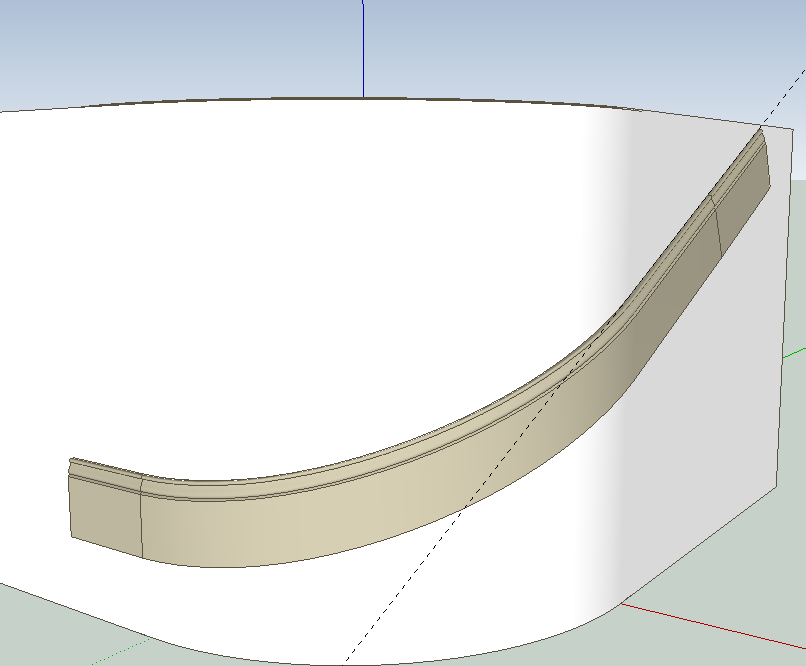
In the end. what do you use? A Flexi-molding which is of course not geometrically perfect either.




Hello! It looks like you're interested in this conversation, but you don't have an account yet.
Getting fed up of having to scroll through the same posts each visit? When you register for an account, you'll always come back to exactly where you were before, and choose to be notified of new replies (either via email, or push notification). You'll also be able to save bookmarks and upvote posts to show your appreciation to other community members.
With your input, this post could be even better 💗
Register Login


Advertisement