Flow of the texture
-
Is there anybody who can save me this problem (attached in the file. It about the flow of the texture.
Thanks in advance
-
First of all, that texture is not repeating seamlessly so it will never be perfect.
You can still position it. Best to turn hidden geometry on first (under the View menu). Right click on a face and go to Texture > Position...
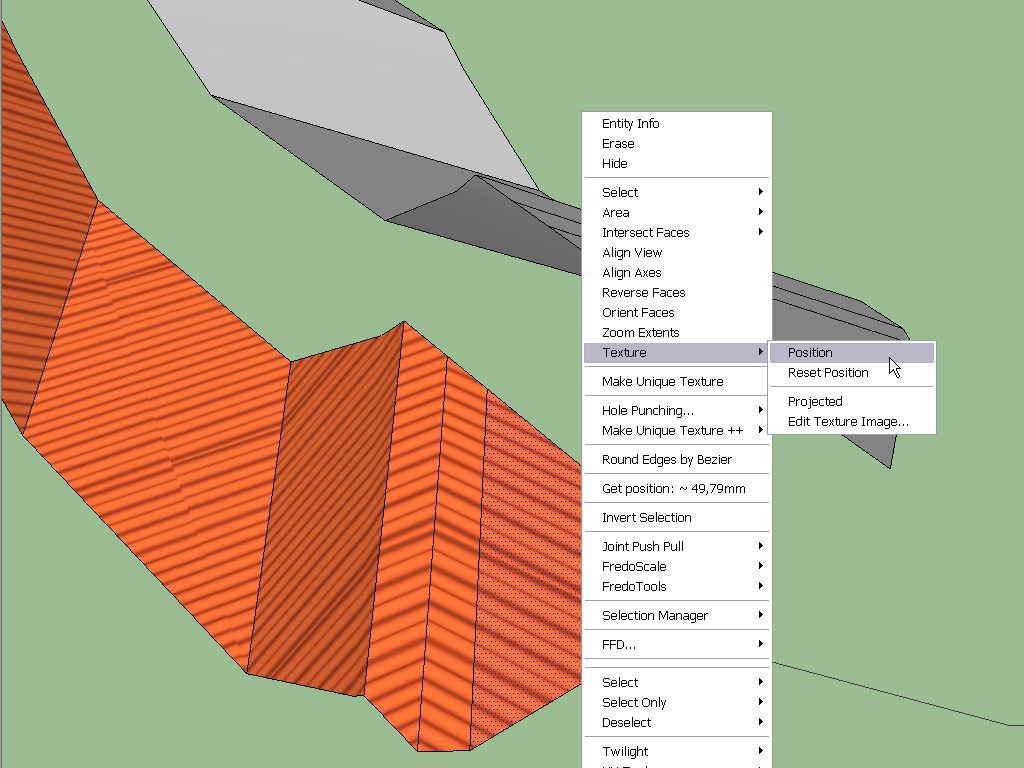
You can now position your texture but if you are happy with it, just press Enter. Now simply sample the positioned texture from this face and apply it on the neighbouring one. Repeat the steps until you get to the end.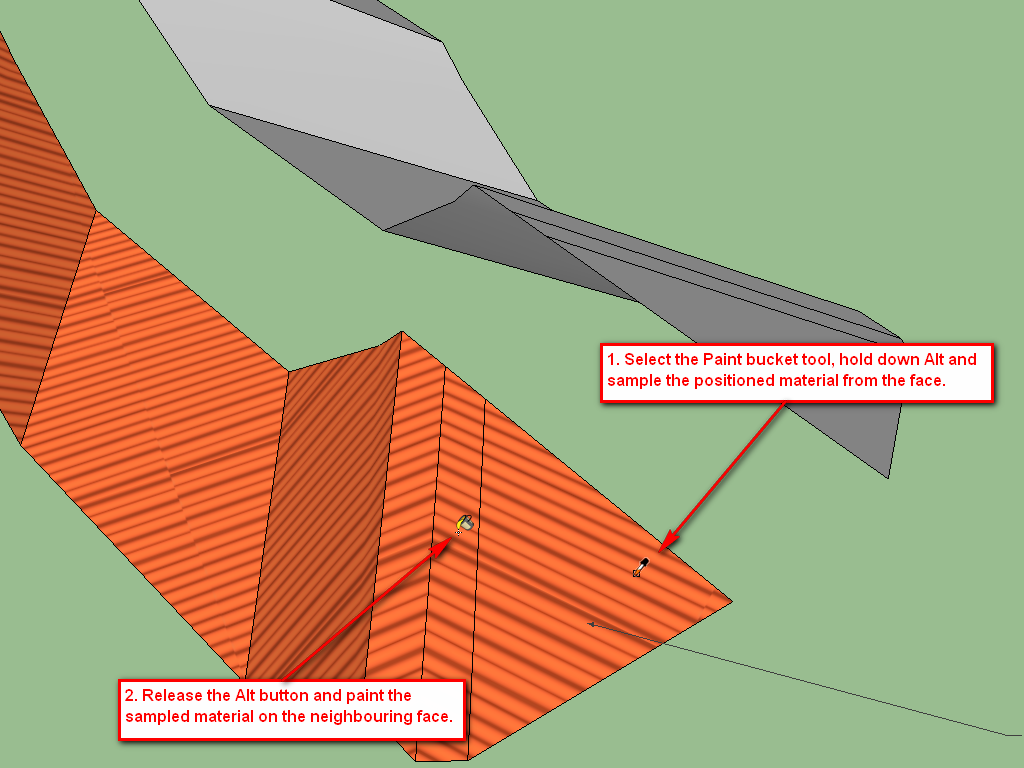
This is how it would look with the positioned texture applied on each face.

Hello! It looks like you're interested in this conversation, but you don't have an account yet.
Getting fed up of having to scroll through the same posts each visit? When you register for an account, you'll always come back to exactly where you were before, and choose to be notified of new replies (either via email, or push notification). You'll also be able to save bookmarks and upvote posts to show your appreciation to other community members.
With your input, this post could be even better 💗
Register Login


Advertisement