Odd shape "slice"
-
Another newbie problem - since you were so good with the skateboard - here's another thing.
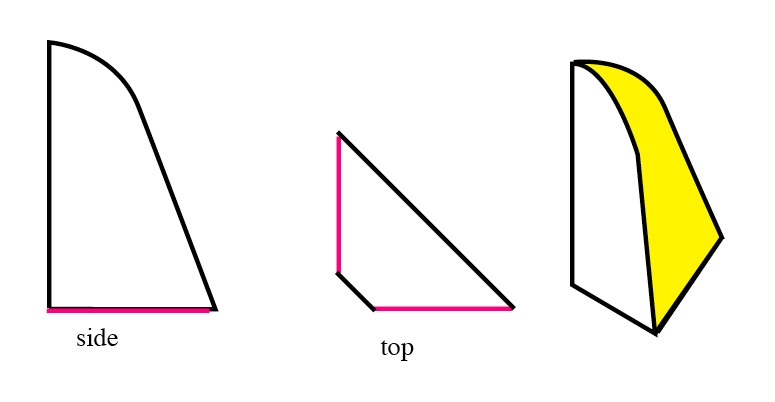
Image draft attached, don't laugh, it's like 5 years old had drawn it. But the problem is, this is a corner element, the first image on left is the side view. Two of these components are place to 90° angle at each other (top view in the middle), but the corners are not touching. The top part is curved. Then there is the front face, which is my problem, it's linear in side view but horisontally curved at top (the yellow part). How do I get this surface done?
I hope you understand what I'm trying to do.
-
To my eye, the top view does not seem to coincide with the "3d view" you provide, unless the view is dead on parallel with the short side of the figure.
-
Yeap, as said, it was badly drawn and the cut corner doesn't really show in the "3D". Here's a .skp file of that, my problem is I can close the straight part of that (done in .skp), but not the curved top. Anybody for help?
-
-
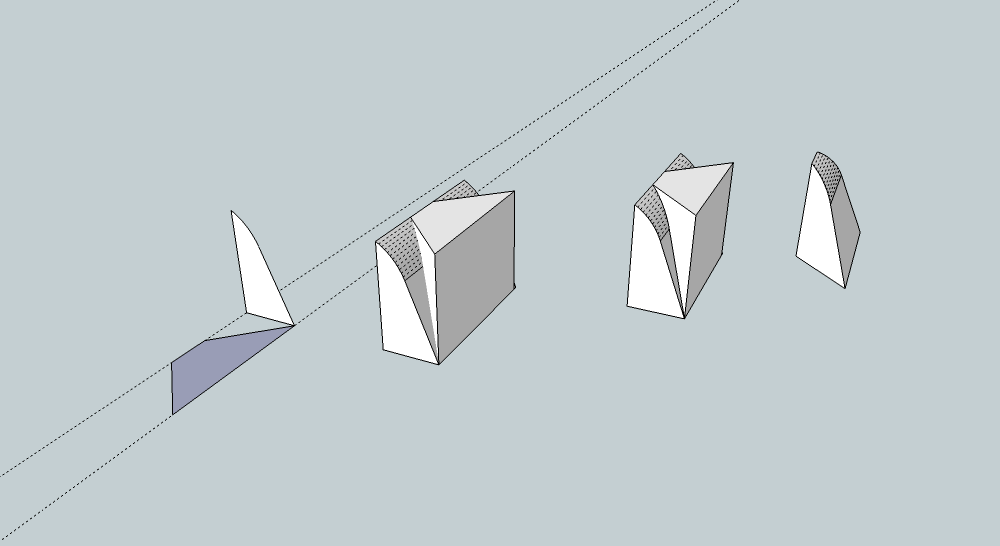
Standard tools
#1 draw the two profiles
#2 extrude with PushPull
#3 select all, right-click/intersect with selection
#4 erase unwanted geometries.
-
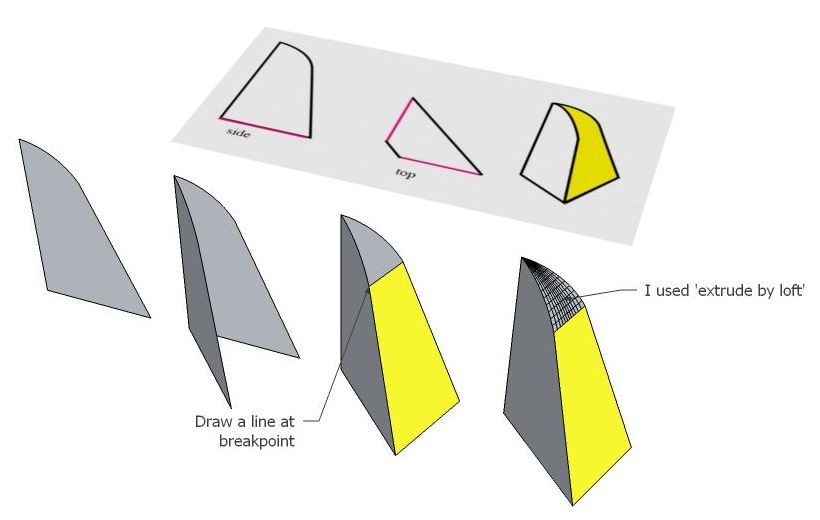
I don't think I fully understand the shape you're trying to create, but I had a go at something similar anyway. Maybe this will help? Cheers - Mick
-
Yes, if I had to start from scratch, I would also go for some similarly simple solution.

-
Thanks a million all! Love you!



Hello! It looks like you're interested in this conversation, but you don't have an account yet.
Getting fed up of having to scroll through the same posts each visit? When you register for an account, you'll always come back to exactly where you were before, and choose to be notified of new replies (either via email, or push notification). You'll also be able to save bookmarks and upvote posts to show your appreciation to other community members.
With your input, this post could be even better 💗
Register Login


Advertisement