Question: Celtic braid in 3D
-
Hi All,
I would like to recreate this Celtic fibula. Unfortunately I have no idea how I can construct the Celtic braid in 3D. It would be nice if someone could show me a step to a solution. Especially since the whole is also bowed. Thank you in advance.
Charly
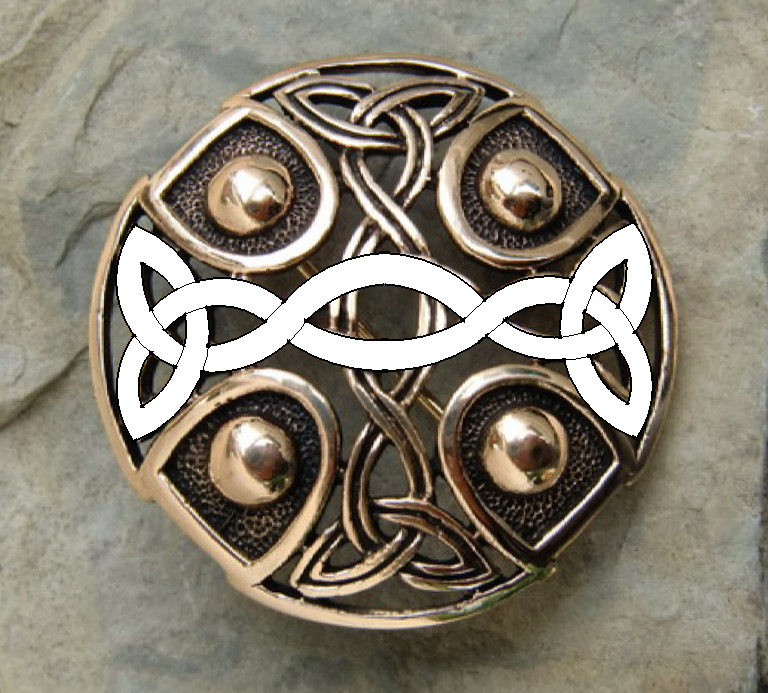
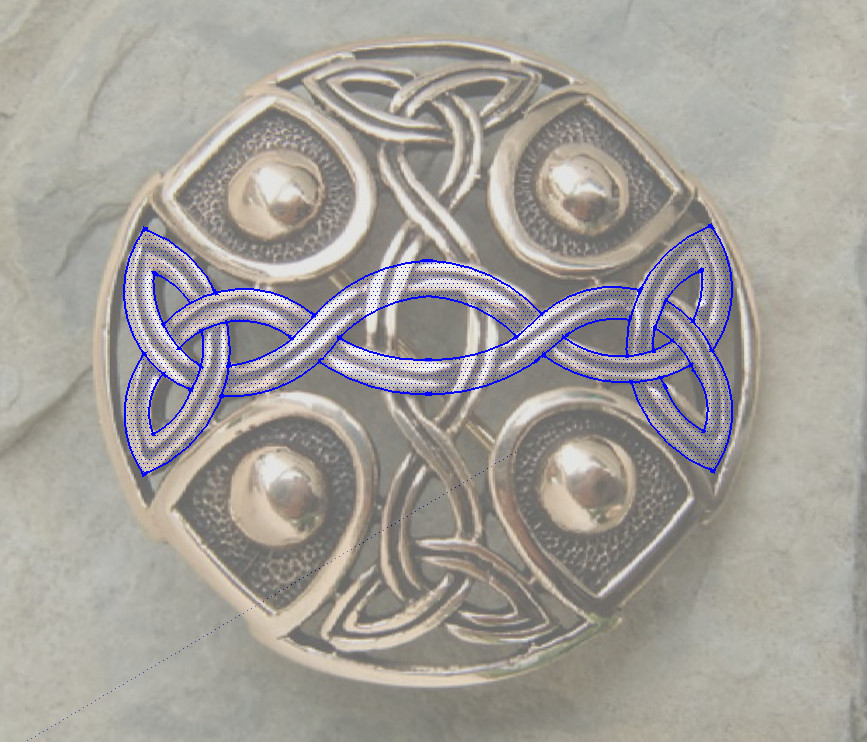
-
Take a look at shape bender plugin http://forums.sketchucation.com/viewtopic.php?t=18210
In addition you could use a photo editor like GIMP to detect edges ( Not necessary here since you have drawn the profile ) and then a raster to vector converter like WinTopo to convert to a vector( So you make it a SU model then. Probably have to go dxf then SU). The results will depend on the quality of the photo. -
I think you can do it with original tools. Here is my way :
- Draw the central path on the quarter and draw the section. Use the follow me tool to create the quarter.
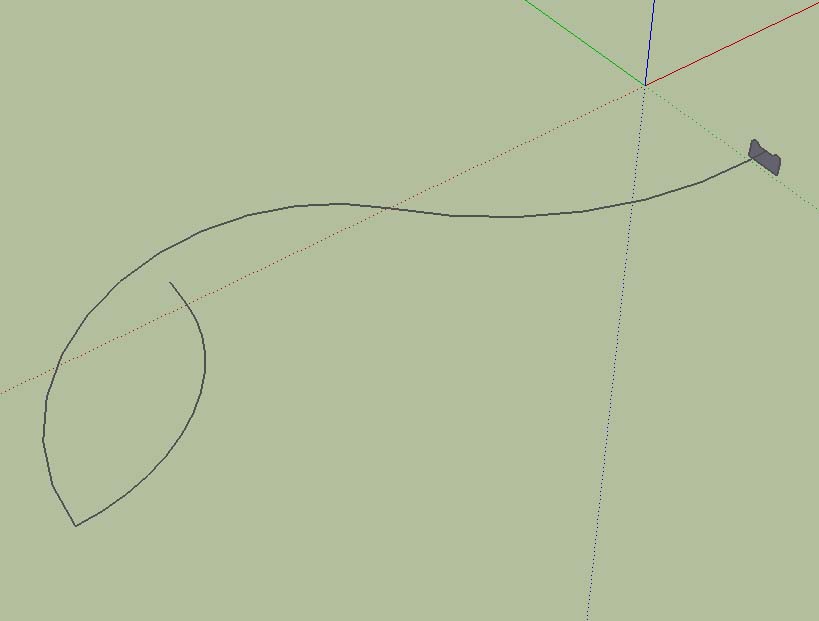 Test1.skp
 - Duplicate and and rotate, and delete the wrong part for the intersections. Use the face intersection tool and delete the unwanted part.
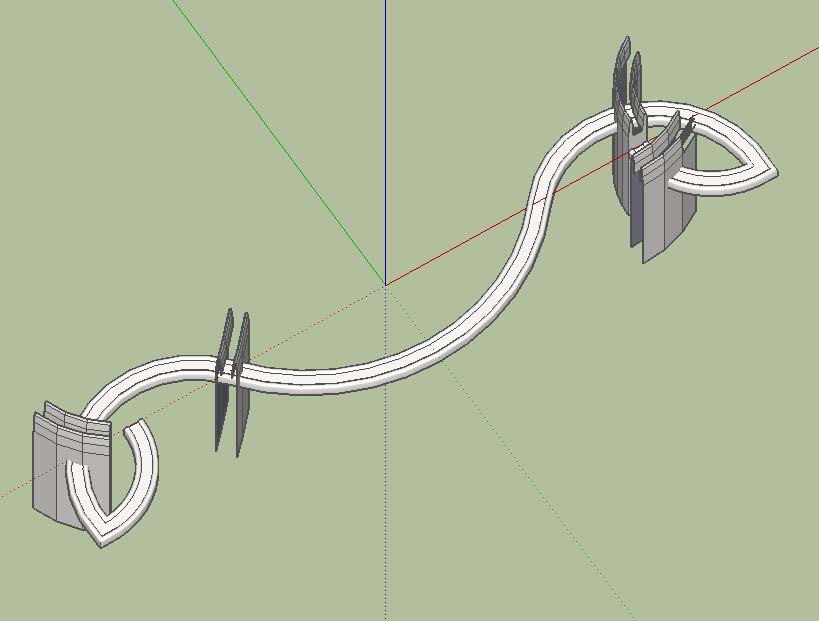 Test2.skp
 - Duplicate and rotate to construct all the model.
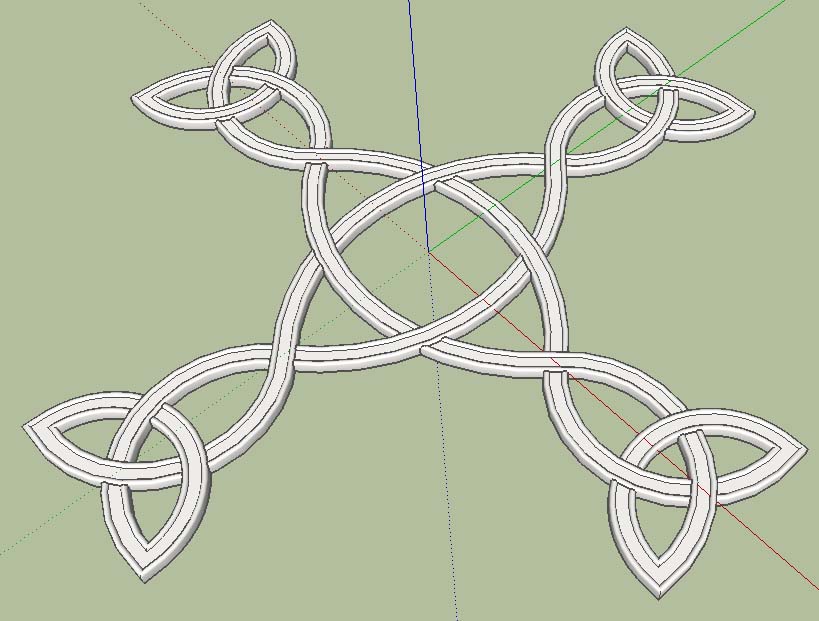 Test3.skp
If you want to curve all to make a round fabula, you can use the Sketchy FFD plug-in.
[EDIT]
Here is a rounded version made with Shape Bender plug-in
Test4.skp - Draw the central path on the quarter and draw the section. Use the follow me tool to create the quarter.
-
Monsieur,
I think you should post more often and provide tutorials for newbies like me. -
There are no intersection on the original !

Only Up and down curves!
Just round your curves
-
I thank you all who responded for their help. daredevil, your solution is very close to the original. Pilou, that's the detail I have to solve.
Sometimes it gets stuck on a small problem.
Charly
-
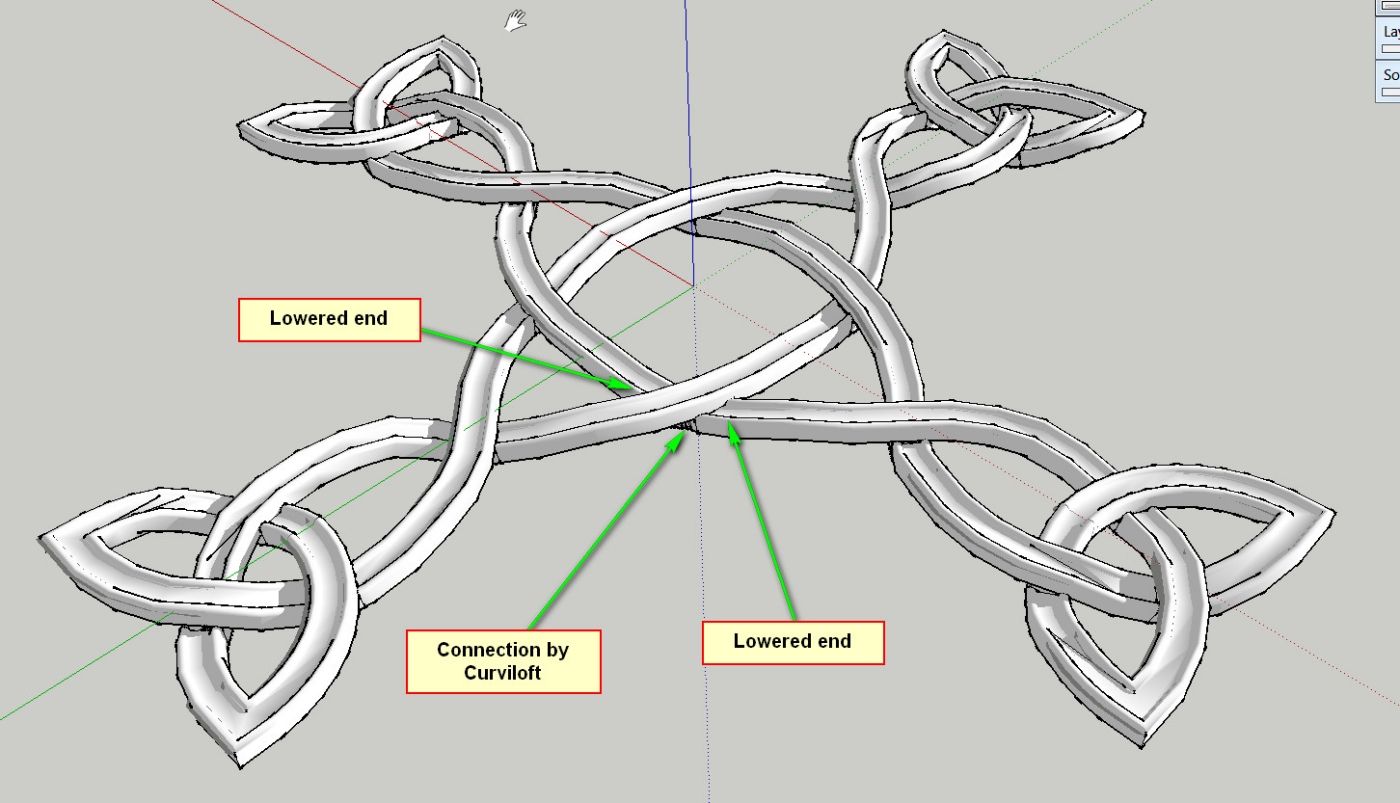
Thank you again for your help. I have modified the model a bit in view of the up and down curves.
I lowered both ends by the rotate tool and connected both ends by Curviloft. This is perhaps not the most optimal method.
Charly
-
@unknownuser said:
There are no intersection on the original !
Only Up and down curves!
Just round your curvesPilou, I was waiting for your remarks
OK ! To make some up and down setup, just use the Sandbox Smoove tool
But the model must be made with littler details, so the first path must have more points.
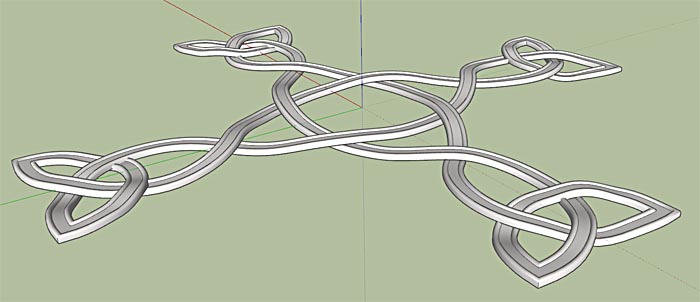 Test5.skp
 -
@unknownuser said:
@unknownuser said:
OK ! To make some up and down setup, just use the Sandbox Smoove tool
Another "Duh" moment.
Charly
-
Hi,
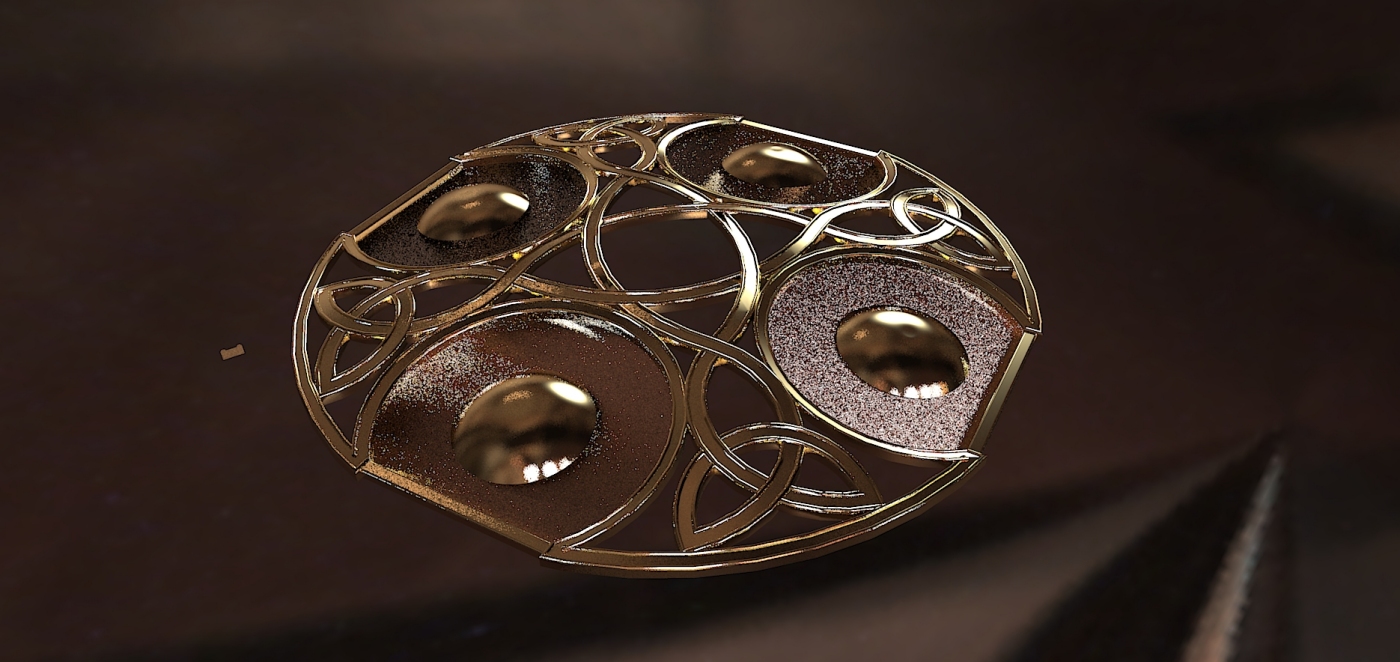
I took the model of daredevil and supplemented some elements. It may look not quite like the original but it can still become.
-
@charly2008 said:
Hi,
I took the model of daredevil and supplemented some elements. It may look not quite like the original but it can still become.
looks good to me charly2008




Hello! It looks like you're interested in this conversation, but you don't have an account yet.
Getting fed up of having to scroll through the same posts each visit? When you register for an account, you'll always come back to exactly where you were before, and choose to be notified of new replies (either via email, or push notification). You'll also be able to save bookmarks and upvote posts to show your appreciation to other community members.
With your input, this post could be even better 💗
Register Login


Advertisement