[Plugin] Face2Face - autoextrusion between faces
-
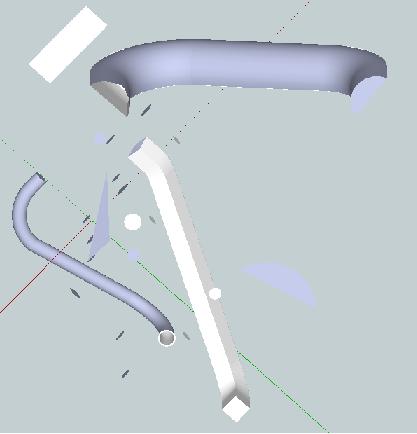 Sketchup Face2Face Tool
Here is a Sketchup plugin that starts from just two arbitrary faces. It generates the smooth continuous central path and adds the outside surfaces between the selected faces.
1 - Select any two faces at any orientations.
2 - Use menu selections Plugins, then Face2Face Extrusion.
3 - The plugin then generates the path, and the surface that fits between the faces.The result is an blended extrusion with the shape of one of the faces.
-
Can the faces have any random orientation, or should they be "on axis" x and/or, y and/or, z? Suggestion,that your subject heading contain [Plugin], so that Jim's plugin hunter will pick it up to place it in the Plugins Index.
-
Thanks!
It is a very usefull plugin!!!
-
This tool is awesome

It works superbly. The only thing I encountered was that the two faces must be facing in opposite directions for the plugin to work (at least for me).
It makes things so much easier for me.Thank you.
-
Automatic wiring of electrical devices!
Many people will LOVE this one!Thank you very much!

-
Thank you for this one. Very useful.
Sig

Hello! It looks like you're interested in this conversation, but you don't have an account yet.
Getting fed up of having to scroll through the same posts each visit? When you register for an account, you'll always come back to exactly where you were before, and choose to be notified of new replies (either via email, or push notification). You'll also be able to save bookmarks and upvote posts to show your appreciation to other community members.
With your input, this post could be even better 💗
Register Login


Advertisement