Dragging toolbars anomoly
-
Hello. I'm using SketchupPro 8 and I have a problem precisely moving Toolbars from one location to another. When I select a Toolbar to move, an "outline" of the Toolbar appears on the horizontal bar above and to the left of the tool bar I've chosen. It moves with the tool bar when I drag the toolbar, but somehow, this "outline" determines where the toolbar ultimately comes to rest, which is never where I want to put it. Very frustrating. Does anyone know how to fix this bug? Thanks
-
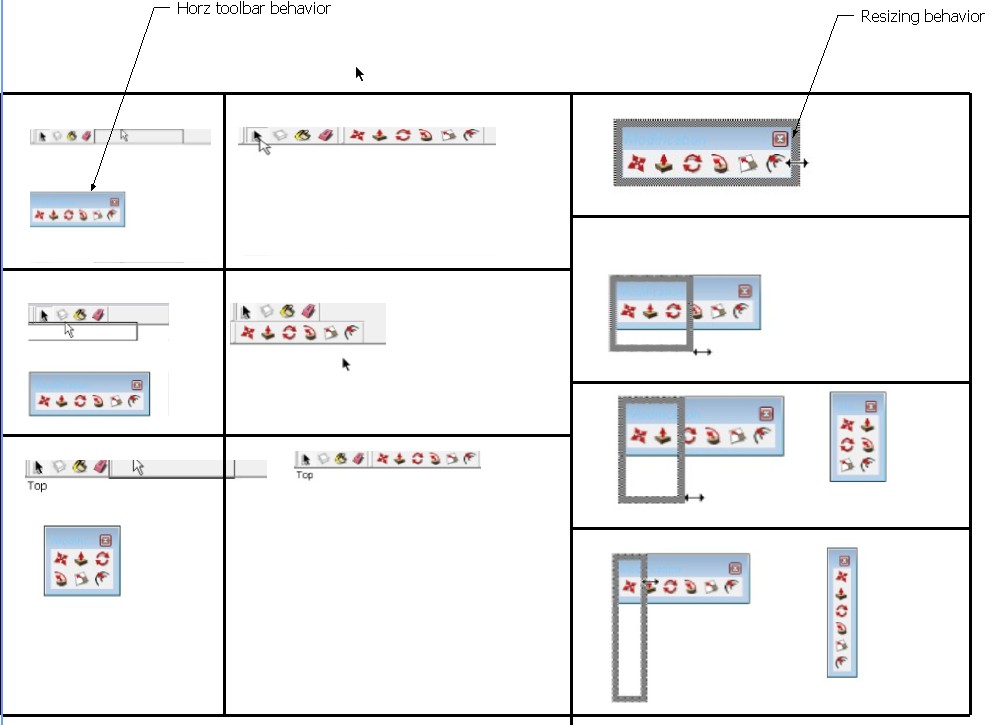
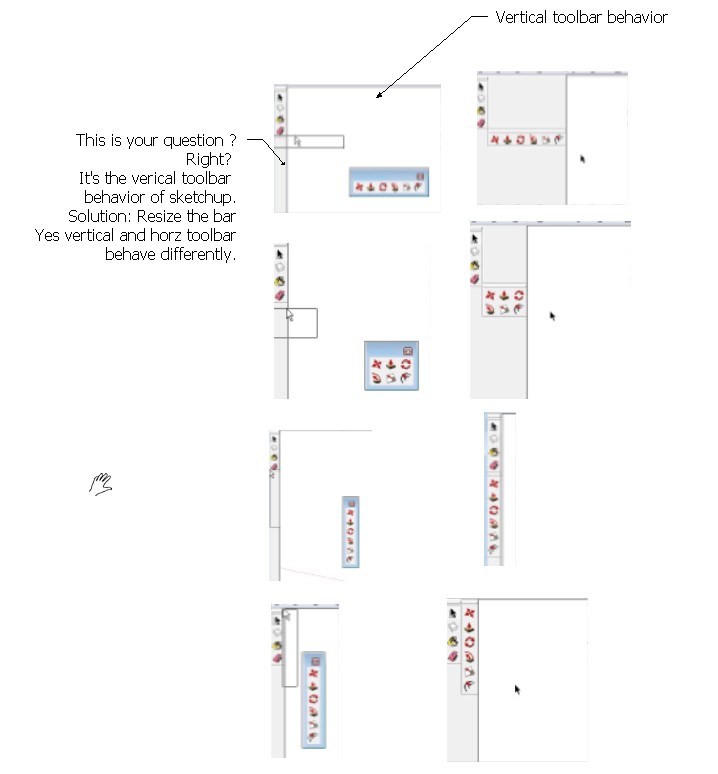
Vertial bar size has to match. That's what I think.
Also earlier sketchup horz toolbar can't wrap and if you do you get strange results. Make sure sketchup window is size right.
I just noties that the latist SU 8 m2 works just find for wraping. Maybe it's a greyout condition.

Hello! It looks like you're interested in this conversation, but you don't have an account yet.
Getting fed up of having to scroll through the same posts each visit? When you register for an account, you'll always come back to exactly where you were before, and choose to be notified of new replies (either via email, or push notification). You'll also be able to save bookmarks and upvote posts to show your appreciation to other community members.
With your input, this post could be even better 💗
Register Login


Advertisement