Can't Find Shadow Strings Fix Plugin
-
I'm using an 8 Pro version, because of a PC crash, I had to reformat and re-install my SKP. I backed-up all my plug-ins before reformatting, placing it all (as in the Plugin folder) unto a back-up folder. When I re-installed and replaced all the plugins, the shadow strings fix button doesn't show up anymore. You guys have any idea how to bring it back? I've tried loading in the preferences, view>toolbars, and tools. It's not there. Please advise. Thanks.
-
If it's not there in the list of toolbars - go to the Extension list and ensure it's listed and enabled there.
-
@thomthom said:
If it's not there in the list of toolbars - go to the Extension list and ensure it's listed and enabled there.
I've done that too. It's the extensions list in the Preferences Dialog right? I've turned on all the extensions available. Still, no shadow strings fix button.

-
Did you do anything with your Tools folder after reinstalling SketchUp?
-
Red, did you download and install the latest SU 8 version? The shadow fix was introduced only in the latest maintenance release. Also, maybe you have so many plugins that you need to scroll down at the bottom of the toolbar list. Anyway, first there should be a checkbox to enable the extension:
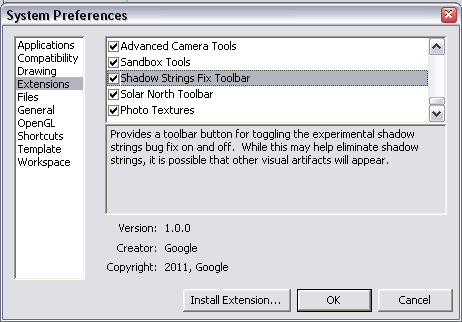
Then restart SU and make sure to scroll down (with a small arrow pointing down at the bottom of the list) to the toolbar to activate it.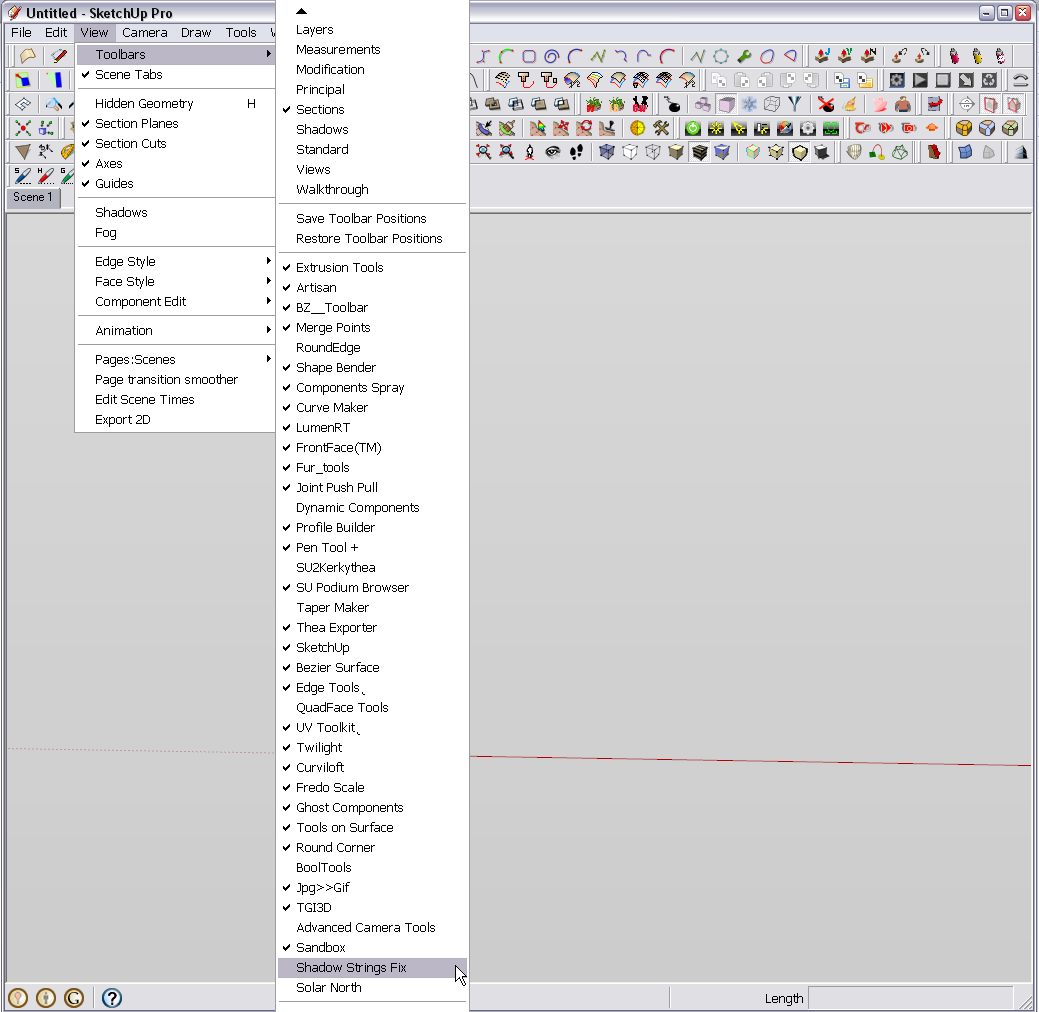
If it is not there, you may have crewed something up during installation and replacement of the plugins. -
@thomthom said:
Did you do anything with your Tools folder after reinstalling SketchUp?
Nope. I loaded everything exactly as they were before. In fact, curiously, all, and I mean all, of my plugins loaded just fine. Except, of course, the unfortunate shadow strings fix.


Hello! It looks like you're interested in this conversation, but you don't have an account yet.
Getting fed up of having to scroll through the same posts each visit? When you register for an account, you'll always come back to exactly where you were before, and choose to be notified of new replies (either via email, or push notification). You'll also be able to save bookmarks and upvote posts to show your appreciation to other community members.
With your input, this post could be even better 💗
Register Login


Advertisement