Problem with FredoScale toolbar
-
I had pm-ed Fredo to thank him for his great work and creations and also mentioned this small glitch. He suggested I pot it here.
I use several of Fredo's creations on a regular basis. However, I've noticed an inconstancy with the FredoScale tool bar on my machine. (I have not noticed it with any others) I know I've seen discussion here about some toolbars not being consistent in SU. I never really had that problem, but I have recently noticed it with FredoScale. Can't say when it started. I'm not sure if this is unique to my machine, and it's not really a major problem. Still, I'd love to know why it happens only in this one tool bar.
The problem: Often after I restart the program the toolbar switches from 2 columns of icons to 3. See attached images. As I said, it is not a problem per say, just an oddity.
My machine is home built with these components if that matters.
Windows 7 Pro 64
ASUS Rampage Gene III
Intel i7 930
ATI FirePro V4800
12GB Kingston 1600GB PC3-12800 1600MHz 240-Pin DDR3
Crucial SSD 128gb Drive
WD 1T drive
Below are images showing the Toolbar correctly and after a restart.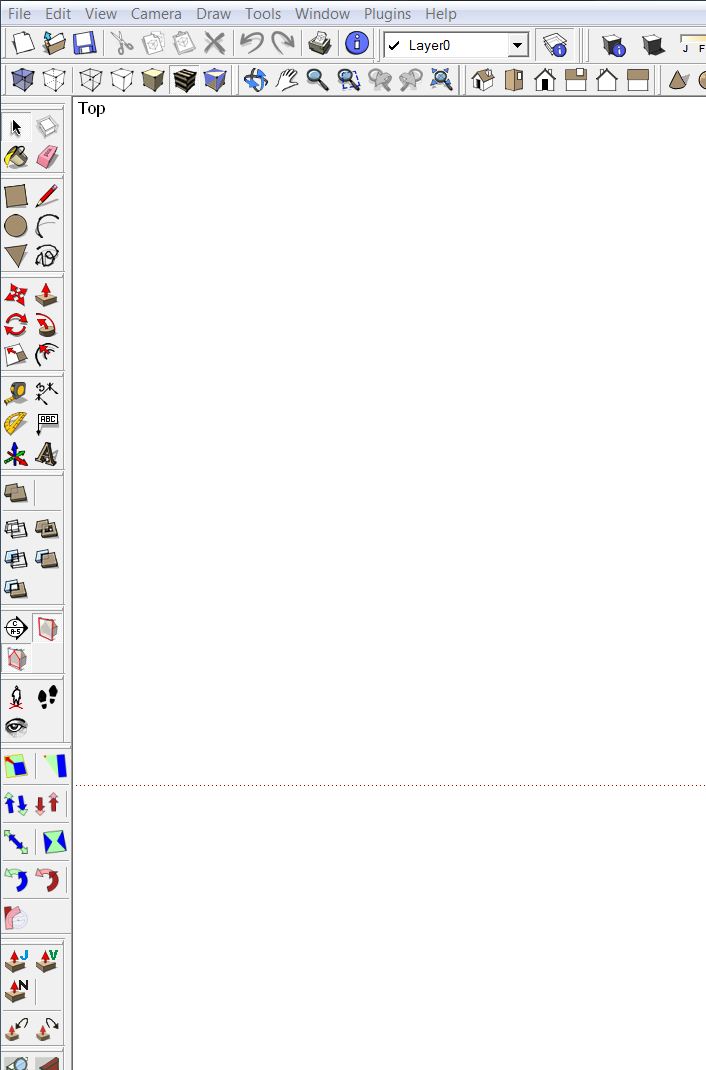
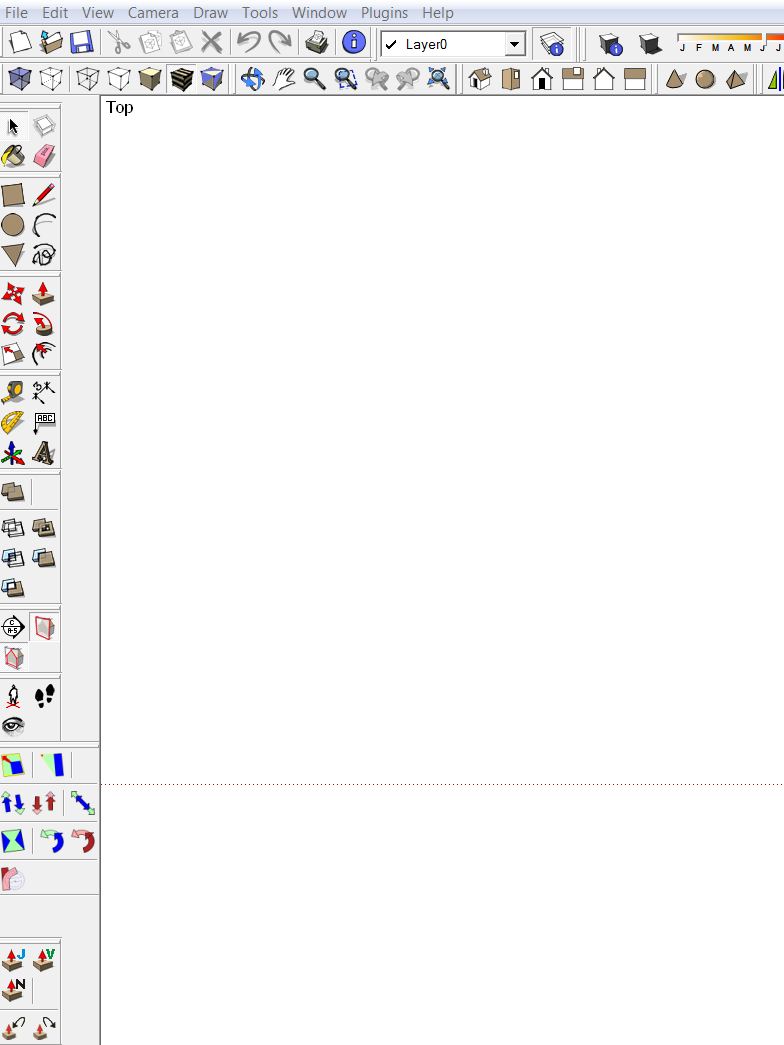
-
Have you gone to (view/toolbars/save toolbar positions)
-
There is an option to remove the separators in the FredoScale toolbar (in the Default Parameters dialog box).
Maybe this will help to have a more consistent layout when icons are shown in a vertical toolbar.Fredo
-
@unknownuser said:
There is an option to remove the separators in the FredoScale toolbar (in the Default Parameters dialog box).
Maybe this will help to have a more consistent layout when icons are shown in a vertical toolbar.Fredo
Pardon my ignorance, but where do I find the "default parameters" -
@calypsoart said:
Pardon my ignorance, but where do I find the "default parameters"
Go to the menu Tools > Fredo6 Collection > FredoScale > Default Parameters....
Th option should be toward the end of the list shown in the dialog box
Fredo
-
@unknownuser said:
@calypsoart said:
Pardon my ignorance, but where do I find the "default parameters"
Go to the menu Tools > Fredo6 Collection > FredoScale > Default Parameters....
Th option should be toward the end of the list shown in the dialog box
Fredo
Found it. I was unaware of the possible preference set up. Thanks.
-
Nope. Still having this problem. Maybe it's a glitch in my vcard driver or something. Just odd that it is not apparent with any other tool bar.

Hello! It looks like you're interested in this conversation, but you don't have an account yet.
Getting fed up of having to scroll through the same posts each visit? When you register for an account, you'll always come back to exactly where you were before, and choose to be notified of new replies (either via email, or push notification). You'll also be able to save bookmarks and upvote posts to show your appreciation to other community members.
With your input, this post could be even better 💗
Register Login


Advertisement