Png overlap display bug?
-
I have an issue with overlaping png images.
Basically these are trees mapped onto a surface with the intention of mutiple copies being used to create background vegetation behind a building...
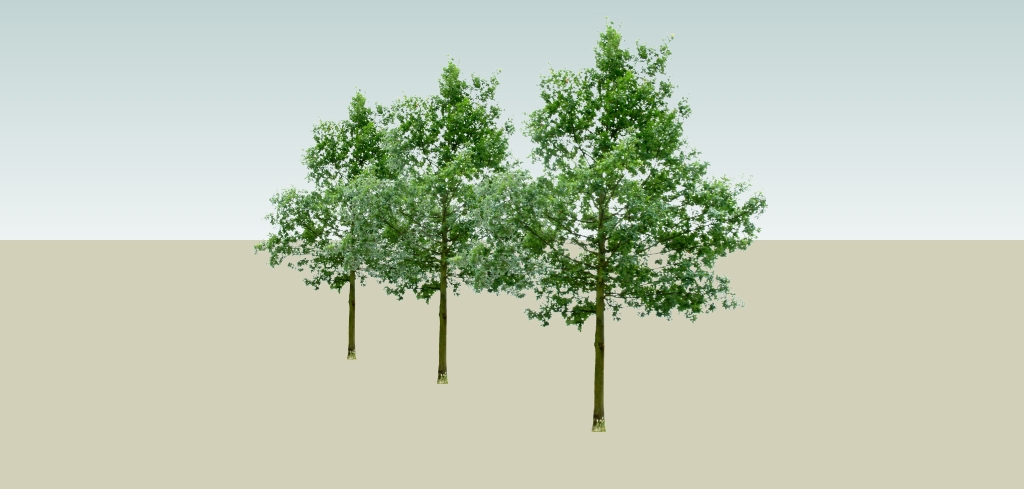
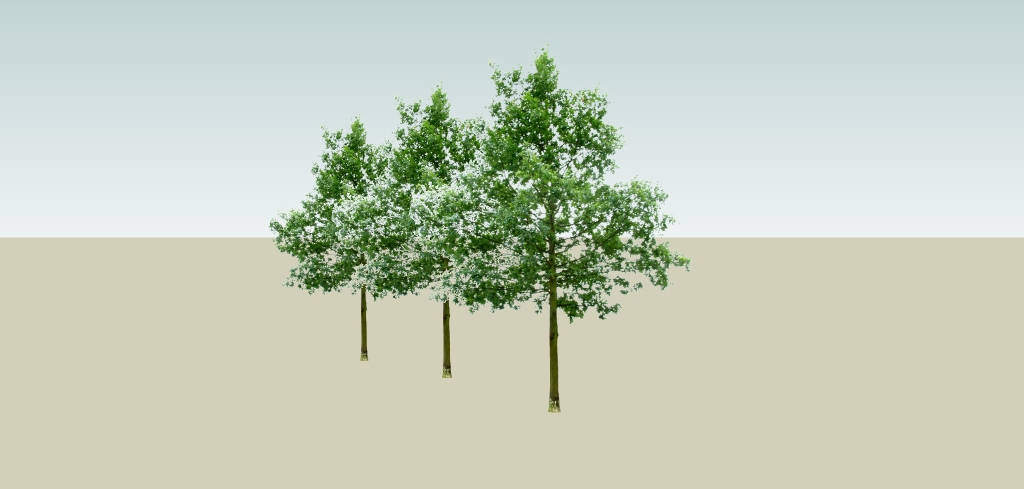
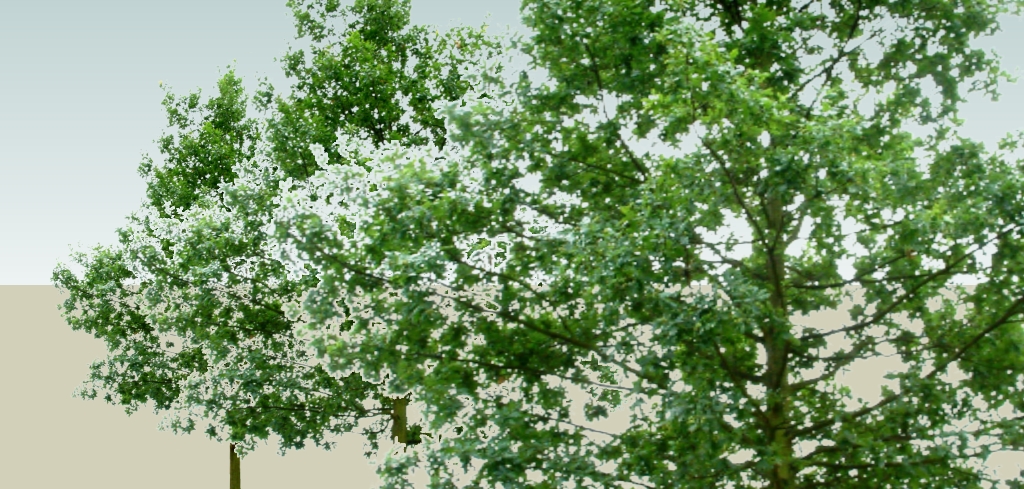
The png's have got a 'crisp' alpha masks..In some instances, when overlaping, they display correctly with no issues (attached image 01). From other angles, the overlap produces an additional transparent zone or 'halo' around the images which subsequently 'eclipses' the image behind it. (Images 02 & 03)
If the skp view is exported as an image, this 'glitch' is evident...
Interestingly, if one cycles through objects, selecting them one at the time, the display issue is temporarily resolved on the object directly behind that selected!.....???
Has anyone experienced this? Could it be a graphics card issue? Do you know a trick to correct it?
Thanks in advance...
Dave
-
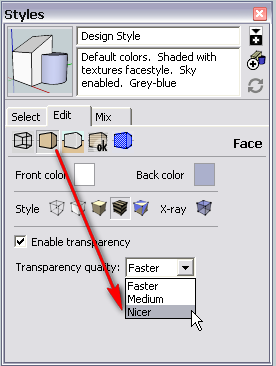
Try to set your transparency to "nicer" under Styles > In model > Edit > Face settings...
There will always be some halo in SU but hopefully it can be minimized. It can slow down SU considerably however (with lots of transparent things)
-
Thanks Gaieus
Working just fine now...

Even Medium seems to do the trick...
Thanks

Hello! It looks like you're interested in this conversation, but you don't have an account yet.
Getting fed up of having to scroll through the same posts each visit? When you register for an account, you'll always come back to exactly where you were before, and choose to be notified of new replies (either via email, or push notification). You'll also be able to save bookmarks and upvote posts to show your appreciation to other community members.
With your input, this post could be even better 💗
Register Login


Advertisement