Strange behaviour in Sketchup, and how I solved it
-
Hi all, here at work we just encountered a glitch in Sketchup's behaviour. I'm posting it just to describe the problem and how I solved it.
Modeling a staircase, Sketchup started doing this:
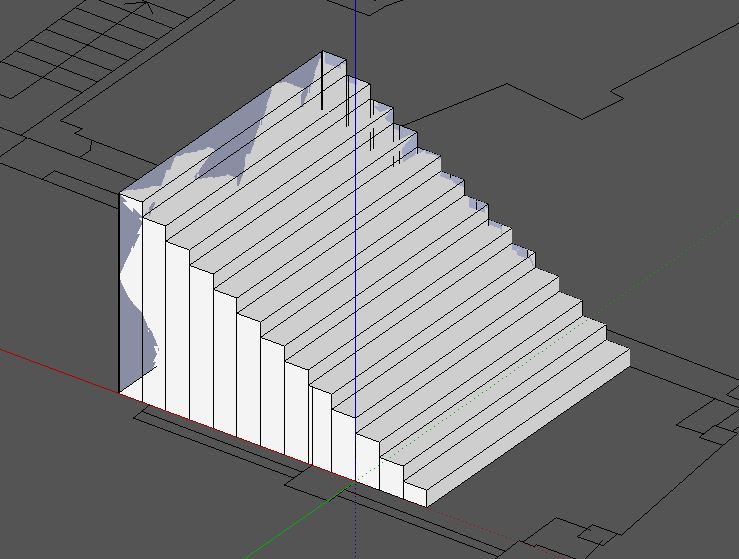
Making it impossible to get the job done. Also, when I click on the blueish faces that appear on the outskirts, I get the face on the other side selected.
This problem presented itself on two different machines with different graphic cards (nvidia and ati). Also, turning off open-gl acceleration was of no use. It seemed we had a corrupt file, then I tried one last thing: I opened a new Sketchup window and dragged the file on to the scene... problem solved!
Don't ask me why.. I just know that now I don't have the problem anymore, I hope this news is useful to somebody

-
Huh....I use an emulated graphics card and don't have that problem.
Cheers,

Hello! It looks like you're interested in this conversation, but you don't have an account yet.
Getting fed up of having to scroll through the same posts each visit? When you register for an account, you'll always come back to exactly where you were before, and choose to be notified of new replies (either via email, or push notification). You'll also be able to save bookmarks and upvote posts to show your appreciation to other community members.
With your input, this post could be even better 💗
Register Login


Advertisement