Photo match question
-
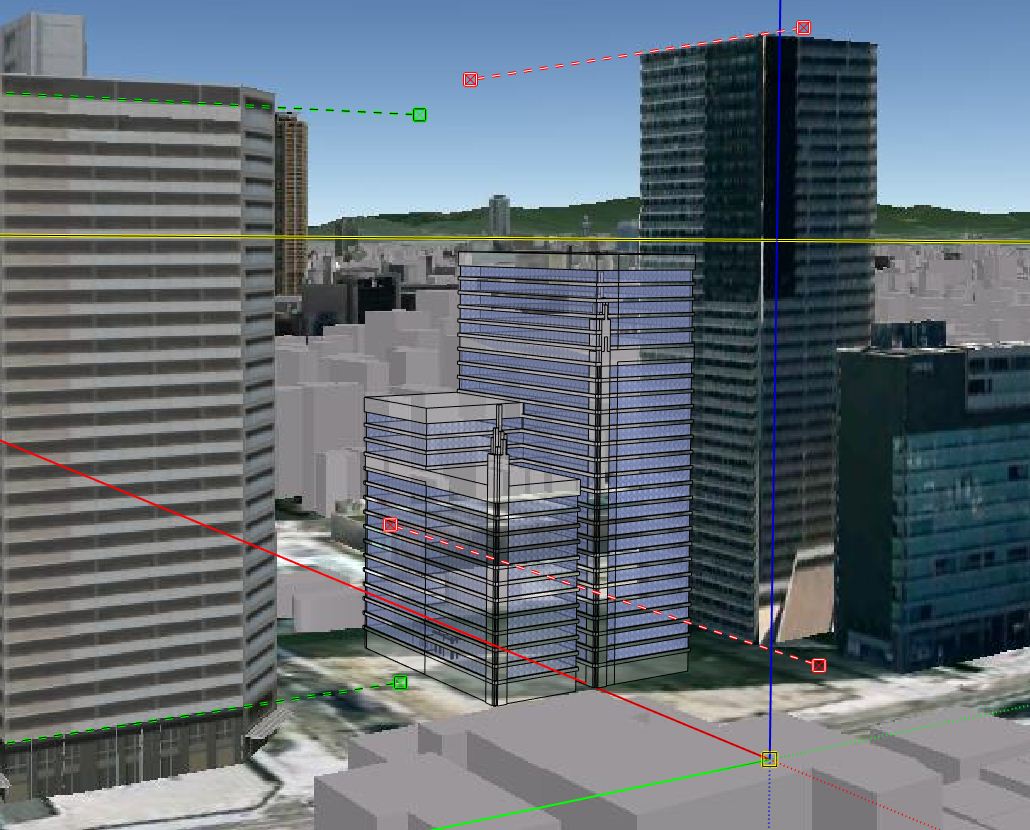
I am asking this for a friend. I rarely use photomatch and I am not on SU8 so I don't know if this a problem of SU 8 for what. My ciolleague is dropping a building into an aerial and every time he hits the Pho Match Scene tab his building goes transparent. I know its not a styles thing, materials thing or x-ray mode face style thing or whatever. I was wondering if there is a setting SU8 photomatch that defaults to a transparent mode? when he goes to another view by orbit or whatever it shows solid and fine.
Any thoughts? I just didn't know how to answer his question.
-
If he looks around there is an opacity setting for both the background image and the model.
Edit: They seem to have moved it. If you go into 'Styles' and edit your current style under the last tab (Modeling) down near the bottom is two sliders with the Match Photo Header. Tell him to Uncheck the foreground slider.
Rob
-
i think we checked that but We will double check. Thanks for the response.
D

Hello! It looks like you're interested in this conversation, but you don't have an account yet.
Getting fed up of having to scroll through the same posts each visit? When you register for an account, you'll always come back to exactly where you were before, and choose to be notified of new replies (either via email, or push notification). You'll also be able to save bookmarks and upvote posts to show your appreciation to other community members.
With your input, this post could be even better 💗
Register Login


Advertisement