Shadow Gremlins
-
Can someone please explain why this is so?

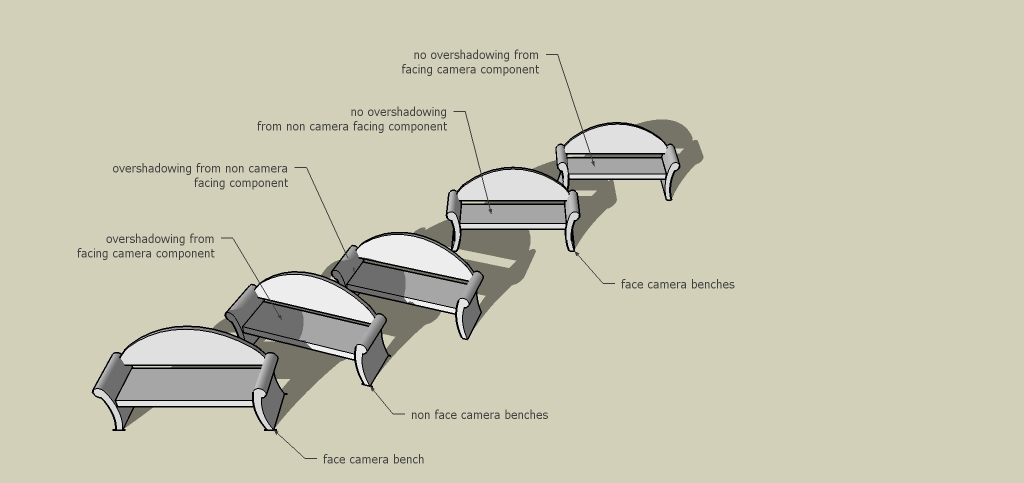
I have been using sketchup for years but only recently noticed that 'face camera' components cannot receive shadows from either: non camera facing components, other face camera components or even basic sketchup surfaces / objects.
The Receive shadow tick box under entity info has no effect on this.
Please see attached image for a demo of what i am talking about.
I have tested this in both sketchup 7 and 8 and so it must be a inherent built in lack of functionality.I just can't seem to understand why they shouldn't be able to do so and furthermore, this can result in an 'unrealistic' image exported in native skectchup format as elements of the scene in shadow but not representing this will 'pop' out.
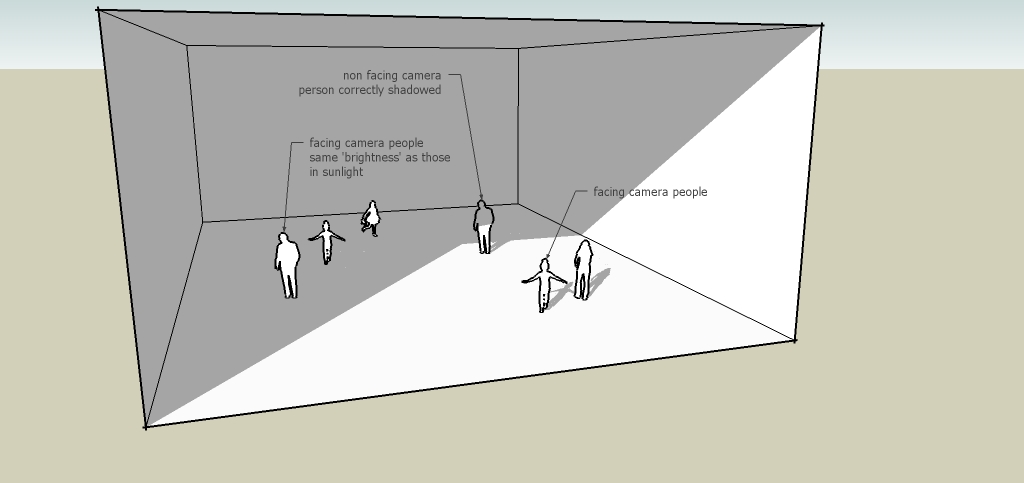
This has come to light using people components in a scene some inside a space (in shadow)...some outside... but all appearing equally as bright. (see shadow issue2.jpg)
Sketchup developers... thanks for fixing the shadow bug... but could you please fix this too!
If i am otherwise having a DOH! moment, please... a solution would be greatly appreciated.
Thanks
Dave
-
Hi David,
Could you also provide the skp for the scene? (Certain components - or entities inside - are set not to cast or receive shadow on user choice and investigating this can only be done from the file itself).
-
Gaieus
I didn't save the scene that generated those sample images but will whip one up quickly... since its easy to reproduce the issue.
Standby...
Dave
-
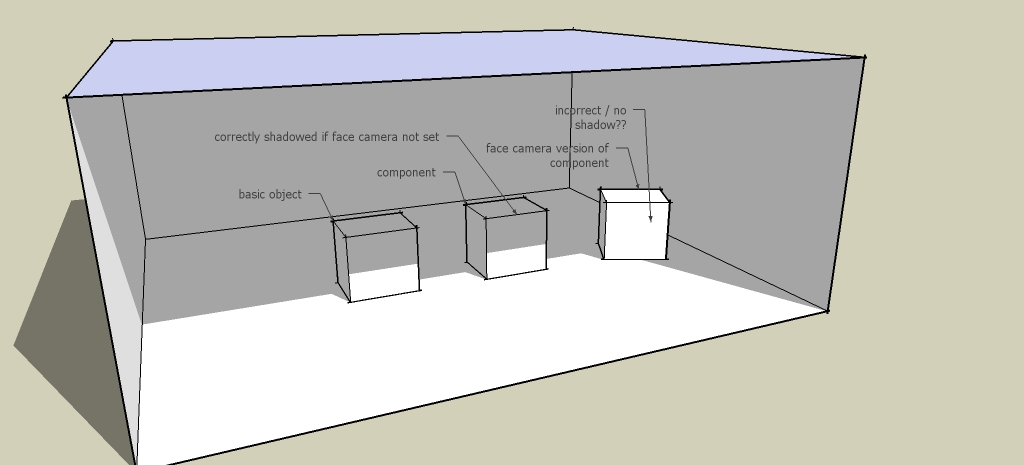
Here we go see for yourselves


All entities are set to receive shadows....I'm stumped.
Dave
added still image of skp file scene...
-
True. Gee, I have never noticed it. Thinking about the reasoning behind this: typically you would use 2D shapes as face-me components and maybe when they are about the edges of a shadow, they would look weird as being non-3D, shadows could cause an issue and they would look strange

Hm. Anyone else?
-
Yeah... In particular with the 2d people...
You only have to look at the second image on my original post to see how weird it looks if you output native sketchup 'renders'...This was discovered whilst trial running TIG's image trimmer. I first noticed that shadows would not be cast on transparent png files that were used as textures on a surface (sketches of people on a 2d sihlouette) and then discovered that even if the maps were jpgs / flattened pngs the shadow would still not be cast if the component was set to face the camera, which when you're using 2d people you generally do to avoid picking up the very fact that they are 2d...
But then I'm thinking... If you had 2d trees facing the camera as well a building in the foreground would never cast a shadow onto them... so the issue has widespread potential consequences...
I'll wait and see if someone come up with anything...
Dave
-
A shadow cast by a building onto a 2d facing-forward tree is going to receive a boxy shadow across its whole face, trunk branches leaves and all. It would look incredibly fake and out of place. If anything, this design choice was probably intentional.
Assuming you're creating 2D media only (and not video), and want these shadows, explode your objects before printing the scene. Otherwise, someone might be able to point out a ruby script for you.
-
At this stage i am not too concerned with not being able to do it without exploding as you suggest (although this would be irritating with a lot of still scenes in one file)... and also because I have been surviving all these years without actually noticing anyway...
I'm just wondering what it is that causes this to happen and if its something that Google could solve easily...
It also happens on the 3d objects (see images i provided) and if say you wanted a 3d object to face the camera for an animation, (for whatever reason) you currently wouldn't get any shadow at all..In my mind, some representation of shadow be it on a 3d or 2d object is better than none at all...
Otherwise thanks for all your comments.
Anyone from Google out there???...
Dave
-
Something is happening though. If you adjust the shadow date from 01/01 to 06/22 you go from a light to a darker coloration on the object at the RHS.


Hello! It looks like you're interested in this conversation, but you don't have an account yet.
Getting fed up of having to scroll through the same posts each visit? When you register for an account, you'll always come back to exactly where you were before, and choose to be notified of new replies (either via email, or push notification). You'll also be able to save bookmarks and upvote posts to show your appreciation to other community members.
With your input, this post could be even better 💗
Register Login


Advertisement