Newbie problem with video tutorial and push/pull
-
Hi
I've just started to learn Sketchup (ver8) and I'm following the video tutorial. Unfortunately I cannot carve shapes as the push/pull doesn't cut out the shape I make but just pushes the object into or outside the space I'm working in.
Can anyone help? -
Hi Colin,
I hope I understand what you mean... Sometimes the PP tool does not "stop" at the other side of an object (and will not cut a hole). In order for it to cut the hole, the edges (well, in fact, rather the opposite faces) of the object must be parallel.
I know, even in this case it sometimes does not stop and cut (like in my below example).
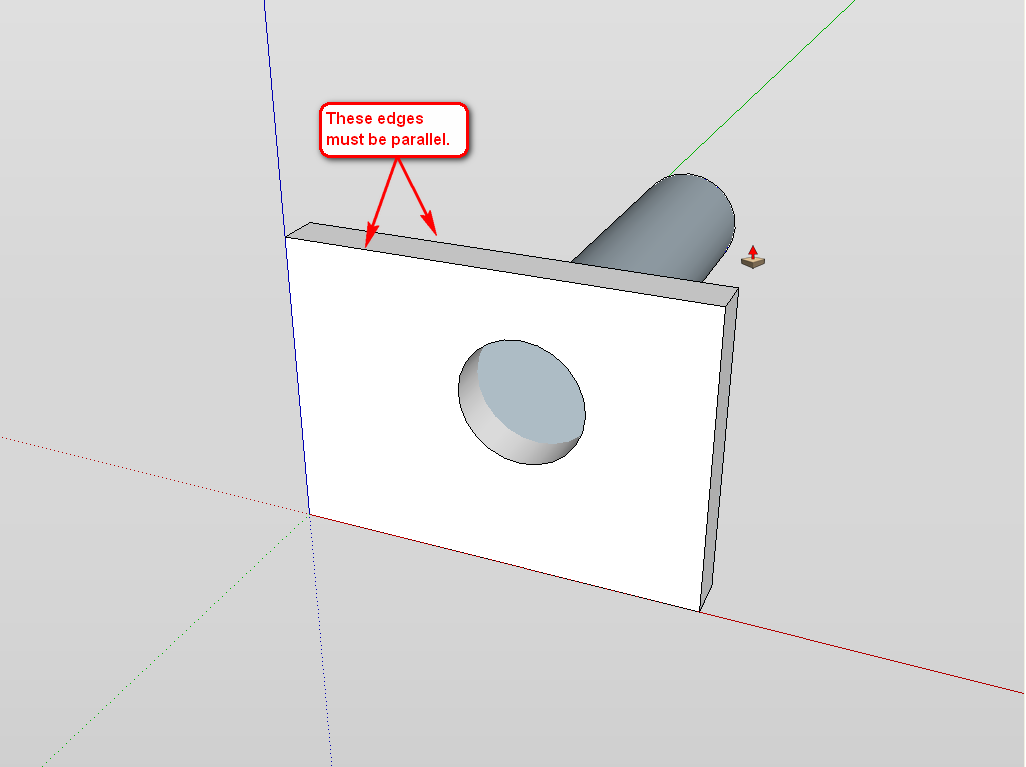
In this case, snap your PP tool to somewhere obviously on that plane (like I do below with that endpoint). Now there are two cases; it will either cut automatically or if not, just delete the opposite, remaining face (but again, even this will only work if the two, opposite planes are parallel)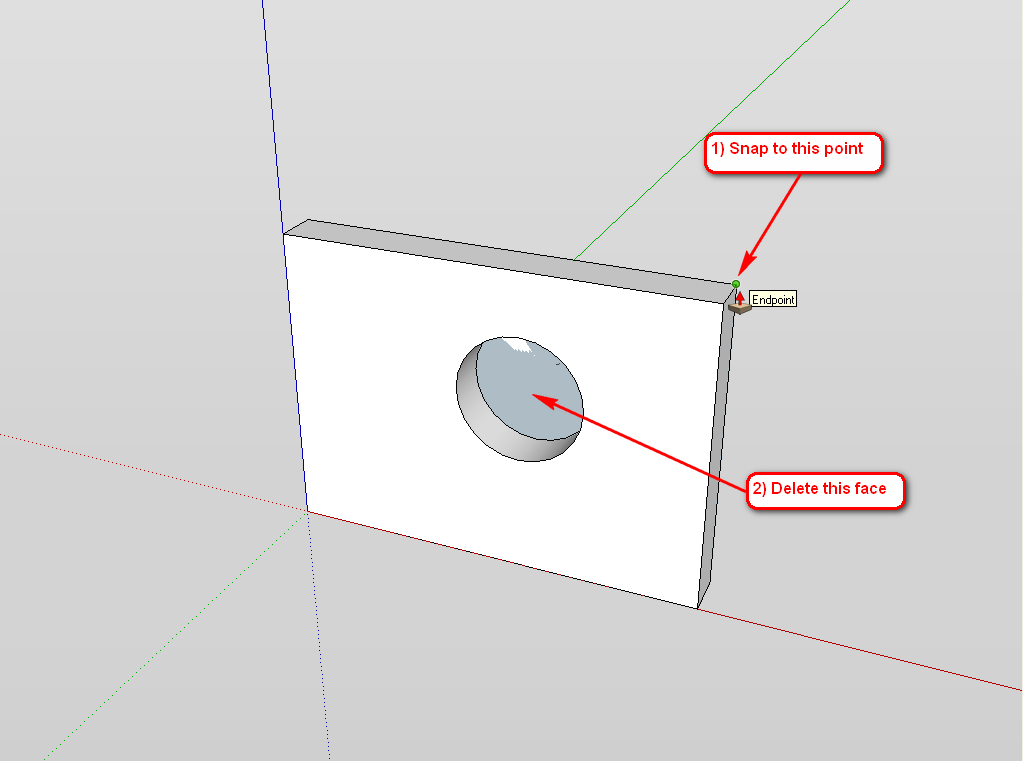
-
Thanks,
that was very helpful and now works a treat.
I've got a lot to learn buts it's been fun so far

Hello! It looks like you're interested in this conversation, but you don't have an account yet.
Getting fed up of having to scroll through the same posts each visit? When you register for an account, you'll always come back to exactly where you were before, and choose to be notified of new replies (either via email, or push notification). You'll also be able to save bookmarks and upvote posts to show your appreciation to other community members.
With your input, this post could be even better 💗
Register Login


Advertisement