Positioning repetitive textures
-
Hi everyone!
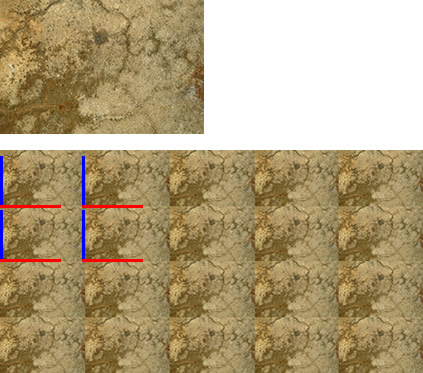
I would like to share a simple technique to achieve professional textures for high quality applications, using for that any photo editor such as Fireworks or Photoshop. The idea is match a simple texture in all their borders with itself, trying to keep a perception of a whole. So, better if we explain in practice.First, we must find a interesting texture to apply it in a repetitive way, just like this:
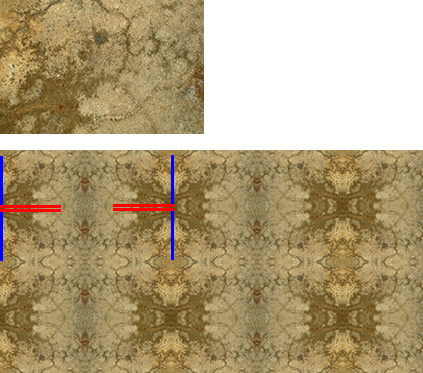
Secondly, using a photo editor we flip the original texture picture following X and Y axes, as this figure shows;
So, as the example mentioned, second figure shows more proportional adjustment of picture for repetitive purposes, however, I would not recommend to use this technique for small-size textures, use it only when you use textures for small buildings or geometries.
My best wishes
Vicente Sandoval
http://en.vicentesandoval.com
-
I already have action for photoshop to make this job.
Is very useful -
Very interesting. I have always wanted to be able to work with textures.


Hello! It looks like you're interested in this conversation, but you don't have an account yet.
Getting fed up of having to scroll through the same posts each visit? When you register for an account, you'll always come back to exactly where you were before, and choose to be notified of new replies (either via email, or push notification). You'll also be able to save bookmarks and upvote posts to show your appreciation to other community members.
With your input, this post could be even better 💗
Register Login


Advertisement