Component reload - how to reload also materials
-
When I reload a component from my collection, it only updates geometry, but not material/textures.
SU apparently generates new name for the updated texture, but does not replace/update it from the source component file.Any ideas, how to reload also materials?
Kalle
-
Hi Kalle,
Which one do you call a "source" file here? The one you reload from?
-
Hi Gaieus,
Master model - for example a house - where I insert several componets ie. tables, windows etc. which I call source components.
I open a source component (say - a table) as a separate SU file and change the material, then I save the file and leave it open (paralelly to the master model). Then reloading this component in the master model will not update the material, but only geometry. -
Hm. I don't know what's happening there. It updates the materials for me (in fact, I often use this technique with more complex components like arched windows on a curved wall or such to make sure I do not screw up the master model when texturing it).
Here the window is arched, curved and the edges are rounded. I textured it "outside" of the master model and then reloaded.
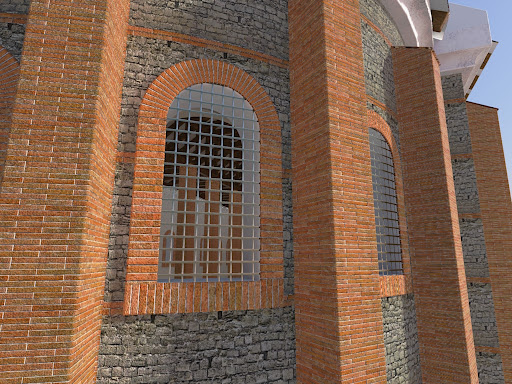
-
Apparently the linking problem was related to group materials. After experimenting with diffent settings, it works fine now.

Hello! It looks like you're interested in this conversation, but you don't have an account yet.
Getting fed up of having to scroll through the same posts each visit? When you register for an account, you'll always come back to exactly where you were before, and choose to be notified of new replies (either via email, or push notification). You'll also be able to save bookmarks and upvote posts to show your appreciation to other community members.
With your input, this post could be even better 💗
Register Login


Advertisement