Problem when creating recessed windows
-
Hello,
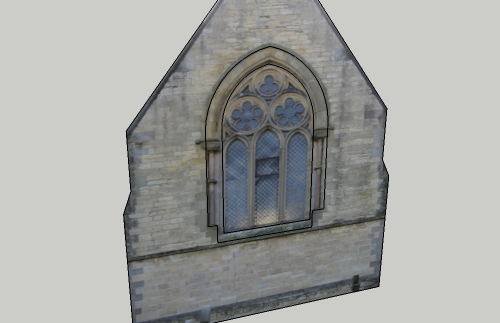
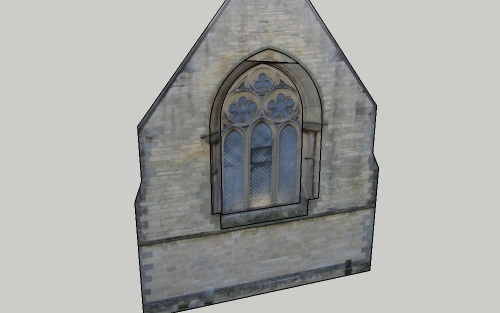
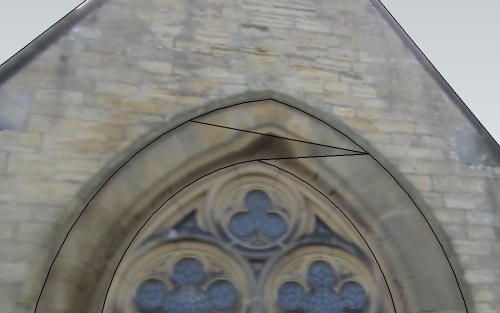
I am having trouble with creating a recessed window. I have created the outline of the window opening, then offset the face to create the actual window itself before moving it 400mm inwards. However, something goes wrong (see pictures)and I've tried welding the lines, using different offset distances etc, but with no luck.
Can anyone help?
Thanks!
P.s. Model attached also.
-
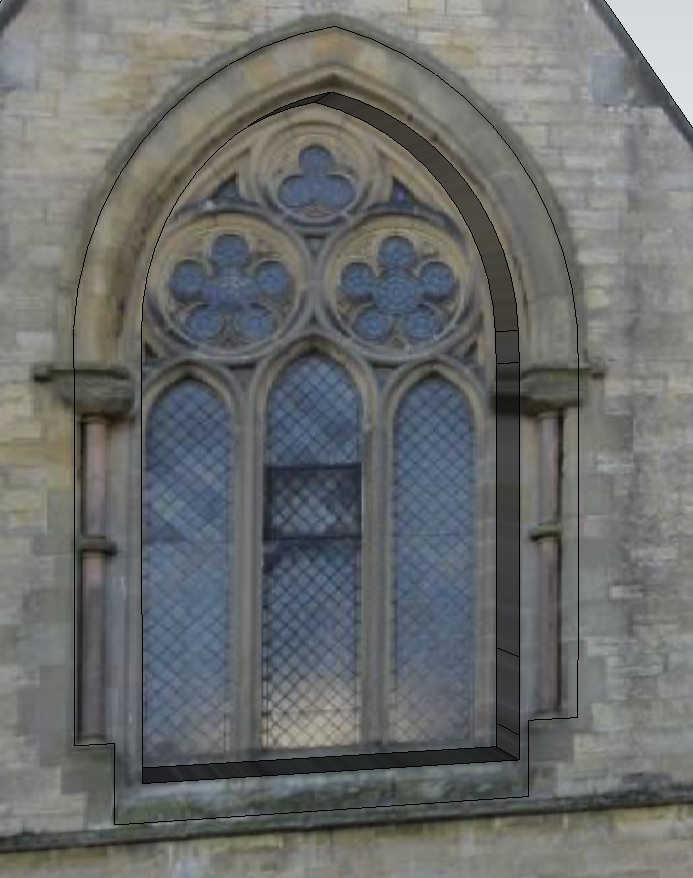
I am not seeing the problem - your model unchanged allowed me to do this (window pushed back 400mm). I can also push the outer face back without problems too - in case that was what you mean.
Perhaps I have misunderstood your problem?
-
Ah yes, Sorry Chris, I can PUSH/PULL back he window 400mm no problems, my actual problem is I want to MOVE the inner window back, thus creating an angled bit of stone between the wall and the actual window.
Images #2 and #3 show what happen when I try to do this.
-
I have modified your model here. Simply, I added an offset outside the window and connected it to the window frame with a few lines at top. mid-sides, bottom corners and then moved that back 400mm.
Be sure to lock in the z axis for the move (you have the face of the building lying on the ground) else you will simply be moving the window sideways.
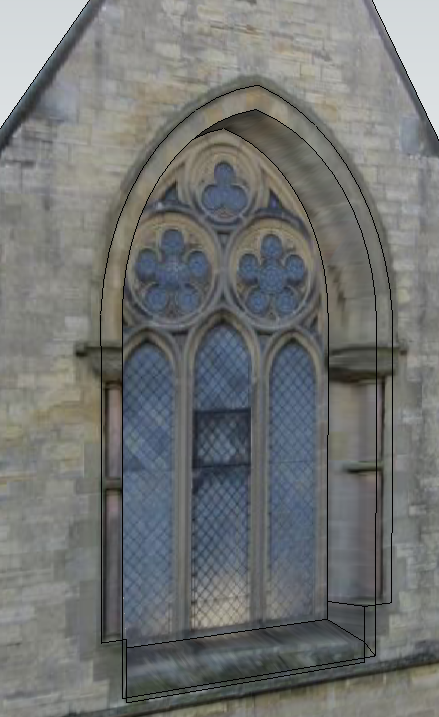
And with lines hidden.
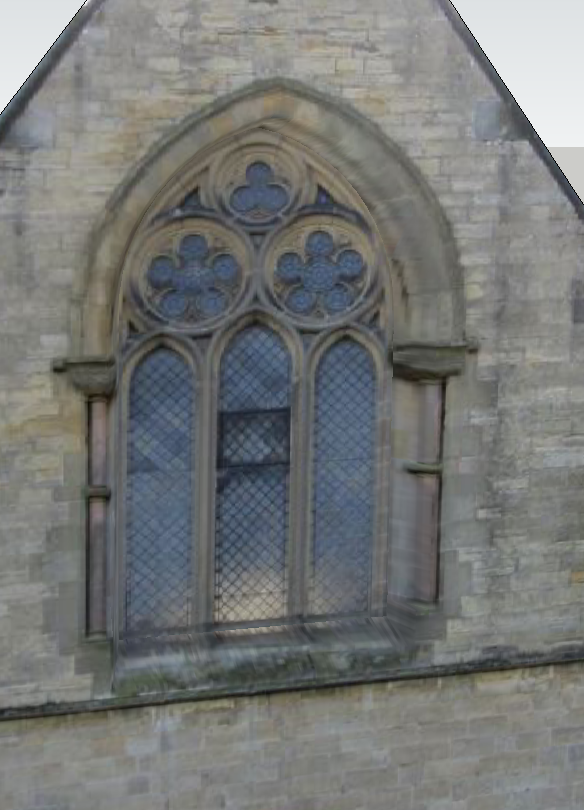
-
Many thanks Chris, I think I understand what you have done! Thanks again.
NB: Do you have any idea why it wouldn't work without creating extra frame first? Just out of interest?
-
You can - just need to hide the lines that SU introduces. I wasn't sure quite where you wanted the recess to start.
Here's what happened when I tried it. The black lines you see can be hidden with the alt-eraser.
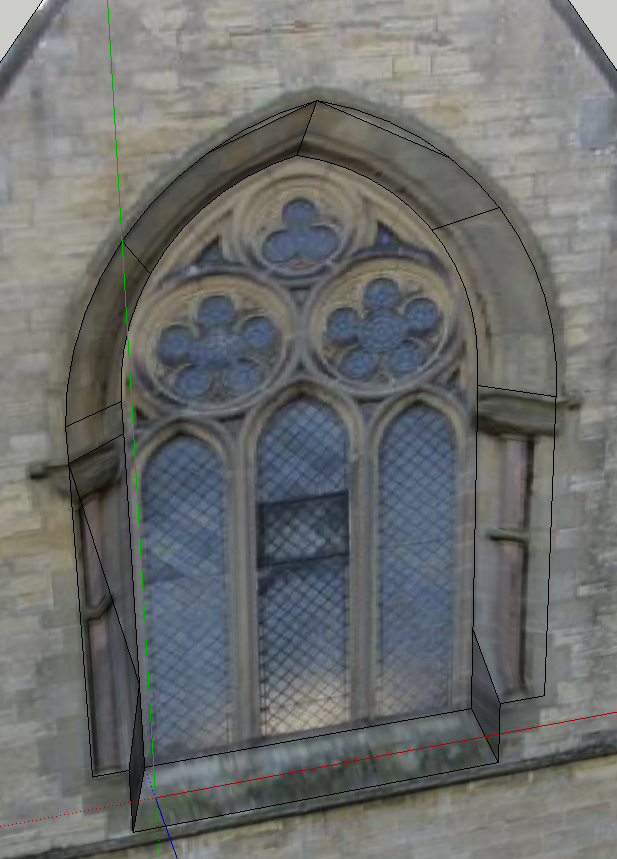
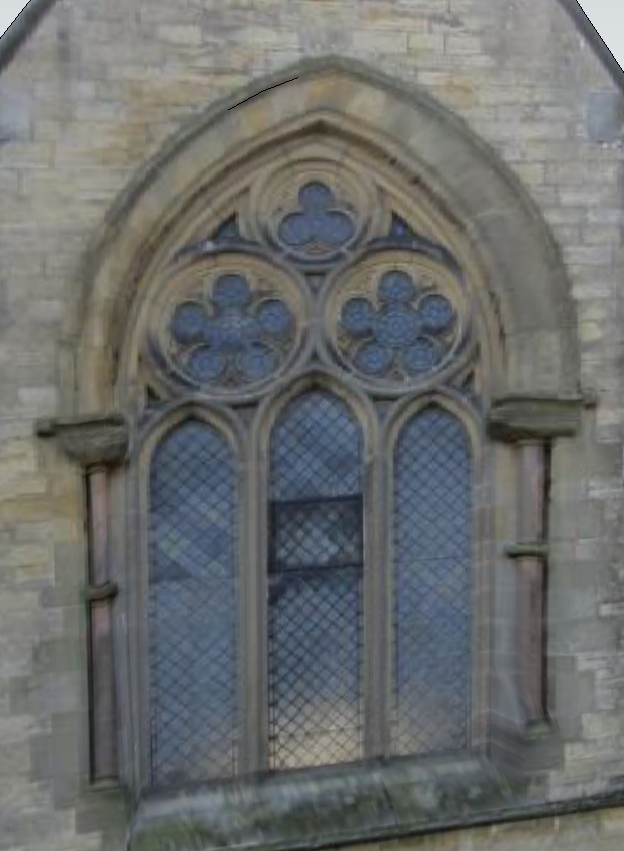
-
Thanks again Chris, much obliged. I was aware of being able to hide lines etc but on my original problem (which can be seen in image #2 and #3 on the 1st post) SketchUp created a new face at the top of the arch.
Anyway, don't worry about it, problem solved, thanks again!

Hello! It looks like you're interested in this conversation, but you don't have an account yet.
Getting fed up of having to scroll through the same posts each visit? When you register for an account, you'll always come back to exactly where you were before, and choose to be notified of new replies (either via email, or push notification). You'll also be able to save bookmarks and upvote posts to show your appreciation to other community members.
With your input, this post could be even better 💗
Register Login


Advertisement