Strange section fault (or is it?)
-
Hi All,
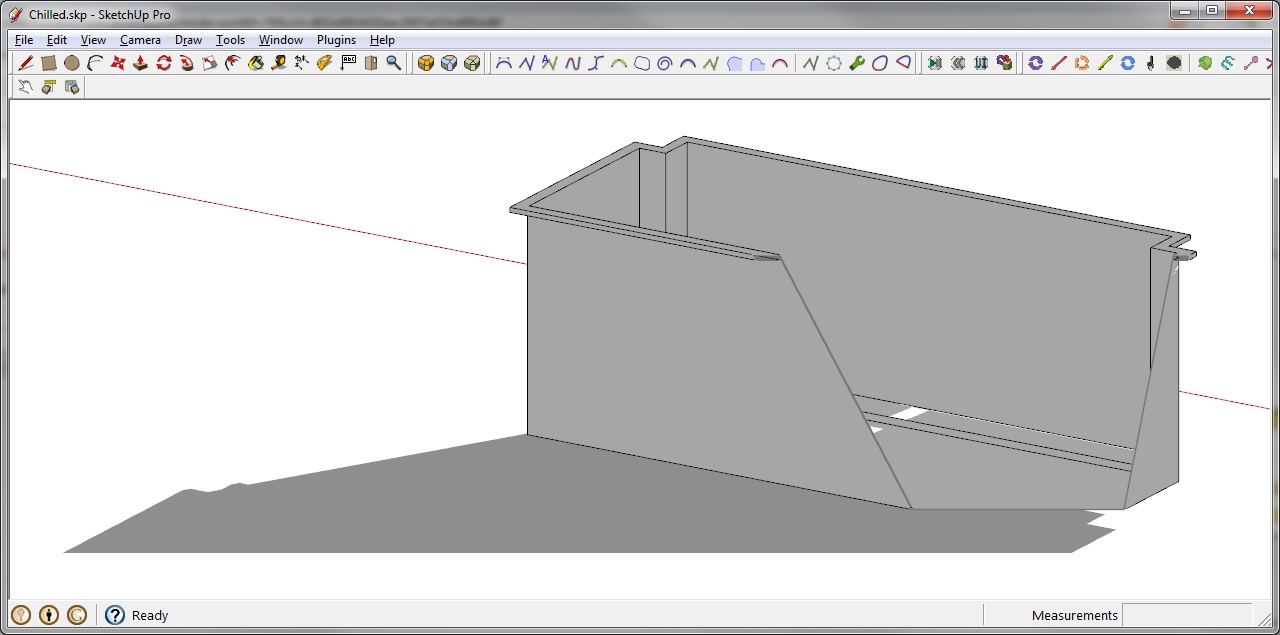
Been using Sketchup for a while now but lately (perhaps since swithing to 7) I have had this strange problem where while viewing in 'parallel projection' and orbiting around, I get a nasty cross section cut over my view (like my LCD screen is a section cut. See the attached screenshot). I then switch to 'perspective, zoom out and then return to parallel view to fix the fault.
So my questions are:
- Is this normal behaviour? (I don't recall seeing it in previous versions of Sketchup)
- Can I stop it from happening?
Hoping that someone out there can help.
-
Hi,
This is so called "Clipping". See if any of the solutions (like going back to Perspective) would help here:
http://sketchup.google.com/support/bin/answer.py?hl=en&answer=36261 -
I just zoom out, it always works.
If you want to get complicated then change you Field of View. Post here if you want to learn more about FoV.
-
@ Gaieus
Thank you for that, I just wasn't sure whether it was a common problem. I am often having to orbit around my work for presentations and having the clipping occur is a bit embarrassing.@ KXI System
I read a little about FOV but still can't quite understand the benefits. Would appreciate a quick run-down.Cheers
-
@prokrastinator said:
@ KXI System
I read a little about FOV but still can't quite understand the benefits. Would appreciate a quick run-down.Cheers
I'll give it to you how I learned it, basicly you see more or less depending on your FOV. And it also sometimes can avoid nasty cut through's, I'm not to familiar of it to give you a good explanation.
If you take photographs I can explain it more easier using lens, as in when you type in a lens value- as in 14mm -your modeling window will look like your looking through a 14mm lens.In summary, a lower FOV will avoid cut through's. Higher FOV's will result in them when zoomed to near.
-
Here is a short video about setting your FOV in SketchUp:
[flash=640,480:1bxfgdu4]http://www.youtube.com/v/nGCJ9UiXZQA&hl=en_US&fs=1&rel=0[/flash:1bxfgdu4]
If, for whatever reason it doesn't want to play for you embedded (as it does not for me ATM), here is the direct link:
http://www.youtube.com/watch?v=nGCJ9UiXZQA

Hello! It looks like you're interested in this conversation, but you don't have an account yet.
Getting fed up of having to scroll through the same posts each visit? When you register for an account, you'll always come back to exactly where you were before, and choose to be notified of new replies (either via email, or push notification). You'll also be able to save bookmarks and upvote posts to show your appreciation to other community members.
With your input, this post could be even better 💗
Register Login


Advertisement