Print list of components with dimensions...
-
Hello all,
I've been using SketchUp for a while, but I've only really just started using it in earnest, have run up against a problem, found this forum and wondered if you can help.
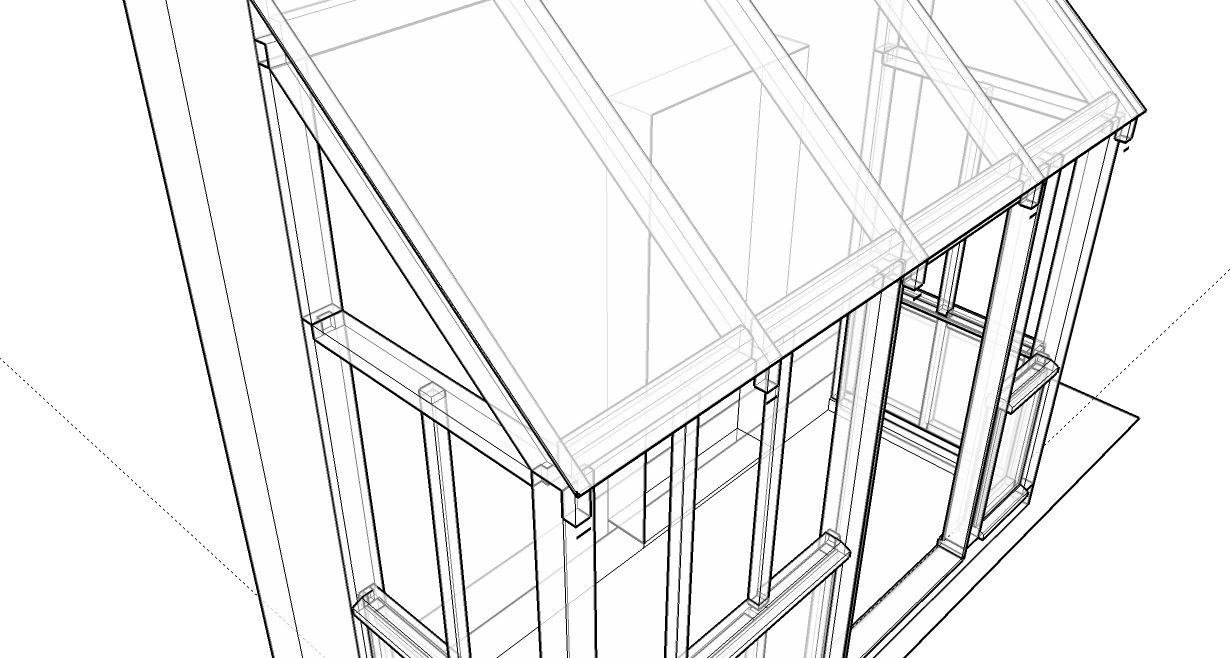
I've designed a porch and now want to produce some working drawings. What I really want is working drawings of all of the components with their cutouts, mortices, tenons, etc that I can take into my workshop and cut everything.
Is there an automated way (i.e. procedure or plugin) that will allow me to do this or do I have to manually orientate and dimension all of the components in the model?
Thanks in advance for your help....
Dominic
Here's the porch-->
-
-
Also have a look at Cutlist.rb here (http://www.box.net/shared/m9ryf1l0ni). For drawings, your Pro version has Layout which is what I use for workshop drawings of woodwork projects
Chris
-
I've seen cutlist and had a look at ComponentReporter and they don't do quite what I want. They seem to produce component 'cutting diagrams' but don't seem to have the dimensions of the mortices, tenons, cut outs etc.
I guess it just a matter of manually dimensioning all my components and sending them to Layout. Just seems a bit of a chore, there are 30 components in this model and I've got other projects on the cards that will have considerably more.
I'm no computer whiz, but maybe this could be a potential plugin to develop if there's not one already...
-
I have used auto-dimensioning occasionally in the past in a solid modeller (Solidworks) and found it generally made so many dimensions that I didn't want and had to remove, that it was easier just to make the ones I wanted. Admittedly, it was in the 2003 edition, so I guess things will have improved since then.
You might find it easier/quicker to do the dimensioning in Layout rather than SU.

Hello! It looks like you're interested in this conversation, but you don't have an account yet.
Getting fed up of having to scroll through the same posts each visit? When you register for an account, you'll always come back to exactly where you were before, and choose to be notified of new replies (either via email, or push notification). You'll also be able to save bookmarks and upvote posts to show your appreciation to other community members.
With your input, this post could be even better 💗
Register Login


Advertisement