Easy way to embed Youtube video in SketchUcation
-
All you have to do is place the YouTube ID of your video in the spaces of these templates:
This widescreen player should work fine with most YouTube videos:
[flash=853,505]http://www.youtube.com/v/________&fs=1[/flash]If a video is in HD and you are OCD about it playing unscaled, use this:
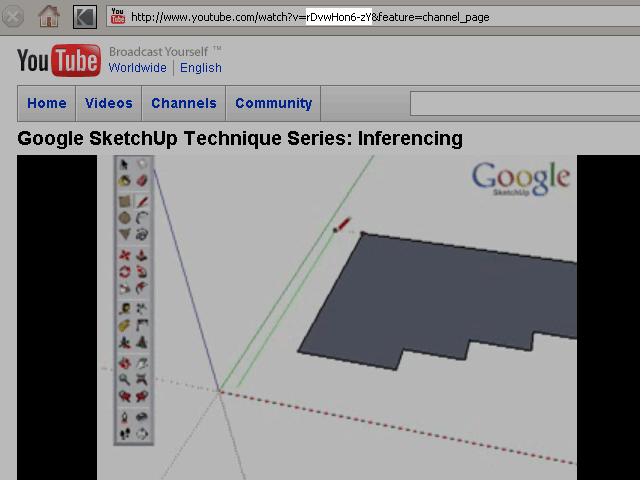
[flash=1280,745]http://www.youtube.com/v/_______&hd=1&fs=1[/flash]The YouTube ID of your video is very easy to spot.
It's everything between watch?v= and &.
Check these examples: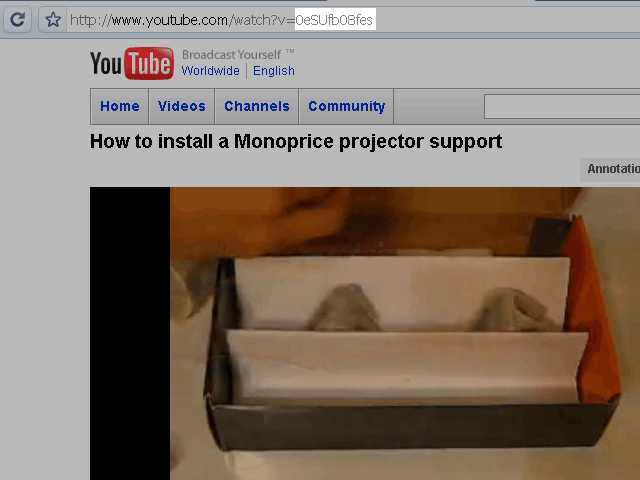
-
@unknownuser said:
I still can't come up with something witty for my signature.
try half witty!

or maybe dim witty!
-
very useful.. thanks.
Hello! It looks like you're interested in this conversation, but you don't have an account yet.
Getting fed up of having to scroll through the same posts each visit? When you register for an account, you'll always come back to exactly where you were before, and choose to be notified of new replies (either via email, or push notification). You'll also be able to save bookmarks and upvote posts to show your appreciation to other community members.
With your input, this post could be even better 💗
Register Login


Advertisement