Organic NIGHTMARE! Advice please?
-
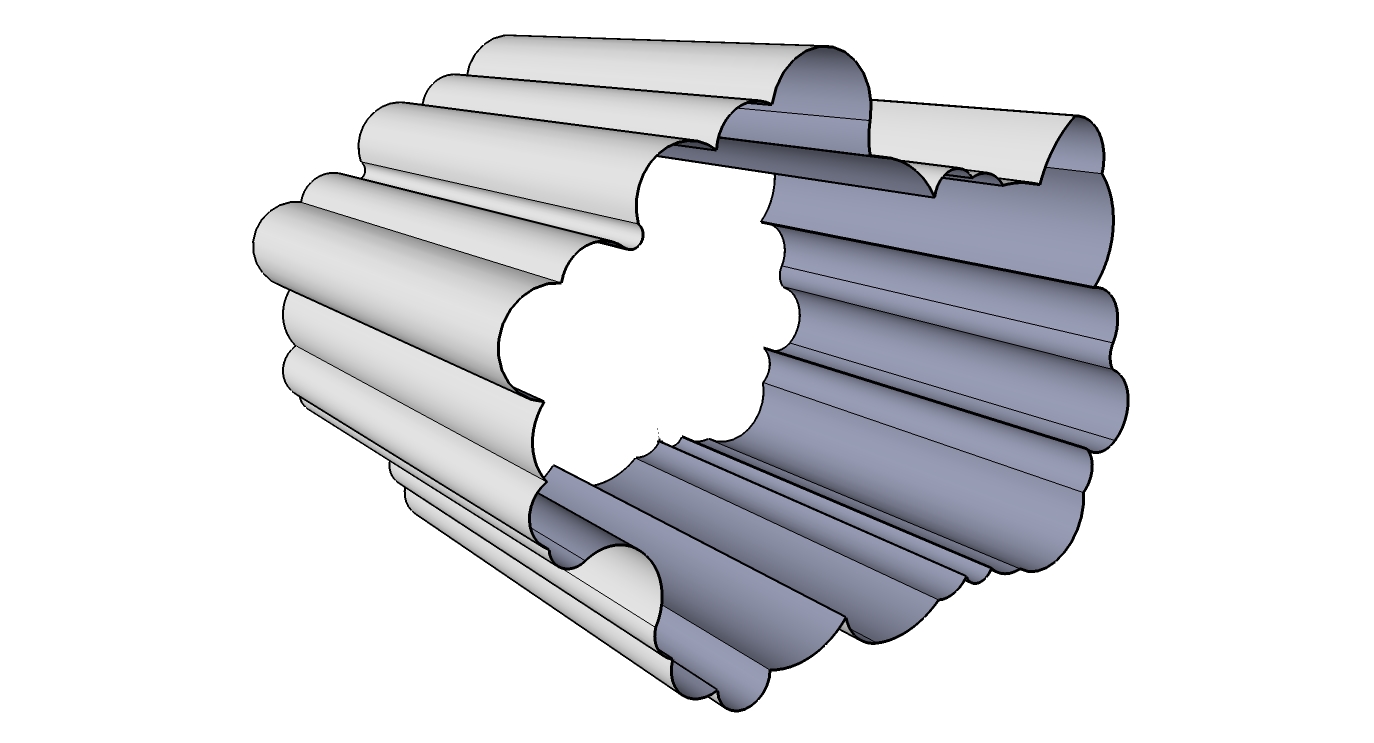
Hi im having a nightmare! im trying to 'offset' this organic shape exactly 100mm further into itself. so im creating this shape with a thickness off 100mm, much like a organic donut shape- hope that makes sence. Any ideas how i can do this?
any help would be very much appreciated.
cheers
-
@unknownuser said:
shape exactly 100mm
The fact that you need to be exact makes the shape geometric, organic shapes are 'free form'.
Pilou's advice is good, or you could do this even easier by creating your outer shape in 2d/flat, then using this tool to offset inward by amount you need and this to pull it to the desired length.
-
Maybe JointPushPull by fredo6

PS Make a Scale before because Su don't like works with very tinny measure !
And resize when transformation is done!
-
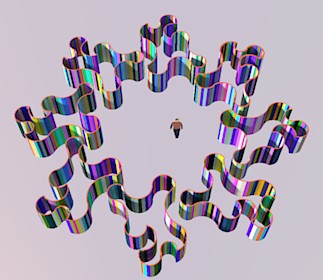
If any of your concave surfaces have a radius of less then 50mm you may have problems making a donut like shape.
-
The quick and dirty way would indeed be JointPushPull.
The better way is to redraw the initial shape in 2D onto a square surface so you are sure that the shape is 'filled' with a surface before using the offset tool as Solo suggested.Another great tool is makefaces.rb that heals surfaces, but I doubt it would work on a complex curve/lines like that.
-
I don't know guys,
If the edges all around the end of this shape coplanar, you should just select them and do a regular offset without any further hassle and plugins.
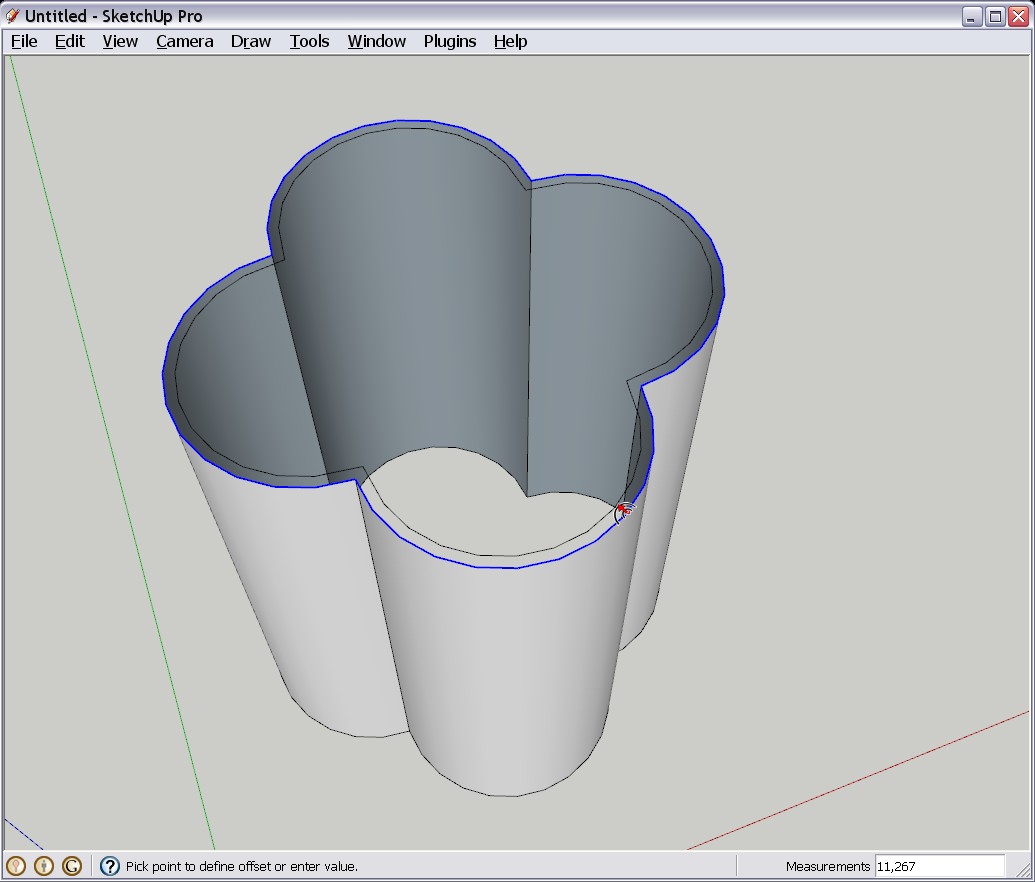
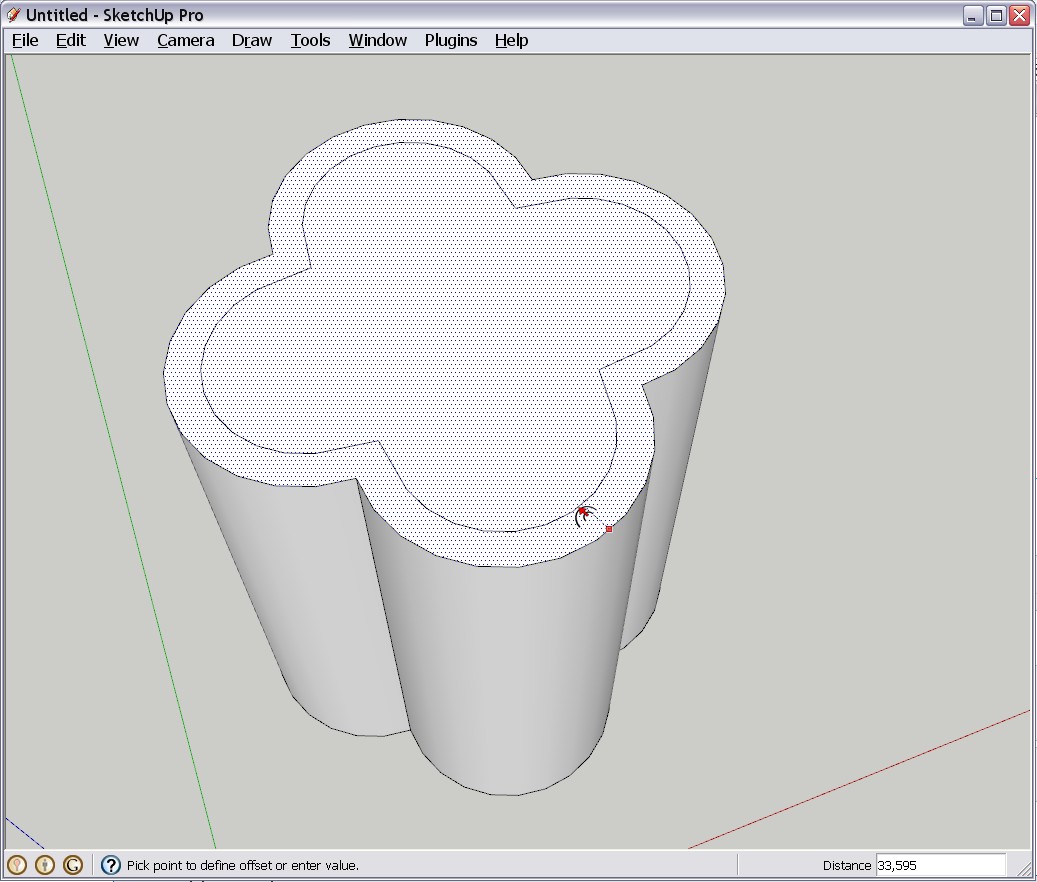
Now if they are non-planar, make an intersection with a flat face and do it afterwards.Another way would be to fill in that face first (just redraw a segment on the perimeter - again, only if the end edges are coplanar) and then do the offset.




Hello! It looks like you're interested in this conversation, but you don't have an account yet.
Getting fed up of having to scroll through the same posts each visit? When you register for an account, you'll always come back to exactly where you were before, and choose to be notified of new replies (either via email, or push notification). You'll also be able to save bookmarks and upvote posts to show your appreciation to other community members.
With your input, this post could be even better 💗
Register Login


Advertisement