Imported image becomes darkened on orbit
-
Hello,
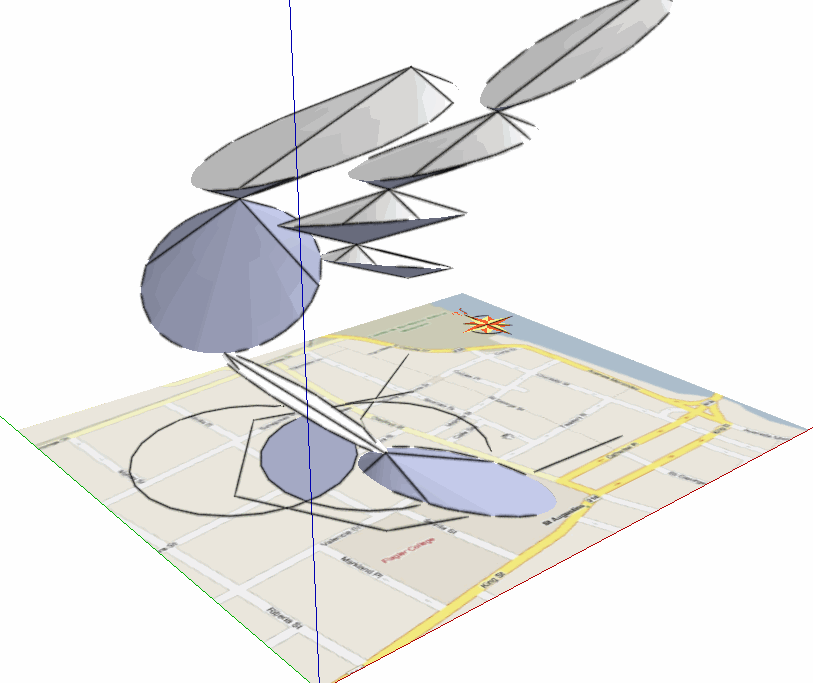
I am still fairly new to SketchUp so I am posting this on the newbie forum. I have created a image screen shot of a street map from google maps (jpeg). I imported this image into my sketchup model and positioned it on the x/y plane and sized it accordingly. For now I am cool w/ it being only a 2d image. My problem is that when I orbit to a different angle such as orbit the imported image becomes darkened. I would rather it stay the same original color. Is this possible?Thanks,
Derek
-
Can you upload a screen capture of the problem?
It might be the shadow settings of the drawing, or possibly something with your video card... but that last one I don't really have a clue how to solve!
-
Derek,
To render the model on-screen SU has two "lights" that determine the luminosity assigned to any face.
The default lighting uses a "spotlight" attached to your camera. This makes the faces that face the camera straight on to be the brightest, and the luminosity level of a face is determined by its angle in relation to the camera. This light cannot cast shadows (or if it did, the shadows would be invisible to the camera).
The other lighting system uses the sun, casts sun shadows and is totally controllable by the user via the Shadow settings toolbar/window. The lightness of the faces and shadows are controlled by the Light and Dark sliders. If you tick "use sun for shading" the settings will stick even if shadows are turned off. The darkening or lightening effects are totally turned off if you put the Dark slider to about 80 and the Light slider to 0, but you can experiment for yourself to get the optimal setting.
Anssi
-
Thanks Anssi for that great explanation.
Cheers,
Derek


Hello! It looks like you're interested in this conversation, but you don't have an account yet.
Getting fed up of having to scroll through the same posts each visit? When you register for an account, you'll always come back to exactly where you were before, and choose to be notified of new replies (either via email, or push notification). You'll also be able to save bookmarks and upvote posts to show your appreciation to other community members.
With your input, this post could be even better 💗
Register Login


Advertisement