Why are My Corners Doing This? (With Pic)
-
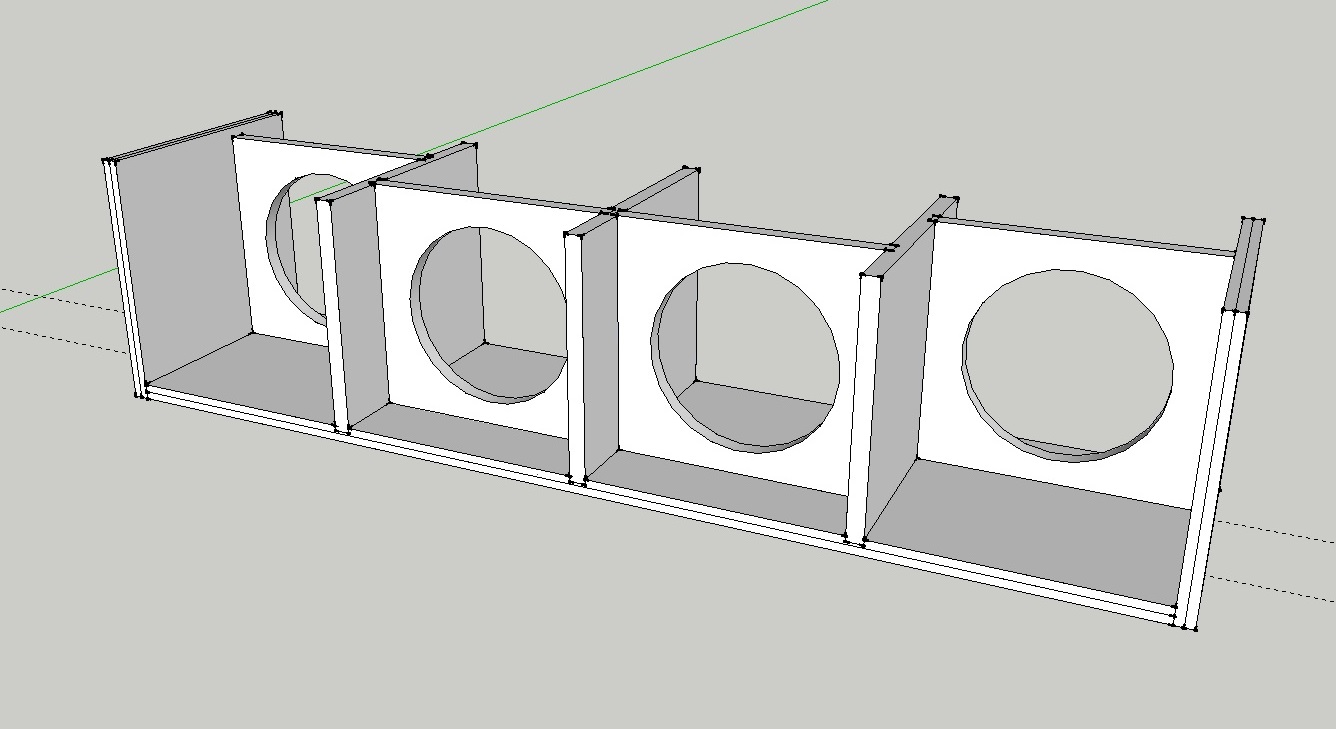
Just like the topic states. Why are my corners really dark. Ive search everywhere for the setting but cant seem to find it. I thought it might have been my vid card drivers, but thats not it. Heres a pic:
-
They're called "endpoints" and can be turned off where honoluludesktop indicated...I personally don't like them either (but I do usually set extensions to "3" :`)
-
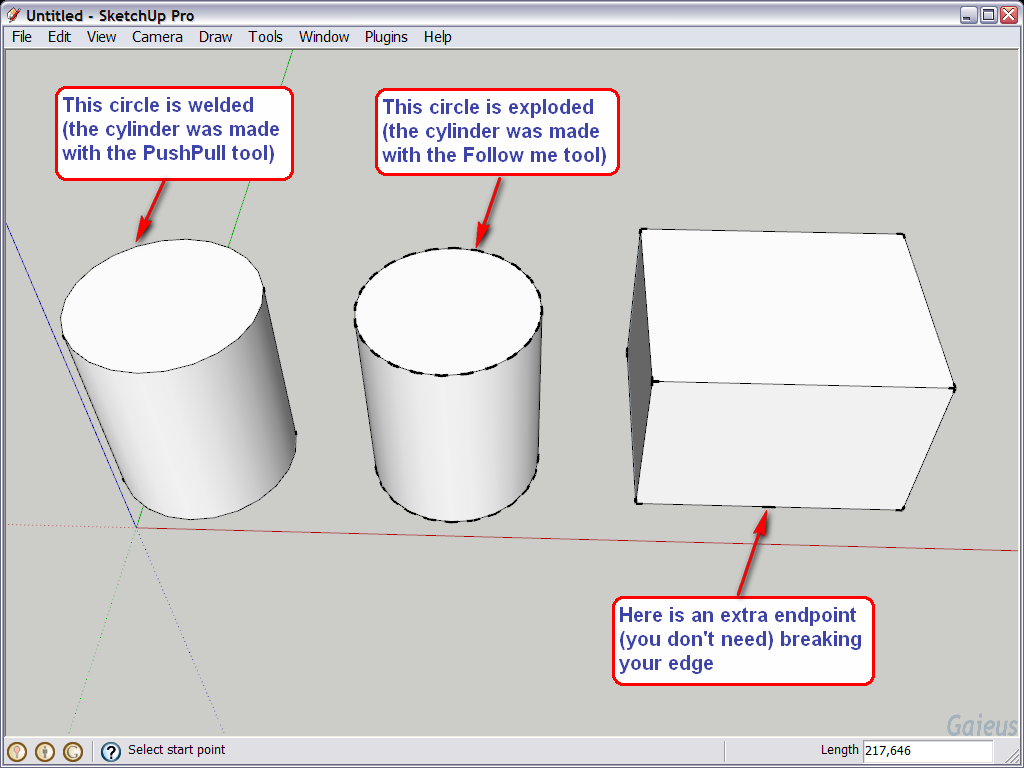
It's still good to remember where these settings are. Like Tomsdesk, I don't "like" them either but occasionally they are very handy when you need to discover where your endpoints are in a more complex mesh. So turn them off for general use but when you find yourself lost, maybe they can help.
See an example attached - I think it speaks for itself describing the "use" of endpoints in discovering what's going on in your model.
-
Hi,
Tanks to Gaieus and others. You have shown me a very usefull usage for the end points
-
Bert, I see you still use SU 6 but with SU 7 (and its "autobreaking" lines when crossing each other), it can be even more useful.
-
Go to Window > Styles > Edit and select the wireframe box. The numbers you place here affect your drawing.


Hello! It looks like you're interested in this conversation, but you don't have an account yet.
Getting fed up of having to scroll through the same posts each visit? When you register for an account, you'll always come back to exactly where you were before, and choose to be notified of new replies (either via email, or push notification). You'll also be able to save bookmarks and upvote posts to show your appreciation to other community members.
With your input, this post could be even better 💗
Register Login


Advertisement