SKETCHUP DISPLAY PROBLEMS
-
Hi there guys
I have this issue that sometimes occur a lot in our offices, and even my computer is currently doing this. I just want to know if someone can help me
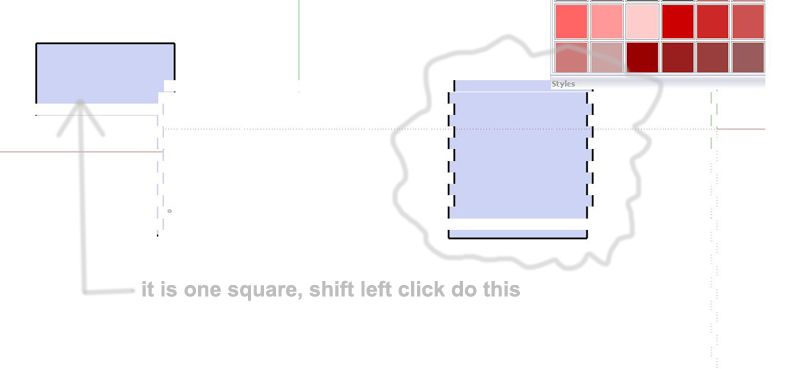
weh ni have hardware acceleration switched on, i sometimes do get this problem ,when i hold down shift, and left click, this happen to my model in my screen shot i provide. Is it a bug? How can it be fixed? I re installed dot net fx, but still the same thing. I just want to know what causes this problem, so i can know in future why it is doing it.
-
Jaques, let me guess you have a Nvidia 8 or 9000 series?
If yes, turn off antialiasing and see if it still happens, if so update your drivers.
another thing that can cause that is if you are using a microsoft intellimouse, if so uninstal the driver and plug it in and let windows use the generic scroll mouse driver.hope this helps.
-
yea got a 8800gtx card, got also an intelli mouse. Yea here in SA is this the most common thing in the shops...so we just grab that. But 90% of the time its fine...then one day just come and it gives you this...kinda funny..never ever happened to me till one day...boom. su 7 do the same thing. Havent check my home pc but office wise it looks like it might be only here, thanx will have a look at that

Hello! It looks like you're interested in this conversation, but you don't have an account yet.
Getting fed up of having to scroll through the same posts each visit? When you register for an account, you'll always come back to exactly where you were before, and choose to be notified of new replies (either via email, or push notification). You'll also be able to save bookmarks and upvote posts to show your appreciation to other community members.
With your input, this post could be even better 💗
Register Login


Advertisement