Texture on round surface
-
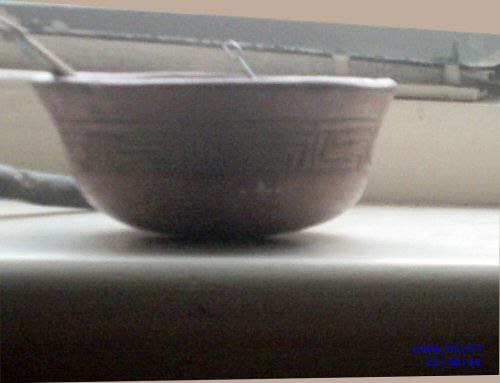
I'm working on a collection of Pre-Columbian tera cotas. The first one is a Guatamalan/Mayan bowl, photo below. When I try to paint the texture onto the outside of the bowl I get the result shown in the second shot below. I tried following one of Pete's old tuts on painting a map on a globe. But something is wrong: streaky sides.
Photo of original
Shot 1 of model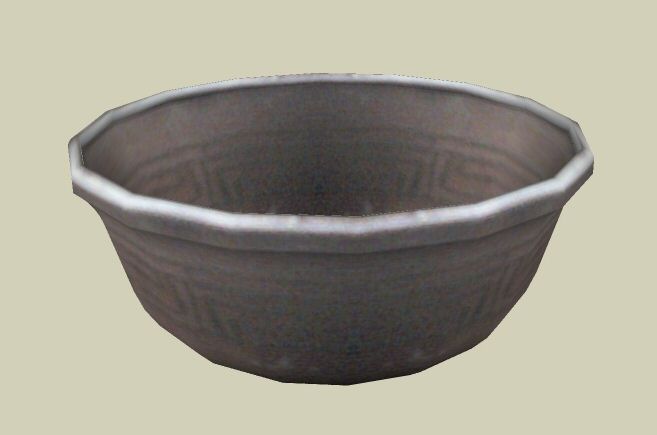
Shot 2 of model with streaky texture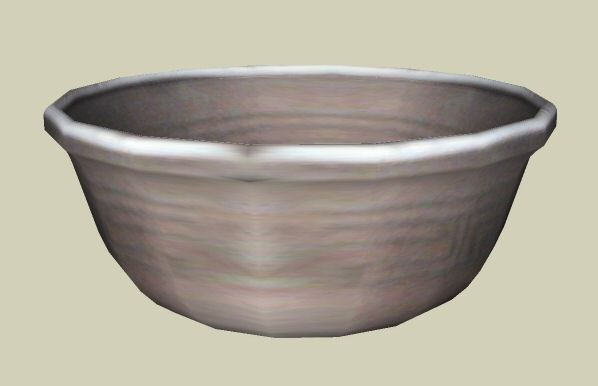
Thanks in advance,
Tom -
I'd say make a quarter of the bowl, texture that, make it a component, rotate copy 3 more times to complete the bowl. You'll have to toy a little with the texture to get it to "tile" or you could play with the texture in PS.
-
Thanks, JuJu,
I'll try that. I was hoping to avoid a solution like that because the bowl isn't uniform. But, I guess, sometimes art is best served by compromise.
Tom
-
@unknownuser said:
I'd say make a quarter of the bowl, texture that, make it a component, rotate copy 3 more times to complete the bowl. You'll have to toy a little with the texture to get it to "tile" or you could play with the texture in PS.
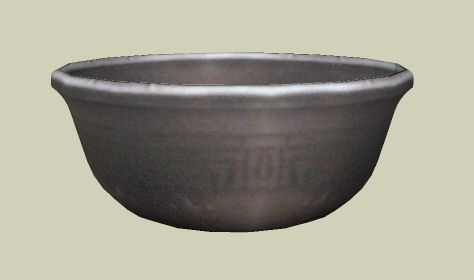
I tried that and it worked pretty well. Thanks again, JuJU,
Tom
-
You could also try turning on hidden geometry and then painting the faces with the same texture, but rotated around. This would keep the irregular geometry of the bowl, as well.

Hello! It looks like you're interested in this conversation, but you don't have an account yet.
Getting fed up of having to scroll through the same posts each visit? When you register for an account, you'll always come back to exactly where you were before, and choose to be notified of new replies (either via email, or push notification). You'll also be able to save bookmarks and upvote posts to show your appreciation to other community members.
With your input, this post could be even better 💗
Register Login


Advertisement