sketchucation logo sketchucation
    • Login
    Oops, your profile's looking a bit empty! To help us tailor your experience, please fill in key details like your SketchUp version, skill level, operating system, and more. Update and save your info on your profile page today!
    Urasik Extensions | Lots of new extensions to check out Learn More

    Automatically Size a Material Texture Map

    Scheduled Pinned Locked Moved Plugins
    2 Posts 2 Posters 1.0k Views 2 Watching
    Loading More Posts
    • Oldest to Newest
    • Newest to Oldest
    • Most Votes
    Reply
    • Reply as topic
    Log in to reply
    This topic has been deleted. Only users with topic management privileges can see it.
    • R Offline
      RossThompson87
      last edited by

      Hi,

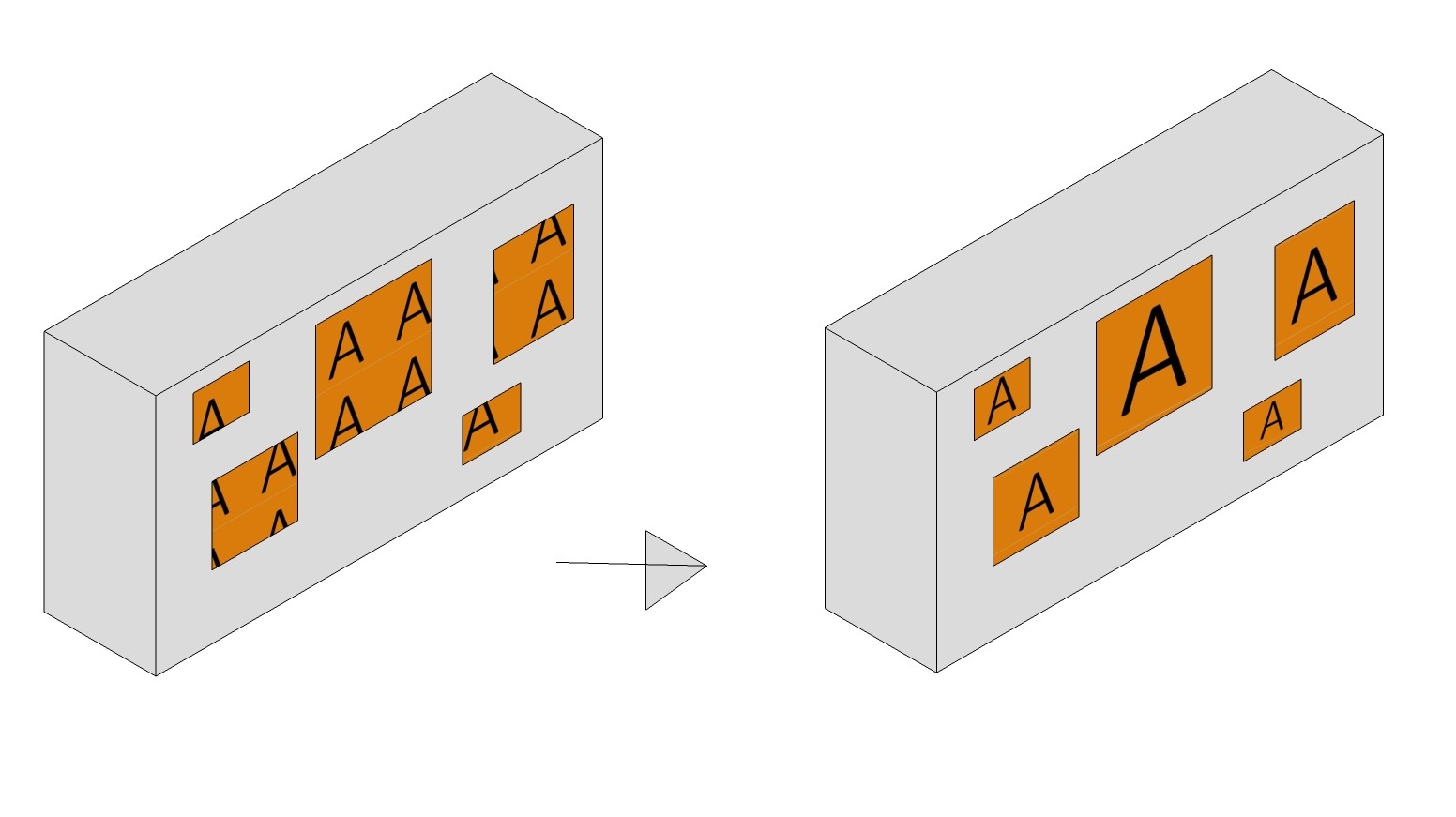
      I often have to annotate models to identify window types. A quick and clear method would be to apply a coloured texture map with a character in the middle.

      The problem is resizing and scaling the textures is very slow. Would it be possible to use the dimensions of the labelled rectangle to size the texture map?

      Attached is an illustration.

      Does TIGs texture tools already do this?

      I currently use SketchUp 7 as it's the last free version to allow DWG import.

      Thanks
      Ross

      1.jpeg

      1 Reply Last reply Reply Quote 0
      • N Offline
        numerobis
        last edited by

        UV Toolkit -> "fit texture to quad-faces"
        https://sketchucation.com/forums/viewtopic.php?f=323&t=18992

        1 Reply Last reply Reply Quote 0

        Hello! It looks like you're interested in this conversation, but you don't have an account yet.

        Getting fed up of having to scroll through the same posts each visit? When you register for an account, you'll always come back to exactly where you were before, and choose to be notified of new replies (either via email, or push notification). You'll also be able to save bookmarks and upvote posts to show your appreciation to other community members.

        With your input, this post could be even better đź’—

        Register Login
        • 1 / 1
        • First post
          Last post
        Buy SketchPlus
        Buy SUbD
        Buy WrapR
        Buy eBook
        Buy Modelur
        Buy Vertex Tools
        Buy SketchCuisine
        Buy FormFonts

        Advertisement