sketchucation logo sketchucation
    • Login
    Oops, your profile's looking a bit empty! To help us tailor your experience, please fill in key details like your SketchUp version, skill level, operating system, and more. Update and save your info on your profile page today!
    Mac User? | Join the Rayscaper Beta for Mac Learn More

    [Plugin] WebGL Cubic Panorama (update 2016-05-06)

    Scheduled Pinned Locked Moved Plugins
    71 Posts 18 Posters 24.2k Views 18 Watching
    Loading More Posts
    • Oldest to Newest
    • Newest to Oldest
    • Most Votes
    Reply
    • Reply as topic
    Log in to reply
    This topic has been deleted. Only users with topic management privileges can see it.
    • rami_lpmR
      rami_lpm
      last edited by

      So strange.
      Makes no sense that UI.openpanel has this bug and UI.savepanel doesn't.
      I guess it's a problem with ruby and OS X. I'll see if there is a way around it.

      Thanks for letting me know.

      1 Reply Last reply
      Reply Quote 0
      • F
        faust07
        last edited by

        Late answer after my vacation. To pack a panorama in one HTML file, works very well. Great job. πŸ‘ Here's an example. I found no way to assign a file name from the pull-down menu. It always wants open an existing file.


        unzip - includes panoramic html-file
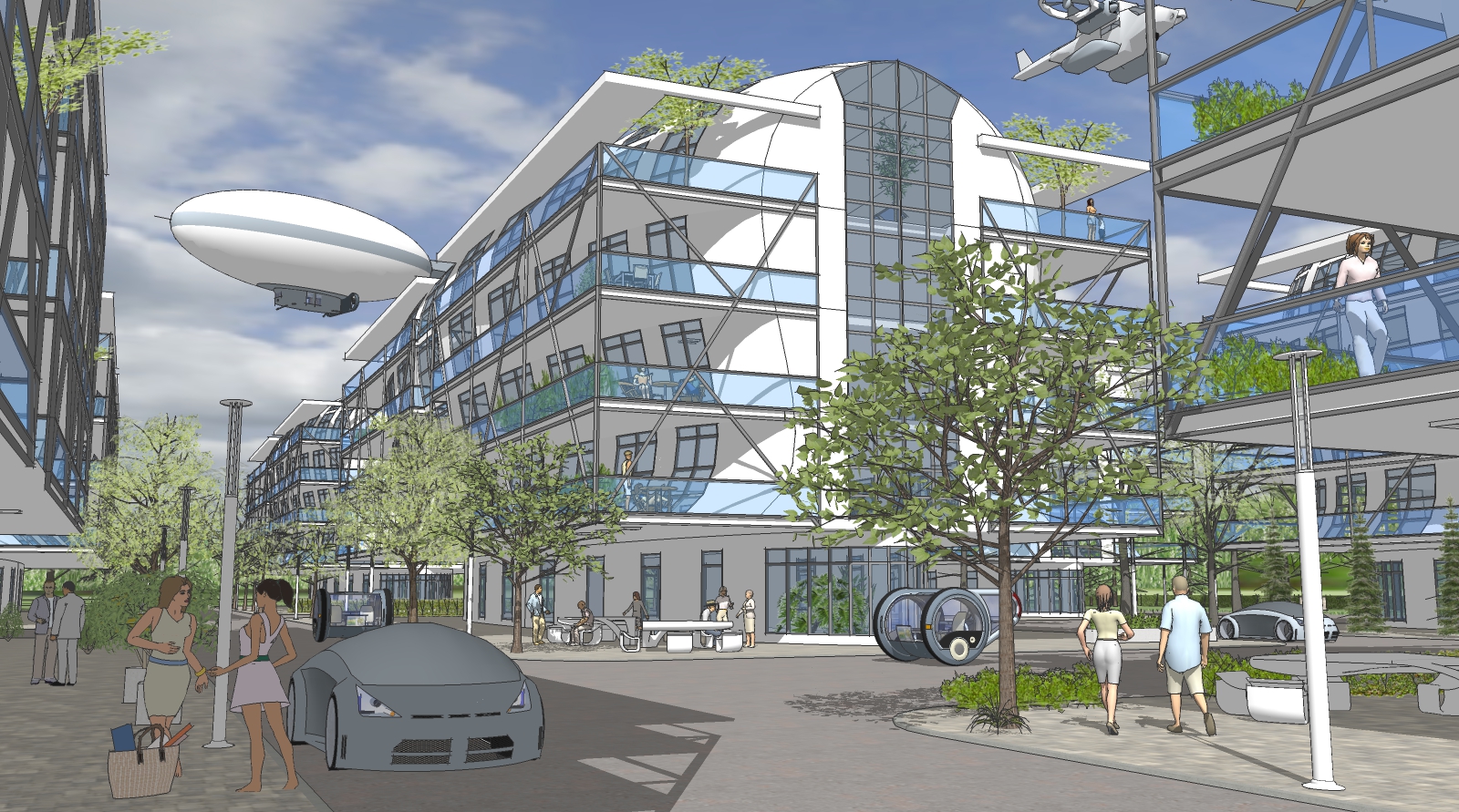

        test scene

        1 Reply Last reply
        Reply Quote 0
        • rami_lpmR
          rami_lpm
          last edited by

          Thanks.
          Nice scene!
          Yes, filenames are a little restricted because I wrote the plugin mostly for the web.
          What filenames would you like to change?

          1 Reply Last reply
          Reply Quote 0
          • F
            faust07
            last edited by

            After some consideration the predefined names are fine. A small inconsistency is at the upper side of the cube, when I use the default SketchUp sky. This is not shown in the panoramas in the color of the sky but in the background color.

            1 Reply Last reply
            Reply Quote 0
            • brettsichellodesignB
              brettsichellodesign
              last edited by

              I am getting some problems with this plugin in SU 2017. The images don't appear to be stitching together properly.

              1 Reply Last reply
              Reply Quote 0
              • rami_lpmR
                rami_lpm
                last edited by

                I haven't tested it in SU 2017 yet. I'll see what I can do.
                Thanks for the heads up.

                1 Reply Last reply
                Reply Quote 0
                • rami_lpmR
                  rami_lpm
                  last edited by

                  Ok, I've tested it, it appears that the exported images have a black border (bottom and right).
                  Can anyone else confirm this?
                  I'll try and fix it.

                  1 Reply Last reply
                  Reply Quote 0
                  • srxS
                    srx
                    last edited by

                    Yes. The edges of the box are visible.

                    www.saurus.rs

                    1 Reply Last reply
                    Reply Quote 0
                    • rami_lpmR
                      rami_lpm
                      last edited by

                      I've found a workaround, if you set the resolution to 1020 or 2036, the edges are gone.

                      1 Reply Last reply
                      Reply Quote 0
                      • rami_lpmR
                        rami_lpm
                        last edited by

                        Hey pilou, is that on windows or mac? I've tested it on windows 10 and and the only problem was the border around images.

                        1 Reply Last reply
                        Reply Quote 0
                        • pilouP
                          pilou
                          last edited by

                          In 2017 Upper face cube is always green!

                          Frenchy Pilou
                          Is beautiful that please without concept!
                          My Little site :)

                          1 Reply Last reply
                          Reply Quote 0
                          • pilouP
                            pilou
                            last edited by

                            Windows 10
                            But I have made any regulates!


                            pano1.zip

                            Frenchy Pilou
                            Is beautiful that please without concept!
                            My Little site :)

                            1 Reply Last reply
                            Reply Quote 0
                            • rami_lpmR
                              rami_lpm
                              last edited by

                              I see. this happens in SU 2016 as well.
                              Apparently looking straight up renders the style background color, not the sky color.
                              To avoid this glitch, you should make them both the same color.

                              1 Reply Last reply
                              Reply Quote 0
                              • srxS
                                srx
                                last edited by

                                Interesting. Everything is ok when rendered using Thea. No edges. It is about SU export.

                                www.saurus.rs

                                1 Reply Last reply
                                Reply Quote 0
                                • A
                                  AKHLPZ
                                  last edited by

                                  Hello,

                                  is there any fix for issue with SU2017 ?
                                  i have 2 issues with the WebGL cubic pano plugin:

                                  1. on the cubepictures is a black edge on the right side and down side
                                  2. the cube is consisting of 6 pictures and my progam is unable to recognize/build a panorama.

                                  please, help.

                                  1 Reply Last reply
                                  Reply Quote 0
                                  • rami_lpmR
                                    rami_lpm
                                    last edited by

                                    Not yet.
                                    Have you tried modifying the resolution to 1020,2040 or 4080?
                                    What program are you using? this is for cubic panoramas, and the plugin generates the html needed to show the result.

                                    1 Reply Last reply
                                    Reply Quote 0
                                    • A
                                      AKHLPZ
                                      last edited by

                                      Yes, when i change the resolution for this values, the black boarder is never seen.
                                      I work with Kolor Panotour Pro and when i load the builded 6 pictures, Kolor Panotour Pro can not recognize the cubic pano.
                                      When i build this 6 pictures with a cubicpanoout.rb script, Kolor Panotour Pro work proper fine.

                                      1 Reply Last reply
                                      Reply Quote 0
                                      • brettsichellodesignB
                                        brettsichellodesign
                                        last edited by

                                        I am still having problems with this plugin.

                                        I have tried changing the resolution and FOV and still getting weird black lines as shown below:

                                        https://s28.postimg.org/521fh77jh/pano_test.jpg

                                        I did try it on a lower resolution which made the lines disappear. However, I would like to create higher resolution images.

                                        1 Reply Last reply
                                        Reply Quote 0
                                        • rami_lpmR
                                          rami_lpm
                                          last edited by

                                          AKHLPZ: I don't know how to solve that. I can suggest you generate the images with this plugin and then change the names.

                                          brettsichellodesign: when you export with resolution 2040 it still shows the lines? what is your OS and sketchup version?

                                          Sadly, this bug is related to the way Sketchup 2017 renders the bars when the image export ratio and the window ratio are different. It's not something I can fix at the moment.

                                          1 Reply Last reply
                                          Reply Quote 0
                                          • C
                                            cshainer
                                            last edited by

                                            I had to use 4088 to make the lines disappear, so I don't know if it's got something to do with the monitor you're using, or what. Anyway, a little experimentation should find the answer!

                                            Quick question: is the FOV just the base FOV for the viewer? It feels like that's the case, but I'm not exactly sure what it's changing.

                                            Thanks for the great software! Since cubic pano out stopped working in the 2017, I was scrambling for a solution, and this is not just that, but also a great improvement!


                                            1 Reply Last reply
                                            Reply Quote 0

                                            Hello! It looks like you're interested in this conversation, but you don't have an account yet.

                                            Getting fed up of having to scroll through the same posts each visit? When you register for an account, you'll always come back to exactly where you were before, and choose to be notified of new replies (either via email, or push notification). You'll also be able to save bookmarks and upvote posts to show your appreciation to other community members.

                                            With your input, this post could be even better πŸ’—

                                            Register Login
                                            • 1
                                            • 2
                                            • 3
                                            • 4
                                            • 3 / 4
                                            • First post
                                              Last post
                                            Buy SketchPlus
                                            Buy SUbD
                                            Buy WrapR
                                            Buy eBook
                                            Buy Modelur
                                            Buy Vertex Tools
                                            Buy SketchCuisine
                                            Buy FormFonts

                                            Advertisement