Group in a group in a group... - transform point to outside?
-
It is not advisable to use
UI.messagebox()for debugging. (If the string argument is invalid, thenUI.messagebox()either fails silently, or causes a error by itself.)Use
puts()to output inspection strings to the Console instead. -
I tried to simulate your problem using the code you posted but I got 0,0,0 points for some of the faces as expected.
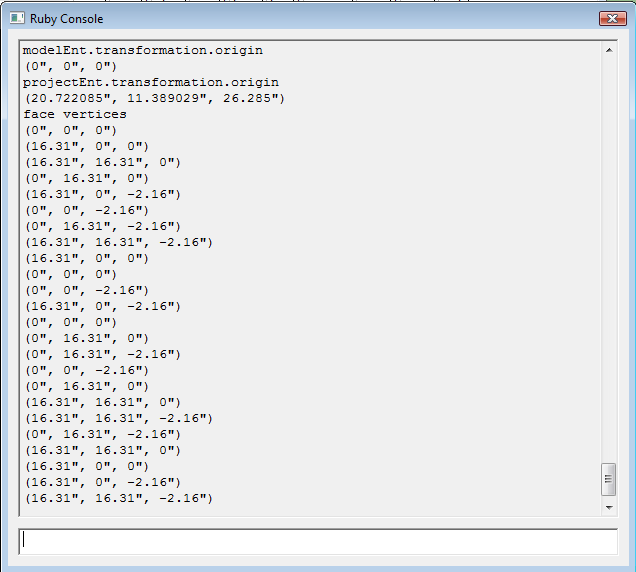
Perhaps if you posted a model just so we are working on the same problem.
-
@sdmitch said:
I tried to simulate your problem using the code you posted but I got 0,0,0 points for some of the faces as expected
Perhaps if you posted a model just so we are working on the same problem.
Oh, that's so nice! Thanks a lot for your help!
I uploaded a Sketchupfile:
http://arbeitenkannstduspaeter.eu/Sketchup/Test3.skp
When you get the right result - this means, I have to look for the problem on an other position... puhh...
-
Okay, I played a little bit with this problem...
My new findings:- when I move the group, the transformation of the outer group change in the right way
- but I have still an offset (in my case in -x direction)
Perhaps it helps a little bit to find the main problem!?

-
I think, I solved the problem - but I don't know exactly, what WAS wrong...
I saw, by copiing the selected faces into a new group, not every face has the original direction. So, I changed my Face.copy function (I know, its not good to change the Face.class, but I will solve THIS problem later) in that way:
outer_face = ents.add_face ov outer_face.material = "green" if outer_face.normal != self.normal outer_face.reverse! endNow, all the faces have the right direction and now the problem with the offset of the points is gone.
But, to be honest, I have realy no idea, how these two problems correlate! And it doesn't help, to change the direction of these faces by hand - the problem stays! Just by copiing all the faces again, the problem of the offset is gone!
Do you have ANY idea what's going on?
I thank you sohhhhh much for all your support!!! You helped my realy a lot!




Advertisement