New Computer
-
Sorry, the likelihood of any damage that may have cause a failure being visible to you is almost zero.
-
so did you try everything above and it's still not working?
btw. the fans and hdd are starting while you see your black screen? or nothing? -
I have try to reset the bios in two different ways, take out the litterära battery on the motherboard and move the CMOS Jumper. I only have a ssd so I don't know if it's go but the DVD reader star and recognize if there is a cd in it and all the fans start running.
-
In the final analysis it all comes down to how much money you have to spend.

-
I have now ger everything to work and without any changes the core is between 3.7 and 3.9 GHz and the tempature is up to 63°C at full load.
The rendering go mush faster then my older computer so that is nice but it takes very long time from that I start the rendering to it really starts, would it get faster if I overclock it and how high tempature can I get without get worried? -
Nice to hear that you could fix it. So, was it a damaged board?
63°C sounds pretty high for stock clockspeeds...
When you say "full load", do you mean rendering, or something like prime or intel burn test ?
Using a True Spirit 140? Fan speed?
Judging from the test results of this cooler you should be able to keep it in the mid 50's i think... maybe there is something wrong with your setup. -
@vigge50 said:
I have now ger everything to work and without any changes the core is between 3.7 and 3.9 GHz and the tempature is up to 63°C at full load.
The rendering go mush faster then my older computer so that is nice but it takes very long time from that I start the rendering to it really starts, would it get faster if I overclock it and how high tempature can I get without get worried?Overclocking can be tricky with these new chipsets, there is no longer a simple clock to crank, now one needs to set two clocks, voltages and ram speeds to match. Does your cooling system come with monitoring and optimizing software? What speeds are you trying to achieve?
Considering you are already running hot I am wondering if you have air or liquid cooling, I would not touch an overclocking on your rig unless it had liquid cooling and I would seriously suggest the Corsair Hydro H80i as it's reasonably priced and has all the monitoring software as well as performance profiles, keeping your temps below 50c at peak loads.
-
I have overclock it now little so then I use prim and have 3.9 GHz temp go up to 70°C. Where was no information on the site there I bought the CPU cooler so I hade choose wrong, the 140mm didn't fit in my chassi so had to change it to the 120mm instead. I think the fan speed is on max but I don't know, have to check.
The big problem is that I choose wrong chassi, there the air could go in is to small and when you have a fan in the front it nearly block all. At the back of the front fan there is blockt by the harddrivs bay I am going to set a fan at the tree 5.25 bays that I don't use so I can get in air from there. The little problem with that is that I was stupid to not take a modular PSU so I have to think over how I should fix that.Here is some picture of how it's look now
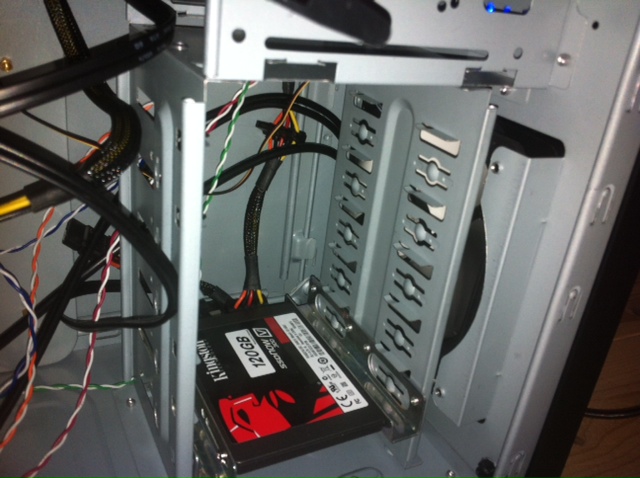
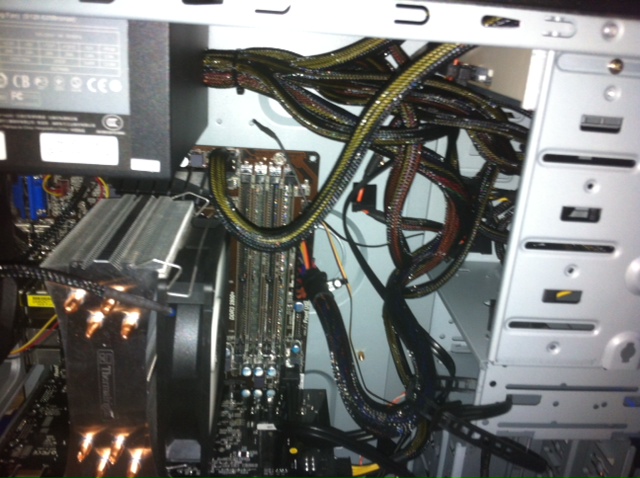
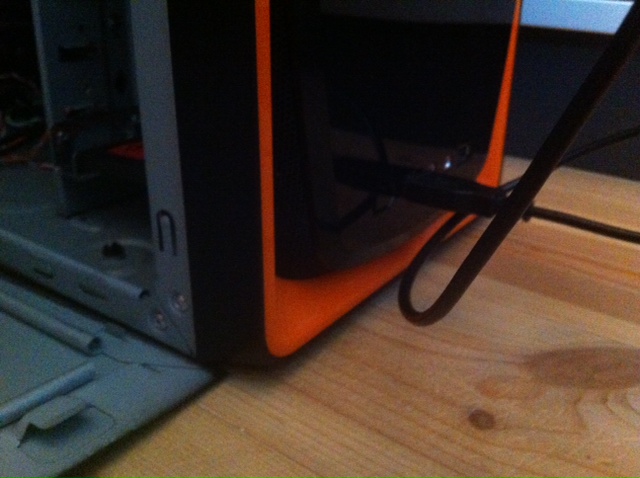
-
You can fit a 120mm water cooled system like the one I mentioned above, I have one in an old i7 940 rig clocked to 3.7Ghz (maximum stable clocking) and running 4 cores (8 threads) at 100% (rendering it's peaking at 47 c. I am running using a balanced profile, if I select performance then all pumps and fans will run at max speeds and the temp will drop into the 30's.
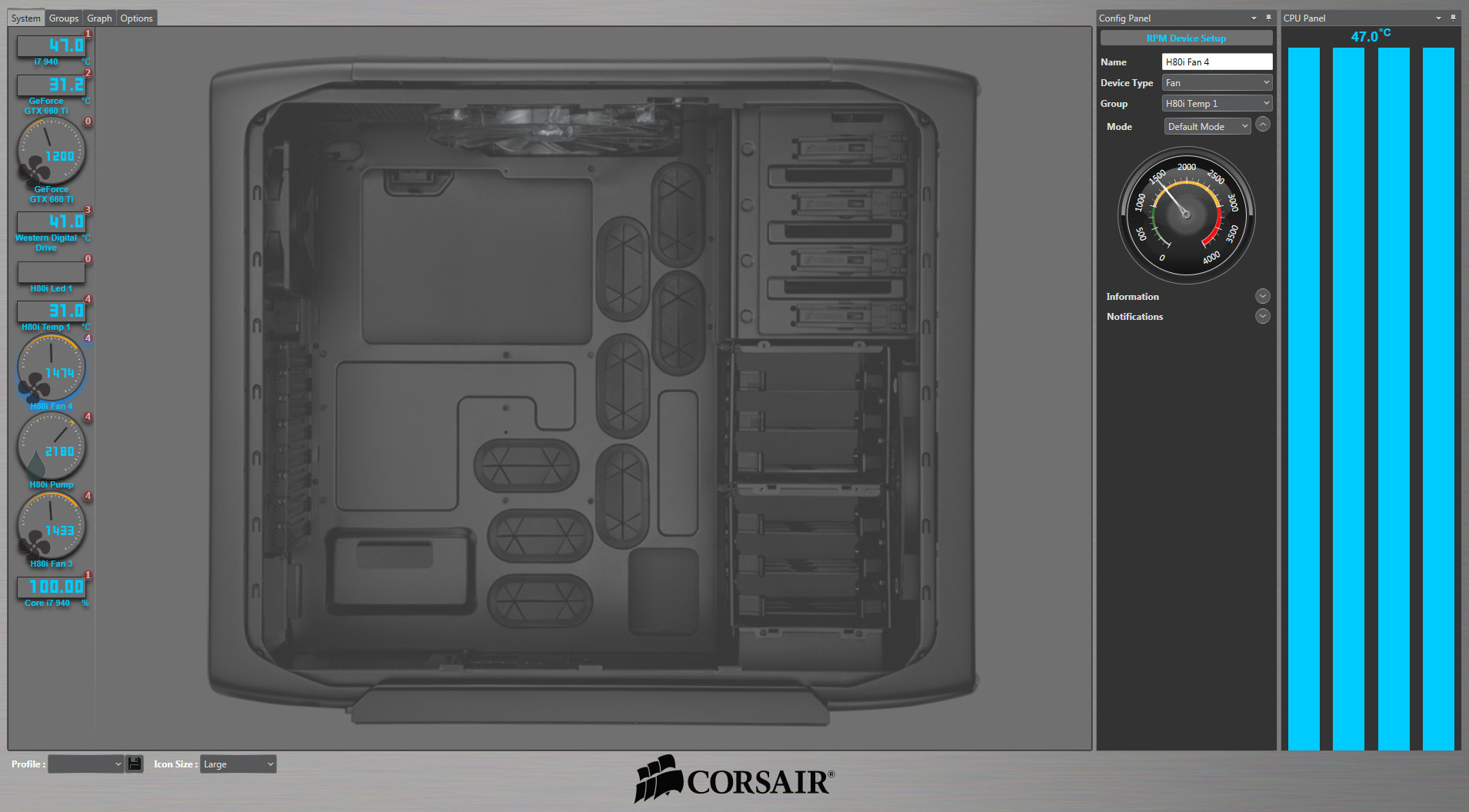
See the size:

-
@vigge50 said:
The big problem is that I choose wrong chassi, there the air could go in is to small and when you have a fan in the front it nearly block all. At the back of the front fan there is blockt by the harddrivs bay I am going to set a fan at the tree 5.25 bays that I don't use so I can get in air from there. The little problem with that is that I was stupid to not take a modular PSU so I have to think over how I should fix that.
Here is some picture of how it's look now
i know...
http://sketchucation.com/forums/viewtopic.php?f=179&t=49270&start=60#p455208I would not move the front fan up - this will reduce the airflow for the video card...
Did you test it with an open case? If the case is the problem, then this should be much better .
As i said befor, would change the case if you're so limited with it...
-
@solo said:
[attachment=0:c5mp2m2t]<!-- ia0 -->water colling.jpg<!-- ia0 -->[/attachment:c5mp2m2t]
What is that software?
Is it taking a known case and filling it with fan choices?No it's not... It's just reporting temps. How awesome would that be though? -
@krisidious said:
@solo said:
[attachment=0:luzj39c1]<!-- ia0 -->water colling.jpg<!-- ia0 -->[/attachment:luzj39c1]
What is that software?
Is it taking a known case and filling it with fan choices?No it's not... It's just reporting temps. How awesome would that be though?The Corsair Hydro H80i has an internal usb connector that connects to your motherboard, so after you install the software it you can then monitor all the hardware connected like the HDD, or the GPU, etc as you can see I can control my Video card fan speeds from here too when or if needed, I can also set warnings and actions based on temperatures or just use the LED lights on the cooler to change colors according to temperature blue being cold to orange to red. The great thing is when you start a render you can see the load and temps go up slightly showing that all is well. If you have additional case fans it can even control those, a real nifty bit of engineering and an easy way to maintain and control temperatures of a work horse machine.
-
When I look in the bios, it stands that the ram is 800 MHz but it is 1600 MHz so what could be wrong, could I overclock it?
-
@vigge50 said:
When I look in the bios, it stands that the ram is 800 MHz but it is 1600 MHz so what could be wrong, could I overclock it?
Not necessarily overclock it, set it to the manufacturers specs, most bios setting are default and folks do not set the ram speeds when installing new ram, so before doing anything make sure you have matching ram (same brand and speed as you are only as fast as your slowest ram) get info from the manufacturers site on speed settings and understand the multipliers if you are using an i7 based mobo, go onto their forum and ask questions if needed, post images if possible in order to get accurate replies.
-
@vigge50 said:
When I look in the bios, it stands that the ram is 800 MHz but it is 1600 MHz so what could be wrong, could I overclock it?
What have you set? "Auto"? Try "XMP" or set it manually.
Or you can look if there is a newer BIOS version available and see if this fixes the RAM detection. -
@unknownuser said:
Try "XMP" or set it manually.
If your CPU is overclocked do not touch the XMP option, rather set Ram values in 'manual', do not use XMP and alter clock multipliers and Base clock values it will end in tears, or at least you will most probably need to do a cmos reset which involves jumpers and system battery.
I have been there and ended up having to remove my GPU in order to remove and replace my sys battery then do jumpers and after that you need to set in your time and date then re-authorize your windows installation...it's a bitch.
However if you just select XMP and all other values are default then it's worth the try.
It's also a good thing to stress test, try Prime95 as it's free and does a good torture test.
-
I have not chance any settings for the ram.
I have test prim95 to stress test my overclocking but because a choose the case I do I have just come up to 3.9 GHz and then the temp of the processor is up to nearly 70° so I stop at 3.8 GHz. I would try this weekend to rotate the hdd cage so I could get through more air there and hopefully I can get the temp down I littel
I read somewhere that you get the tempature down if you remove the grill for the exhaust fan at the back so I going to think about that.
-
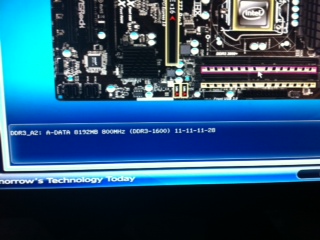
[img]bild%20(2).JPG[/img]
it stay that it´s on 800MHz instead of 1600, any ide why?
-
Do you have CPU-Z? post image of CPU, Memory and SPD pages if you can.
-
@vigge50 said:
[img]bild%20(2).JPG[/img]
it stay that it´s on 800MHz instead of 1600, any ide why?
ahh, ok... this is the normal setting for 1600MHz. DDR stands for Double Data Rate, so 800MHZ = 1600MHZ, as displayed in your screenshot.

...but cl 11 is a bit slow. cl 10 should be possible or is this the normal spec for 1600 for this RAM?





Advertisement