New Computer
-
but why did you choose this case if you know that the airflow is not that good and you already plan to mod it?!? i don't get it...
-
I didn't understand that the case could make so big different on the airflow and read many good reviews about the case and now I have already get it so it's to late to chance
-
Don't worry about cutting your case up yet. Put everything together, use good quality thermal compound between your CPU and heat sink (like Arctic Silver) and use your computer for a couple of weeks. Run some free system monitoring software like SpeedFan to keep an eye on things. If you get indications that things are getting too warm, then think about cutting the case.
-
Pleace help me now, I have just built the computer and then the operativ system was finish installing the computer shot down and now then I start it again I can't get any picture on the screen, that can have gon wrong?
-
normally it restarts automatically one time and you you don't have to start it...?!?
was it the first restart? -
Is there NOTHING on the screen at all, ever? When you first turn on the computer, do you see the POST (Power On Self Test) that shows things like this?

If you see nothing at all, ever, there might be a problem.
If you see the above screen there should be a few options like "PRESS F8 FOR BBS OPTIONS" or "PRESS DEL FOR SETUP".
What has happened is that Windows has changed drivers from the default driver to what it thinks may be the right one for your video card.
If the boot options menu is available press the associated key, usually F8. Then select the option to boot Windows in Safe Mode with Network Support. Booting in Safe Mode will switch back to a default Windows driver and the screen should be visible again.
If not, try a different port on the back of your video card, some have 2. If your motherboard came with onboard video, try that port too. The best to use is the DVI port on both your monitor and video card.
While in Safe Mode, install the driver for your LAN device. It may require a reboot after installation, if it does need a reboot do so and boot back into Safe Mode with Network Support. Now you're online. Go to your Video Card manufacturer's website, download and install the latest driver for your video card.
Reboot.
Your screen should work.
Install the rest of the drivers for your system. I highly recommend going to the manufacturer's website for all of the driver's most current edition, the ones that are on the disk are usually out of date. They will work if you need them to.
-
The bad thing is that I don't see anything at all. What happens was that then I have made a user with password and it was loading I see in my computer that the cable between the PSU and the motherbord and the cpu cooler fan was really close to etch other so I thought I just schood move it a bit and when the cable haven't click in all the way so the computer shoot down and now I can't get a picture on the screen at all:(
-
@vigge50 said:
I thought I just schood move it a bit and when the cable haven't click in all the way so the computer shoot down and now I can't get a picture on the screen at all:(
OH... i would say this is a not too unimportant detail... that was missing in your first description. So this sounds like it could be a bigger problem. Hopefully the board is not damaged now...
I would check all connections once again and then make a BIOS (UEFI) reset (CMOS clear) - look in the manual how to do it.
Then see, if you get a post screen and can enter the UEFI.
If yes, make the complete install once again. If not... -
Try what Numerobis says. You might try re-seating everything first, it might spare you the need to re-enter all the BIOS settings.
Adjusting cabling while computer running = not a good idea. It isn't always fatal, but it can be.
With your computer off and disconnected from the power outlet, re-seat all cables from your PSU to everything. Motherboard, GPU, you name it. If you have a modular power supply, re-seat the cables in the power supply as well.
If that fails, try your GPU in a different PCIe slot if you have one. Try your monitor on a different DVI port, or if your motherboard has onboard video, try that too.
If you have another computer, try your graphics card out on it.
Hope you can get it sorted and working!
-
I have talk to the shop there i bought the motherboard from and say what happens and they say that it would get on the warranty so I would send in the motherboard and then they would fix it or I would get a new one
-
When I look at the processor it look normal but could it be that that have broke when the electricity disappear from the motherboard so I don't have to pay for sending in a working motherboard?
-
Sorry, the likelihood of any damage that may have cause a failure being visible to you is almost zero.
-
so did you try everything above and it's still not working?
btw. the fans and hdd are starting while you see your black screen? or nothing? -
I have try to reset the bios in two different ways, take out the litterära battery on the motherboard and move the CMOS Jumper. I only have a ssd so I don't know if it's go but the DVD reader star and recognize if there is a cd in it and all the fans start running.
-
In the final analysis it all comes down to how much money you have to spend.

-
I have now ger everything to work and without any changes the core is between 3.7 and 3.9 GHz and the tempature is up to 63°C at full load.
The rendering go mush faster then my older computer so that is nice but it takes very long time from that I start the rendering to it really starts, would it get faster if I overclock it and how high tempature can I get without get worried? -
Nice to hear that you could fix it. So, was it a damaged board?
63°C sounds pretty high for stock clockspeeds...
When you say "full load", do you mean rendering, or something like prime or intel burn test ?
Using a True Spirit 140? Fan speed?
Judging from the test results of this cooler you should be able to keep it in the mid 50's i think... maybe there is something wrong with your setup. -
@vigge50 said:
I have now ger everything to work and without any changes the core is between 3.7 and 3.9 GHz and the tempature is up to 63°C at full load.
The rendering go mush faster then my older computer so that is nice but it takes very long time from that I start the rendering to it really starts, would it get faster if I overclock it and how high tempature can I get without get worried?Overclocking can be tricky with these new chipsets, there is no longer a simple clock to crank, now one needs to set two clocks, voltages and ram speeds to match. Does your cooling system come with monitoring and optimizing software? What speeds are you trying to achieve?
Considering you are already running hot I am wondering if you have air or liquid cooling, I would not touch an overclocking on your rig unless it had liquid cooling and I would seriously suggest the Corsair Hydro H80i as it's reasonably priced and has all the monitoring software as well as performance profiles, keeping your temps below 50c at peak loads.
-
I have overclock it now little so then I use prim and have 3.9 GHz temp go up to 70°C. Where was no information on the site there I bought the CPU cooler so I hade choose wrong, the 140mm didn't fit in my chassi so had to change it to the 120mm instead. I think the fan speed is on max but I don't know, have to check.
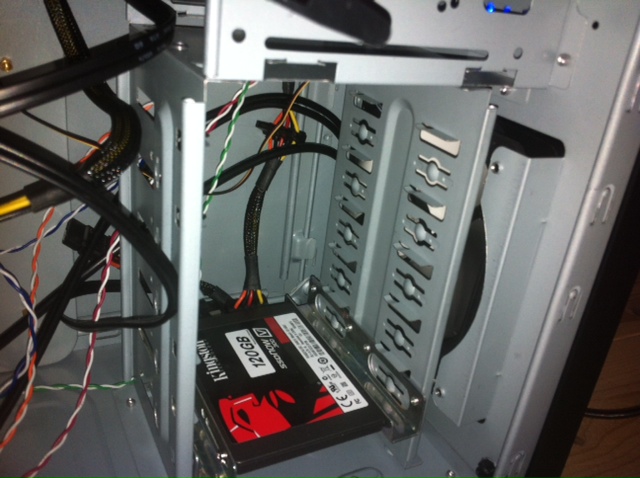
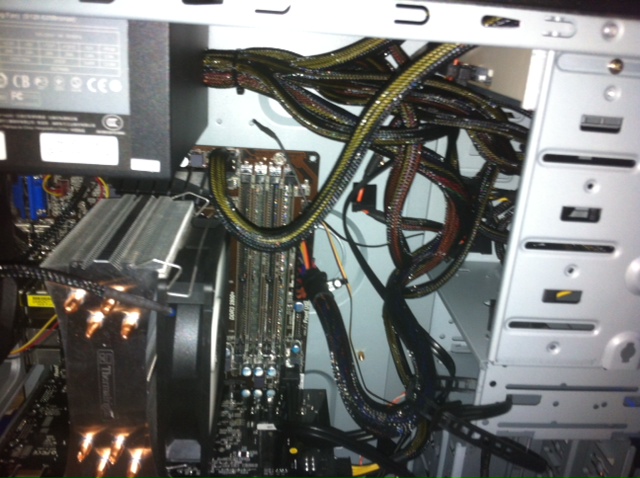
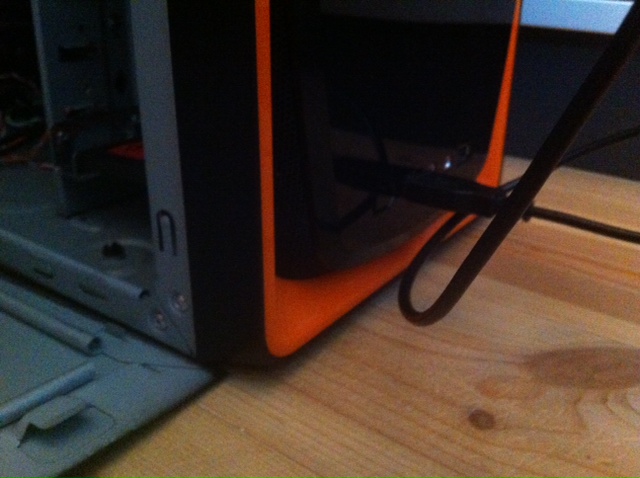
The big problem is that I choose wrong chassi, there the air could go in is to small and when you have a fan in the front it nearly block all. At the back of the front fan there is blockt by the harddrivs bay I am going to set a fan at the tree 5.25 bays that I don't use so I can get in air from there. The little problem with that is that I was stupid to not take a modular PSU so I have to think over how I should fix that.Here is some picture of how it's look now
-
You can fit a 120mm water cooled system like the one I mentioned above, I have one in an old i7 940 rig clocked to 3.7Ghz (maximum stable clocking) and running 4 cores (8 threads) at 100% (rendering it's peaking at 47 c. I am running using a balanced profile, if I select performance then all pumps and fans will run at max speeds and the temp will drop into the 30's.
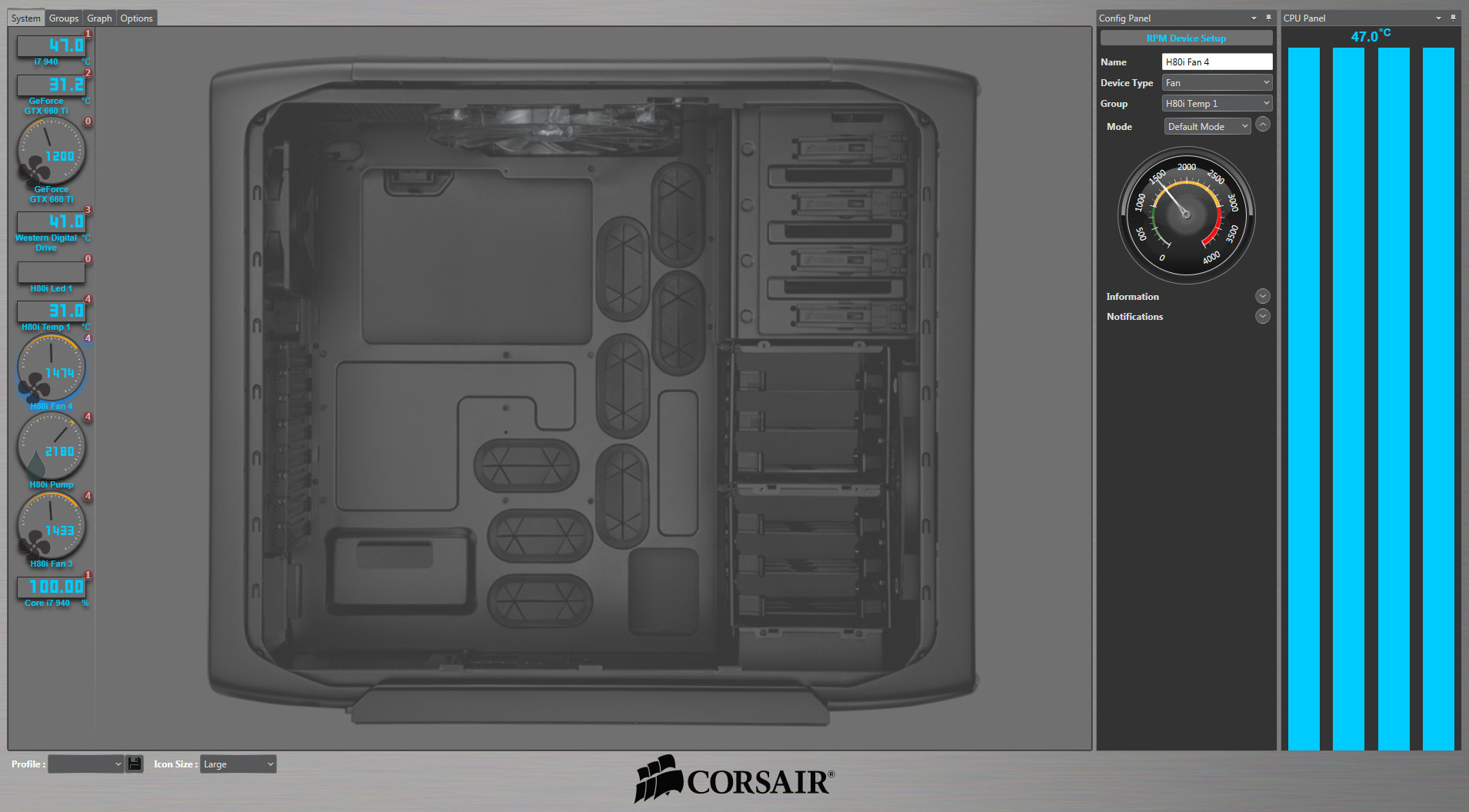
See the size:




Advertisement