sketchucation logo sketchucation
    • Login
    Oops, your profile's looking a bit empty! To help us tailor your experience, please fill in key details like your SketchUp version, skill level, operating system, and more. Update and save your info on your profile page today!
    Mac User? | Join the Rayscaper Beta for Mac Learn More

    [Plugin] Stepped Extrude [Updated 20121106]

    Scheduled Pinned Locked Moved Plugins
    28 Posts 18 Posters 34.6k Views 18 Watching
    Loading More Posts
    • Oldest to Newest
    • Newest to Oldest
    • Most Votes
    Reply
    • Reply as topic
    Log in to reply
    This topic has been deleted. Only users with topic management privileges can see it.
    • pbacotP
      pbacot
      last edited by

      Yes, very good thanks!

      In regards to Topo work as in the example--there is a CAD application that I used that would interpret the height of contours in plan by the user drawing a section line. Another idea to specify the relative heights.

      What you have here might also be useful to model site steps (the kind people walk on) that are laid out in plan but too irregular for move-duplicate creation. Just as I needed yesterday...

      Thanks again for the plugin work.

      MacOSX MojaveSketchUp Pro v19 Twilight v2 Thea v3 PowerCADD

      1 Reply Last reply
      Reply Quote 0
      • Chris FullmerC
        Chris Fullmer
        last edited by

        Great tool idea. Does it work with lines? If not, could you adjust it to work with lines? The user would click on a line and the script would select all connected and move it vertically by 1 unit, then 2 units, 3, etc. Same idea, I just rarely make stepped models. I deal with topo lines only and then use the sandbox tools to turn them into a TIN. Thanks!

        Chris

        Lately you've been tan, suspicious for the winter.
        All my Plugins I've written

        1 Reply Last reply
        Reply Quote 0
        • rami_lpmR
          rami_lpm
          last edited by

          @pbacot said:

          there is a CAD application that I used that would interpret the height of contours in plan by the user drawing a section line. Another idea to specify the relative heights.

          This sounds very complicated, I'll see what I can do.

          @chris fullmer said:

          Does it work with lines? If not, could you adjust it to work with lines? The user would click on a line and the script would select all connected and move it vertically by 1 unit, then 2 units, 3, etc.

          No, it works only with faces. I think I can add that, it will take some time, though.

          Thanks for trying it out.

          1 Reply Last reply
          Reply Quote 0
          • Chris FullmerC
            Chris Fullmer
            last edited by

            No rush, it might be a nice feature to add if you feel like adding something. Thanks!

            Lately you've been tan, suspicious for the winter.
            All my Plugins I've written

            1 Reply Last reply
            Reply Quote 0
            • sdmitchS
              sdmitch
              last edited by

              @rami_lpm said:

              [
              @chris fullmer said:

              Does it work with lines? If not, could you adjust it to work with lines? The user would click on a line and the script would select all connected and move it vertically by 1 unit, then 2 units, 3, etc.

              No, it works only with faces. I think I can add that, it will take some time, though.

              Thanks for trying it out.

              rami, Add this code to the onLeftButtonDown def. It will handle the edges or curves.

               best.pushpull dist,false
              else
               best = ph.picked_edge
               unless best==nil
                @clickno += 1
                dist=@clickno*@step
                trans=Geom;;Transformation.translation([0,0,dist])
                unless best.curve
                 edges=best.all_connected
                 verts=[];edges.each{|e| verts<<e.vertices}
                 verts.flatten!; verts.uniq!
                 verts.each{|v| Sketchup.active_model.entities.transform_entities(trans,v)}
                else
                 Sketchup.active_model.entities.transform_entities(trans,best.curve)
                end
               end


              Nothing is worthless, it can always be used as a bad example.

              http://sdmitch.blogspot.com/

              1 Reply Last reply
              Reply Quote 0
              • sumasterS
                sumaster
                last edited by

                Thank you very much

                Thank you,
                SUmaster

                1 Reply Last reply
                Reply Quote 0
                • boofredlayB
                  boofredlay
                  last edited by

                  Nice. A much needed tool.

                  http://www.coroflot.com/boofredlay

                  1 Reply Last reply
                  Reply Quote 0
                  • rami_lpmR
                    rami_lpm
                    last edited by

                    It's updated. Thanks for that snippet.

                    1 Reply Last reply
                    Reply Quote 0
                    • J
                      JGA
                      last edited by

                      Great idea, thanks (again).

                      Regards,
                      JGA

                      1 Reply Last reply
                      Reply Quote 0
                      • srxS
                        srx
                        last edited by

                        Thanks! It could be useful for making stairs also... or SU logo πŸ˜„

                        www.saurus.rs

                        1 Reply Last reply
                        Reply Quote 0
                        • B
                          Ben Ritter
                          last edited by

                          Thank you Ramiro.

                          1 Reply Last reply
                          Reply Quote 0
                          • pilouP
                            pilou
                            last edited by

                            Cool! 😎
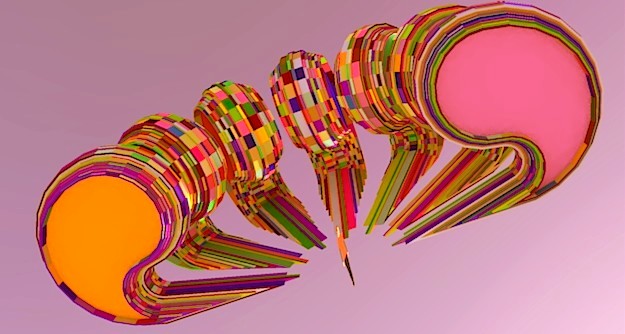
                            Works fine with the Multiple Offset by Sdmitch πŸ˜‰
                            sol.jpg

                            Frenchy Pilou
                            Is beautiful that please without concept!
                            My Little site :)

                            1 Reply Last reply
                            Reply Quote 0
                            • pilouP
                              pilou
                              last edited by

                              Have you the same but only for lines ? ( with no PushPull of faces )
                              Like this
                              only lines are moving with Stepped Extrude , and there is no creation of faces !

                              like a creation of levels of terrain for example πŸ˜„

                              Frenchy Pilou
                              Is beautiful that please without concept!
                              My Little site :)

                              1 Reply Last reply
                              Reply Quote 0
                              • pbacotP
                                pbacot
                                last edited by

                                Pilou, The first post claims this is possible. I haven't tried. Peter

                                MacOSX MojaveSketchUp Pro v19 Twilight v2 Thea v3 PowerCADD

                                1 Reply Last reply
                                Reply Quote 0
                                • pilouP
                                  pilou
                                  last edited by

                                  No it's draw also a face when you click a line like when you click on a face! πŸ˜‰

                                  I just want stepp the lines ! πŸ˜„

                                  Frenchy Pilou
                                  Is beautiful that please without concept!
                                  My Little site :)

                                  1 Reply Last reply
                                  Reply Quote 0
                                  • sumasterS
                                    sumaster
                                    last edited by

                                    Hi rami_lpm AND sdmitch,

                                    a Need of previous history Amount/Distance . . . .

                                    means create 2 face and use this tool and 1st face extrude 1 m. and 2nd face extrude the same amount . . .

                                    now its not working . . . . .

                                    thanks . . . .

                                    Thank you,
                                    SUmaster

                                    1 Reply Last reply
                                    Reply Quote 0
                                    • bsintzelB
                                      bsintzel
                                      last edited by

                                      Simple, functional, useful and free...what more can one ask for. Well done πŸ‘

                                      I've taken obfuscating to a whole new level!

                                      1 Reply Last reply
                                      Reply Quote 0
                                      • R
                                        rv1974
                                        last edited by

                                        The perfect fuse of simplicity and effectiveness.
                                        Salute to the authors.

                                        1 Reply Last reply
                                        Reply Quote 0
                                        • I
                                          icepam
                                          last edited by

                                          Thanks for a much useful plugin. I had coded something similar in AutoLisp a few years ago to do this in Autocad, precisely for stairs and contours.

                                          @rami_lpm said:

                                          @pbacot said:

                                          ... interpret the height of contours in plan by the user drawing a section line.

                                          This sounds very complicated, I'll see what I can do.

                                          I think this could be simpler than it sounds, maybe one of the forum's rubymasters could help out with the code. Here's how i would imagine it:
                                          Method 1, should work with lines:
                                          -User draws a line across the contours he wishes to raise and sets H=riser height.
                                          -Plugin figures if it's a generally horizontal or vertical line (is that necessary?)
                                          -Plugin finds all intersection points and makes an array ordered based on their X (or Y?) coordinate
                                          -Plugin traverses array raising each line by H x its index in the array.

                                          Method 2, perhaps this is the solution for faces?
                                          -User selects all faces that need to be raised (by window or select all or whatever... if one by one, it's just the current method)
                                          -User draws a line L through all said faces
                                          -Plugin filters out non-faces from selection and makes an array as above, ordered by X or Y coordinate of mid-point of segment created by intersection between line L and each face.
                                          -Plugin traverses and raises as above.

                                          Hope this makes sense!

                                          1 Reply Last reply
                                          Reply Quote 0
                                          • pilouP
                                            pilou
                                            last edited by

                                            No possibility to add the other options? As asked in my old request here πŸ˜‰

                                            Now we have a =a + x πŸ˜‰

                                            http://sketchucation.com/forums/download/file.php?id=83670

                                            Frenchy Pilou
                                            Is beautiful that please without concept!
                                            My Little site :)

                                            1 Reply Last reply
                                            Reply Quote 0

                                            Hello! It looks like you're interested in this conversation, but you don't have an account yet.

                                            Getting fed up of having to scroll through the same posts each visit? When you register for an account, you'll always come back to exactly where you were before, and choose to be notified of new replies (either via email, or push notification). You'll also be able to save bookmarks and upvote posts to show your appreciation to other community members.

                                            With your input, this post could be even better πŸ’—

                                            Register Login
                                            • 1
                                            • 2
                                            • 1 / 2
                                            • First post
                                              Last post
                                            Buy SketchPlus
                                            Buy SUbD
                                            Buy WrapR
                                            Buy eBook
                                            Buy Modelur
                                            Buy Vertex Tools
                                            Buy SketchCuisine
                                            Buy FormFonts

                                            Advertisement