Changing day to night
-
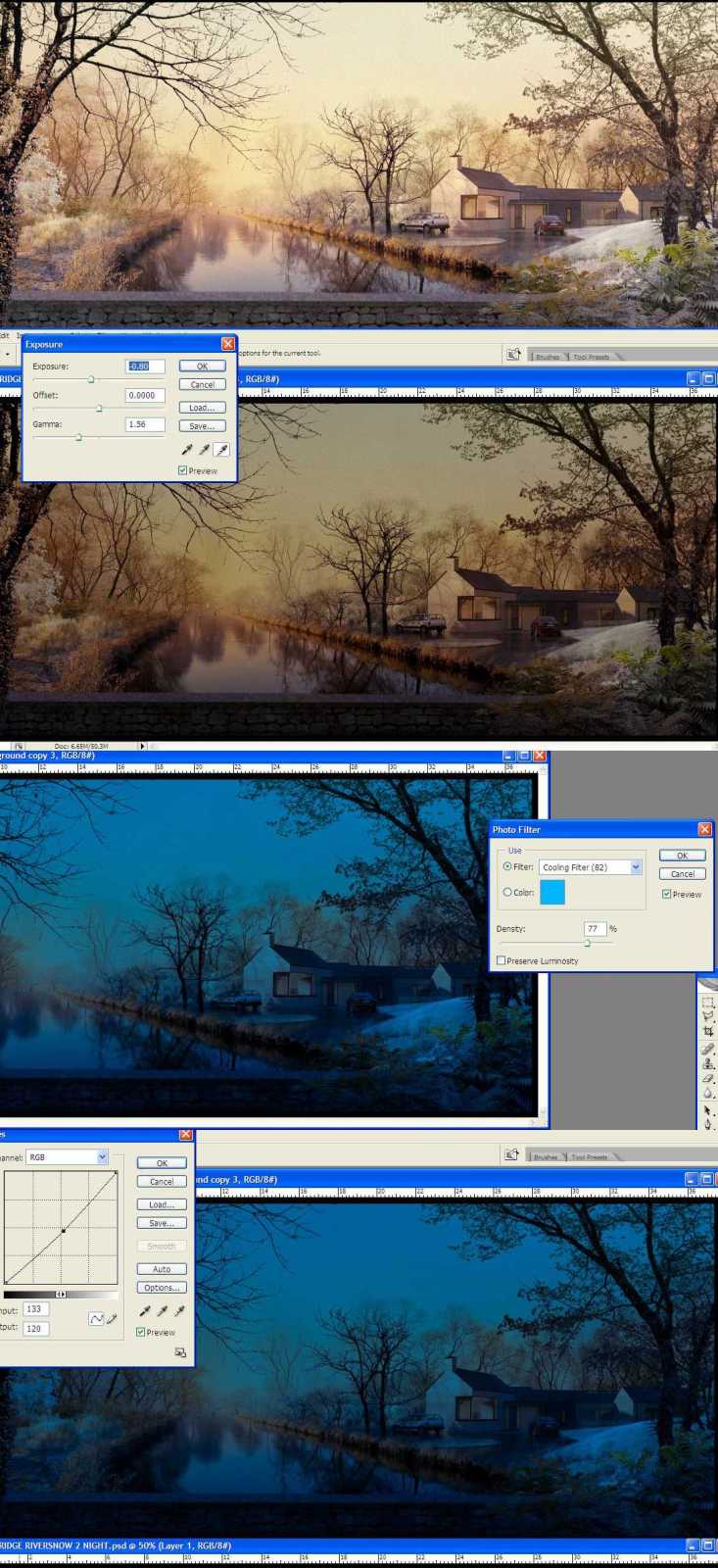
Attached is a step by step showing how to change a daylight image to a night time image
1.open your daytime image and duplicate it and call it night layer.
2.change exposure to -0.80,gamma to 1.5 - (IMAGE/ADJUST/EXPOSURE)
3.add a cooling filter- ((IMAGE/ADJUST/PHOTO FILTER)
4.adjust Curves -this is optional if you are happy with the brightness of the image.
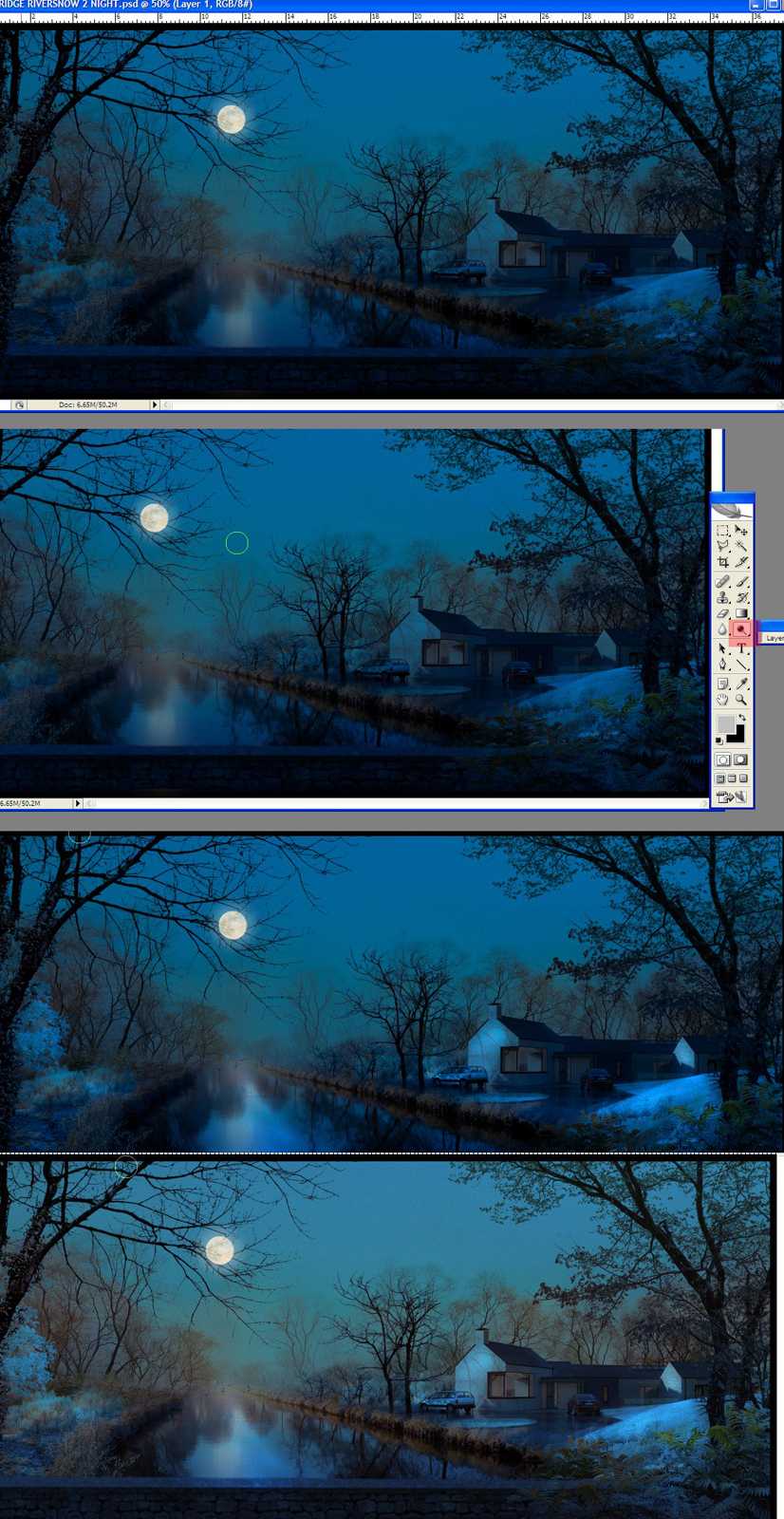
5.Here I've added a moon layer,recently uploaded in this section.This was then copied,flipped vertically and motioned blurred to get the reflection.
6.Use the dodge tool (indicated in red on the tool palette) and start highlighting areas where the moonlight would reflect.7.OPTIONAL STEP:if the image is too dark reduce the opacity of your night layer so the original base image comes through slightly.Be careful as normally at night,particulalrly in moonlight,most colours are desaturated,so you don't want too much of the daytime colour showing.
-
great tip, david. thanks.


Hello! It looks like you're interested in this conversation, but you don't have an account yet.
Getting fed up of having to scroll through the same posts each visit? When you register for an account, you'll always come back to exactly where you were before, and choose to be notified of new replies (either via email, or push notification). You'll also be able to save bookmarks and upvote posts to show your appreciation to other community members.
With your input, this post could be even better 💗
Register Login


Advertisement