sketchucation logo sketchucation
    • 登入
    Oops, your profile's looking a bit empty! To help us tailor your experience, please fill in key details like your SketchUp version, skill level, operating system, and more. Update and save your info on your profile page today!
    🔌 Smart Spline | Fluid way to handle splines for furniture design and complex structures. Download

    [REQ] GoogleEarth Meshes boolean subtract

    已排程 已置頂 已鎖定 已移動 Plugins
    49 貼文 10 Posters 11.0k 瀏覽 10 Watching
    正在載入更多貼文
    • 從舊到新
    • 從新到舊
    • 最多點贊
    回覆
    • 在新貼文中回覆
    登入後回覆
    此主題已被刪除。只有擁有主題管理權限的使用者可以查看。
    • A 離線
      AcesHigh
      最後由 編輯

      you did that manually?

      1 條回覆 最後回覆 回覆 引用 0
      • sdmitchS 離線
        sdmitch
        最後由 編輯

        @aceshigh said:

        you did that manually?

        No, with a plugin that I threw together last night. Check your PM inbox.

        Nothing is worthless, it can always be used as a bad example.

        http://sdmitch.blogspot.com/

        1 條回覆 最後回覆 回覆 引用 0
        • A 離線
          AcesHigh
          最後由 編輯

          wow, thanks a lot!

          it works flawlessly!

          does it makes any difference which mesh I select first and 2nd?

          how the plugin decides from which mesh it will subtract and which one it will keep intact?

          this is important because sometimes you may have two meshes at different resolutions... and you may want to keep the higher resolution mesh.

          I just made a test where the smaller, hi-res mesh was almost entirely deleted (only left a thin strip, that was outside the bounding box of the bigger mesh), while the ideal solution would be to keep the higher res mesh and cut the hole in the bigger, lower res mesh.

          again, thanks a lot!

          1 條回覆 最後回覆 回覆 引用 0
          • A 離線
            AcesHigh
            最後由 編輯

            @sdmitch said:

            It all depends on the order that it finds them in the model so the selection order doesn't matter.

            thanks. Can you make it matter? I was editing my above message while you were writing here, and I said the reason the order would be important.

            btw, I also noticed there is usually a small gap created between the two meshes. Maybe the bounding box from Sketchup is not perfectly parallel to the mesh edges?

            I am also attaching two meshes where some triangles disappear when running the plugin. Maybe if we could invert the order it result in no missing triangles, I am not sure.


            test01.skp

            1 條回覆 最後回覆 回覆 引用 0
            • sdmitchS 離線
              sdmitch
              最後由 編輯

              It all depends on the order that it finds them in the model so the selection order doesn't matter.

              Now that I know that order might be important, I will add an input so that the default order can be reversed.

              Nothing is worthless, it can always be used as a bad example.

              http://sdmitch.blogspot.com/

              1 條回覆 最後回覆 回覆 引用 0
              • sdmitchS 離線
                sdmitch
                最後由 編輯

                Yes there are sometimes tiny usually vertical gaps because the meshes aren't exactly the same vertically or horizontally in the overlap areas.

                Nothing is worthless, it can always be used as a bad example.

                http://sdmitch.blogspot.com/

                1 條回覆 最後回覆 回覆 引用 0
                • sdmitchS 離線
                  sdmitch
                  最後由 編輯

                  Looks like I need to extend the faces vertically especially on the low side because, in yout test model, the bounding box of the mesh on the right surfaces momentarily on the mesh to the left which would result in some triangles along that edge not to be "cut" by the intersection.

                  Nothing is worthless, it can always be used as a bad example.

                  http://sdmitch.blogspot.com/

                  1 條回覆 最後回覆 回覆 引用 0
                  • D 離線
                    driven
                    最後由 編輯

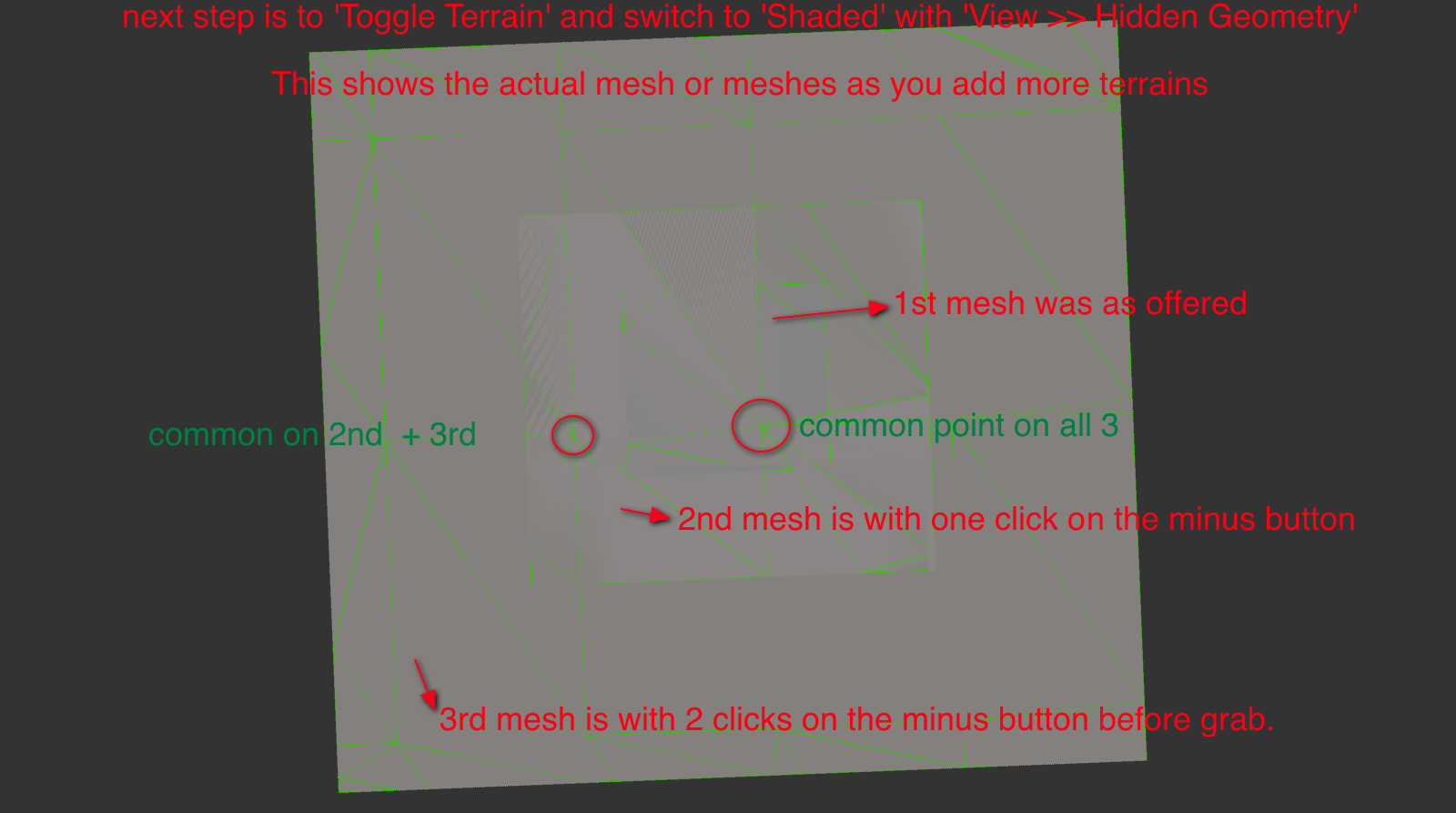
                    if you view an 'Add Location' 'Terrain' with 'Top View' [ON] + 'Parallel Projection' [ON]+ 'Hidden Geometry' [ON] + 'Face Style .. Shaded' you will see that the mesh is regular EXCEPT for the border.

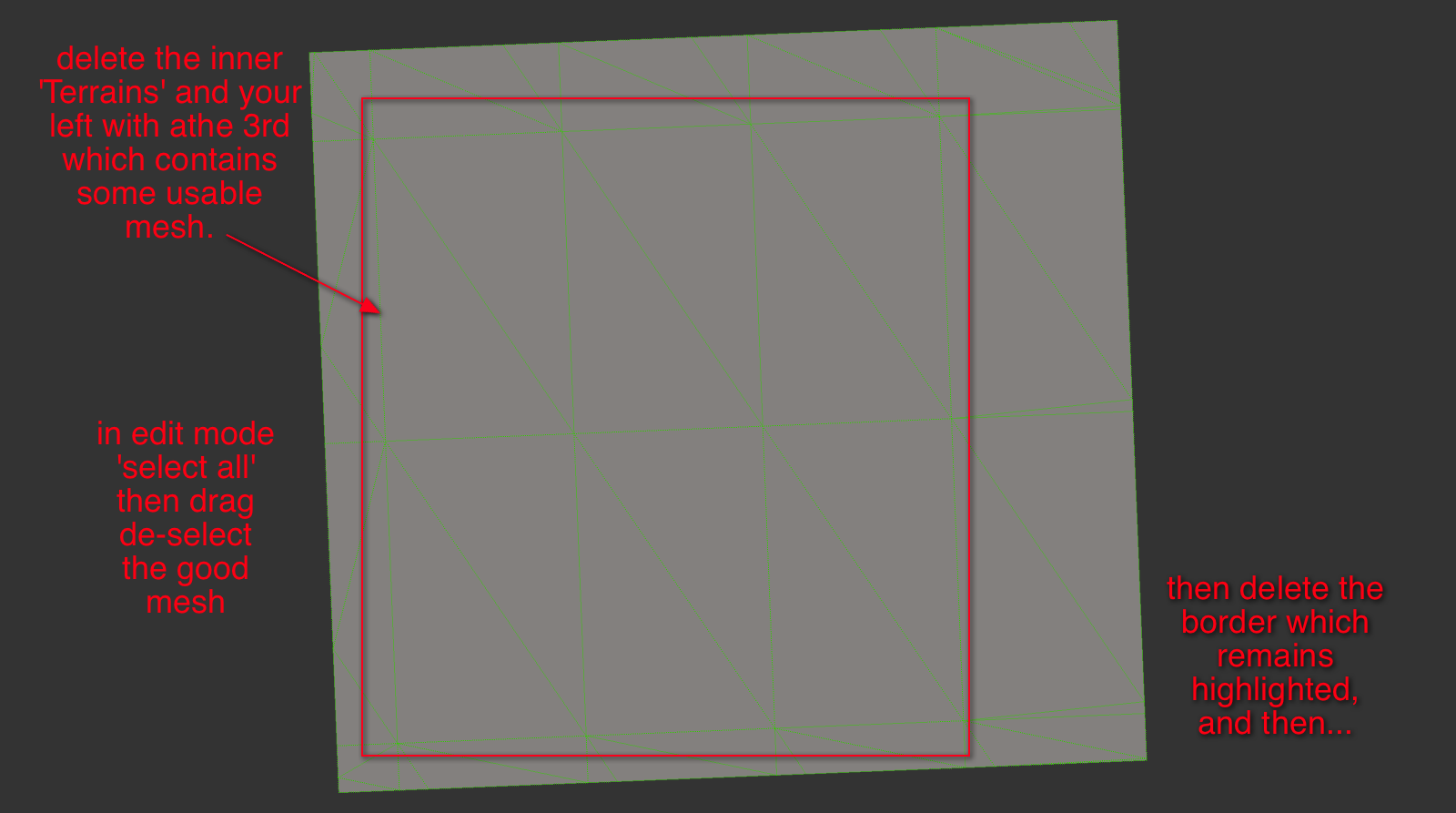
                    If you 'Unlock' this 'Terrain' then select all followed by alt/shift/selection-Box over the good mesh it will leave the borders selected for deletion.

                    The is under all the GE terrains, if you delete the borders, this good mesh will align with its neighbors.

                    A useful plugin only needs to 'Unlock Terrain' >> 'Select Borders' >> 'Delete Border Mesh'.

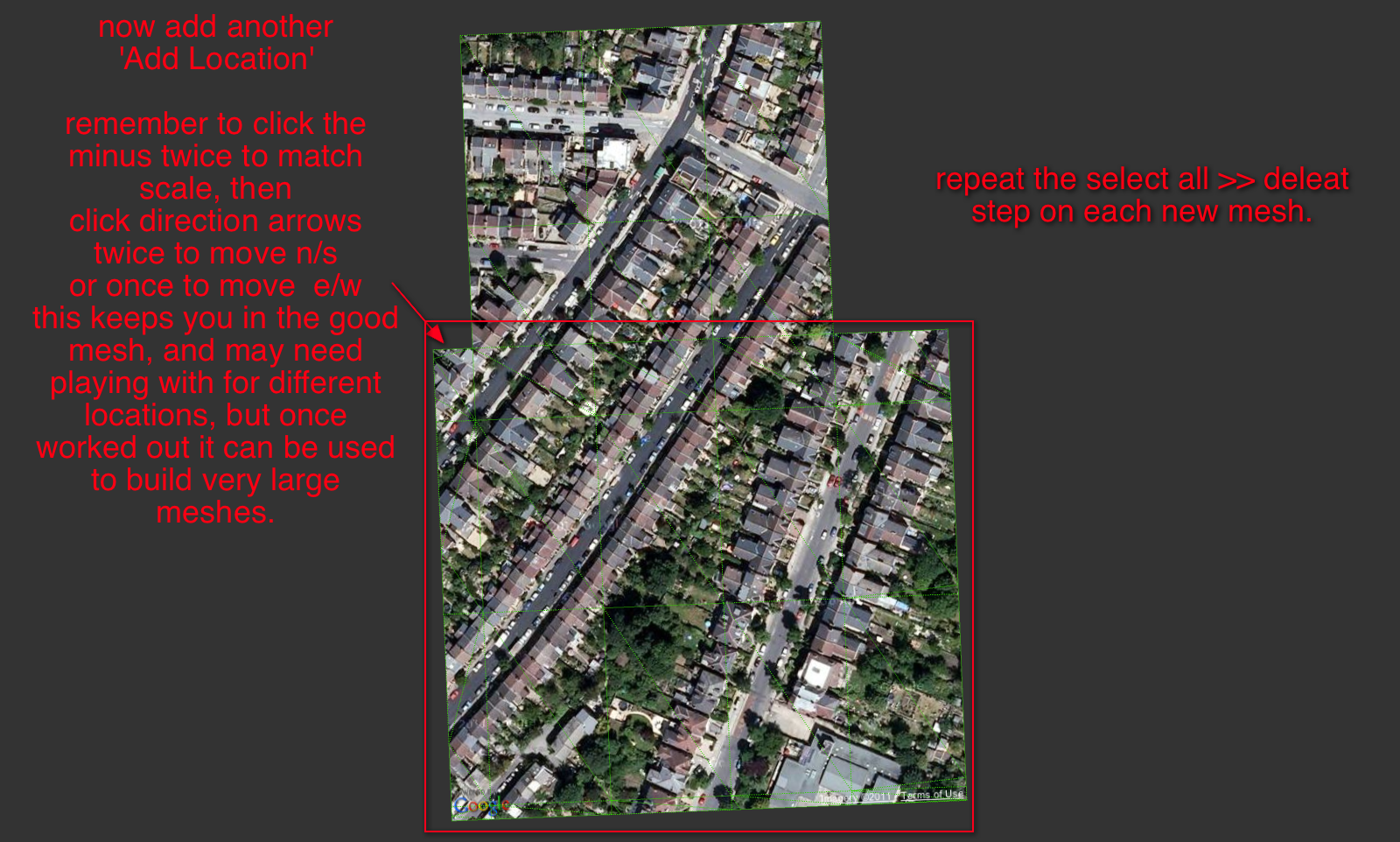
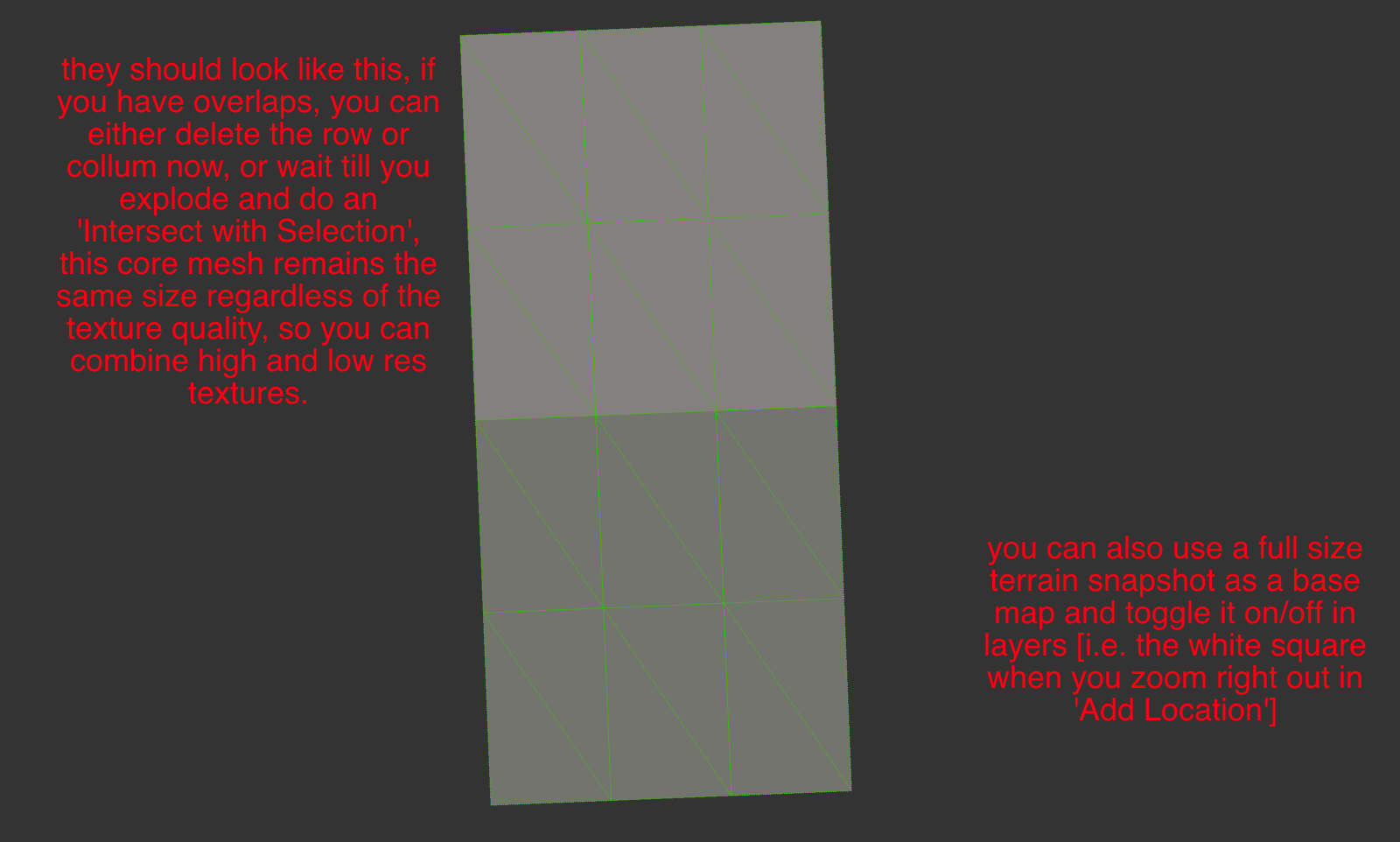
                    When you do this to a set of overlapping terrains they do mesh, but you can also delete the overlaps before exploding all into a new single mesh. I found I rarely needed to even intersect after this process.

                    I've got a half done tutorial if your interested.

                    john

                    learn from the mistakes of others, you may not live long enough to make them all yourself...

                    1 條回覆 最後回覆 回覆 引用 0
                    • A 離線
                      AcesHigh
                      最後由 編輯

                      the new version is working very well. The ability to change the order worked well and was definitly important (I made the test with two meshes in different resolutions... first time I tried, the higher res mesh was deleted... I reversed the order and was able to keep the higher res mesh. Even if I have to undo and redo the operation selecting the other option, its still like 1/10th of the time needed to manually ZORRO (use the Zorro plugin) to subtract one mesh from the other. Maybe 1/20th of the time!

                      Multiply that by 100 different meshes and you get a HUGE time gain!

                      Thanks a lot. Hope you find a solution to the small gaps betwen meshes, which can be weird when rendering a close-up animation.

                      if thats not possible I wonder if there is some plugin I can use to create some small cover for the gap? Like, joining the two meshes?

                      1 條回覆 最後回覆 回覆 引用 0
                      • A 離線
                        AcesHigh
                        最後由 編輯

                        @driven said:

                        if you view an 'Add Location' 'Terrain' with 'Top View' [ON] + 'Parallel Projection' [ON]+ 'Hidden Geometry' [ON] + 'Face Style .. Shaded' you will see that the mesh is regular EXCEPT for the border.

                        If you 'Unlock' this 'Terrain' then select all followed by alt/shift/selection-Box over the good mesh it will leave the borders selected for deletion.

                        The is under all the GE terrains, if you delete the borders, this good mesh will align with its neighbors.

                        A useful plugin only needs to 'Unlock Terrain' >> 'Select Borders' >> 'Delete Border Mesh'.

                        When you do this to a set of overlapping terrains they do mesh, but you can also delete the overlaps before exploding all into a new single mesh. I found I rarely needed to even intersect after this process.

                        I've got a half done tutorial if your interested.

                        john

                        yes, I am interested John. I got a bit lost on your explanation, the tutorial would help.

                        1 條回覆 最後回覆 回覆 引用 0
                        • sdmitchS 離線
                          sdmitch
                          最後由 編輯

                          @driven said:

                          I've got a half done tutorial if your interested.

                          john

                          Please do because I'm missing something in the process.

                          Nothing is worthless, it can always be used as a bad example.

                          http://sdmitch.blogspot.com/

                          1 條回覆 最後回覆 回覆 引用 0
                          • D 離線
                            driven
                            最後由 編輯

                            @AcesHigh and sdmitch,

                            I've been playing around with this [for the first time and I'm on a mac]
                            what I found is it's only the border set that are actually divergent. the spacing in the border is irregular [I suspect its to help flatten it for the 'Snapshot']

                            I also found up to a point, the detail remains high even on large acreage, but falls back to triangulation if you go in too tight.

                            The short of it is I came up with a workflow that very repeatable here.

                            To start with
                            I have [ v ] as a shortcut key to toggle 'View >>Component Edit>>Hide Rest of Model'
                            and [ h ] as a shorthcut key to toggle 'View>>Hidden Geometry'
                            and [ u ] as a shorthcut key to 'Unlock'

                            I set a new drawing to 'Top View' with 'Parallel Projection' and in 'Styles>>Edges>>Color All Same' >> 'Lime Green' on this one the backgrounds all 'Dark Grey'

                            I also open 'Layers' and put it to one side and for the tutorial 'Scenes' is open.

                            This is the Skp that I'm writing up notes for, but thought you may want a look in the mean time.

                            If you toggle between 'Shaded' and 'Shaded with Textures' on each scene, you'll probably figure out what I'm on about.

                            john
                            note to follow...soon[ish]

                            learn from the mistakes of others, you may not live long enough to make them all yourself...

                            1 條回覆 最後回覆 回覆 引用 0
                            • D 離線
                              driven
                              最後由 編輯

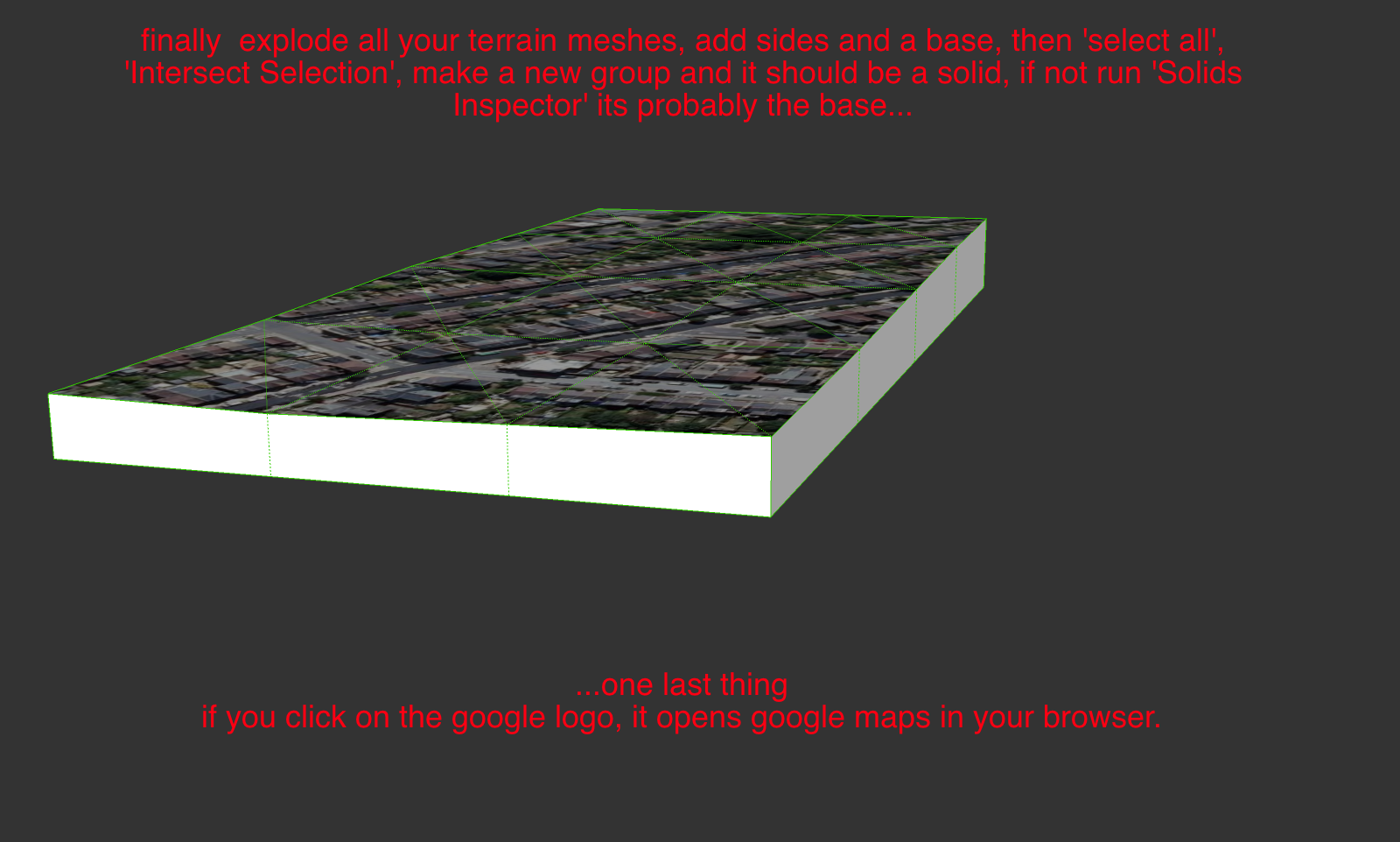
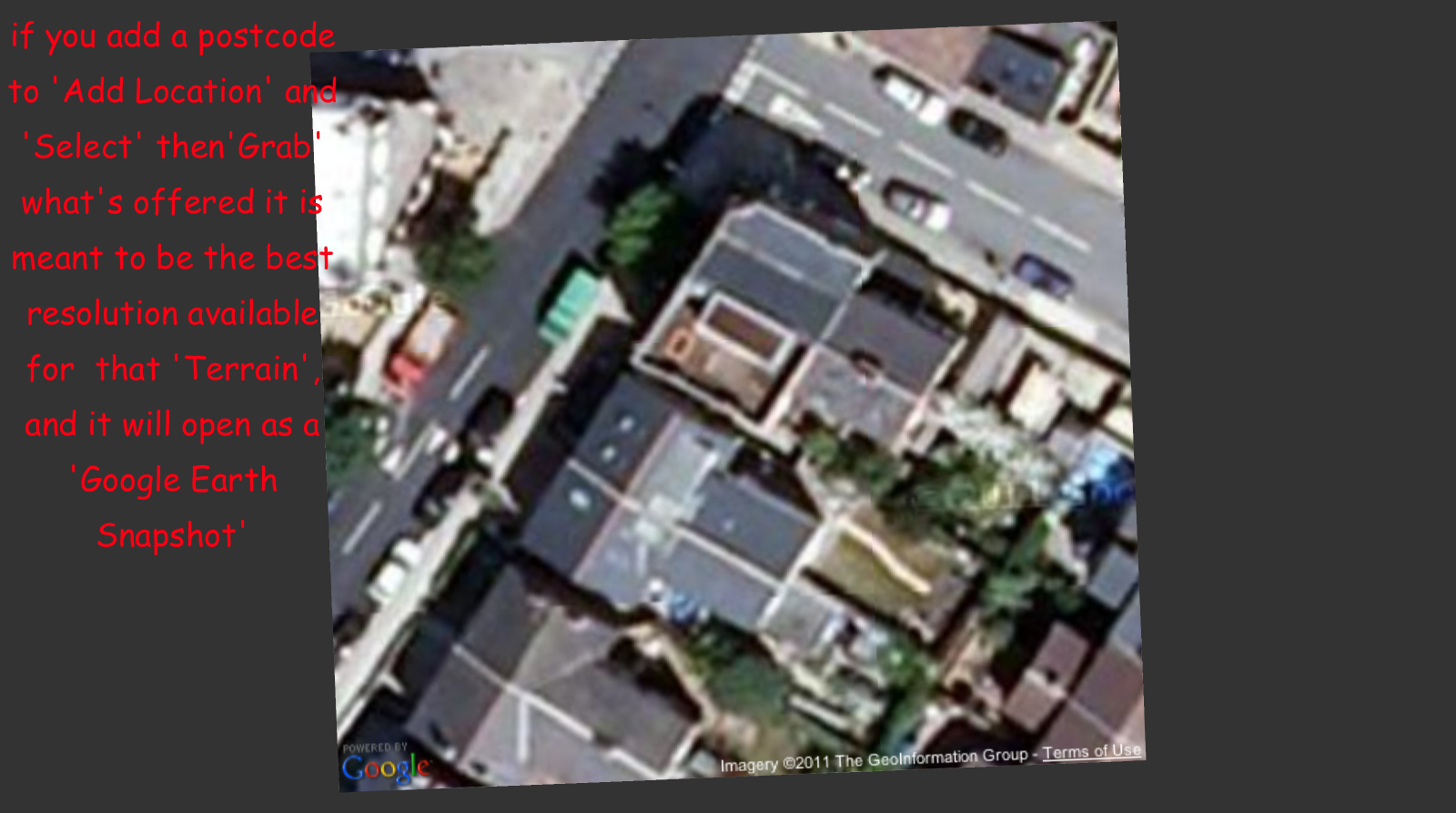
                              maybe someone with a good scene capture could make a better tutorial than this...
                              the skp is on the post before this one...
                              Add_Tiled_Terrain_Mesh.png
                              Add_Tiled_Terrain_Mesh-4.png
                              Add_Tiled_Terrain_Mesh-5.png
                              Add_Tiled_Terrain_Mesh-6.png
                              Add_Tiled_Terrain_Mesh-7.png
                              Add_Tiled_Terrain_Mesh-8.png

                              Using these steps a plugin that unlocks the terrain, then selects the irregular faces and deletes them would speed up the process.
                              Navigation for selecting the 'next terrain mesh' would be better if the html had an option to use last 'grab' as your starting point.
                              It does open on the last used but has 'no-cache' set and flicks to the stored model location as the starting point.
                              It's a server-side script so can't be tweaked...

                              Maybe a feature request is called for...
                              john

                              learn from the mistakes of others, you may not live long enough to make them all yourself...

                              1 條回覆 最後回覆 回覆 引用 0
                              • sdmitchS 離線
                                sdmitch
                                最後由 編輯

                                Apparently there are major differences between the Mac and Windows versions. There is no border, that I can find, that is left when the mesh is de-selected.

                                Nothing is worthless, it can always be used as a bad example.

                                http://sdmitch.blogspot.com/

                                1 條回覆 最後回覆 回覆 引用 0
                                • D 離線
                                  driven
                                  最後由 編輯

                                  Hi,

                                  can't be thatdifferent, so it's probably badly explained [by me]

                                  can you erase the outer mesh, with the 'eraser tool'?

                                  maybe someone one a PC can interpret my explanation.

                                  I'll try on a PC tomorrow.

                                  john

                                  learn from the mistakes of others, you may not live long enough to make them all yourself...

                                  1 條回覆 最後回覆 回覆 引用 0
                                  • sdmitchS 離線
                                    sdmitch
                                    最後由 編輯

                                    Maybe I've finally figured it out. By border, did you mean a border of a row/column of cells?

                                    Nothing is worthless, it can always be used as a bad example.

                                    http://sdmitch.blogspot.com/

                                    1 條回覆 最後回覆 回覆 引用 0
                                    • D 離線
                                      driven
                                      最後由 編輯

                                      @sdmitch said:

                                      By border, did you mean a border of a row/column of cells?

                                      Yes, the perimeter rows and columns of faces and edges, is all that's distorted.

                                      I thought it must be my chose of words

                                      I was just about to fire up XP, please tell me that's not required.

                                      [to me it's a barbaric form of punishment]

                                      john

                                      learn from the mistakes of others, you may not live long enough to make them all yourself...

                                      1 條回覆 最後回覆 回覆 引用 0
                                      • sdmitchS 離線
                                        sdmitch
                                        最後由 編輯

                                        No, you can avoid the torture if you like.

                                        Nothing is worthless, it can always be used as a bad example.

                                        http://sdmitch.blogspot.com/

                                        1 條回覆 最後回覆 回覆 引用 0
                                        • A 離線
                                          AcesHigh
                                          最後由 編輯

                                          Sdmitch, sorry if I am talking nonsense, specially since I dont even know the method you used in your plugin.

                                          anyway, maybe you can just do an "automatic" way of doing what I did manually?

                                          basically:

                                          we have two different meshes

                                          http://img577.imageshack.us/img577/3559/12229609.jpg

                                          view them from top, parallel camera

                                          http://img196.imageshack.us/img196/9963/68269206.jpg

                                          use Zorro plugin (I dont know if you can use the code of another plugin) and CUT one mesh from the other. The Zorro cut line should follow the edge lines of the other mesh. IF its difficult using the Terrain Mesh as a basis for the CUT LINES, maybe its possible to use the SNAPSHOT (which are flat surfaces) edge lines as a basis for cutting the mesh with Zorro? Then delete what was cut from the mesh.

                                          http://img94.imageshack.us/img94/8905/61139532.jpg

                                          1 條回覆 最後回覆 回覆 引用 0
                                          • sdmitchS 離線
                                            sdmitch
                                            最後由 編輯

                                            If the two meshes are the same scale,ie grabed with the same zoom, the grids should be the same size and origin. Then you only need to delete the outer row/col in the overlap area as per John's procedure. I have successfully ran several test using John's procedure and the results is seamless.

                                            Nothing is worthless, it can always be used as a bad example.

                                            http://sdmitch.blogspot.com/

                                            1 條回覆 最後回覆 回覆 引用 0
                                            • 1
                                            • 2
                                            • 3
                                            • 2 / 3
                                            • 第一個貼文
                                              最後的貼文
                                            Buy SketchPlus
                                            Buy SUbD
                                            Buy WrapR
                                            Buy eBook
                                            Buy Modelur
                                            Buy Vertex Tools
                                            Buy SketchCuisine
                                            Buy FormFonts

                                            Advertisement