[REQ] GoogleEarth Meshes boolean subtract
-
@sdmitch said:
If the two meshes are the same scale,ie grabed with the same zoom, the grids should be the same size and origin. Then you only need to delete the outer row/col in the overlap area as per John's procedure. I have successfully ran several test using John's procedure and the results is seamless.
well, but thats one problem. The meshes hardly will be the same zoom...
specially if you want to add a very large area, for distant background (like mountains, hills), and a smaller area, with detail, where you will render the image/movie. -
if all else fails, a plugin that culd transform a mesh into a solid would be awesome already. IF we could transform a mesh into a solid easily, it would also be pretty easy to perform Boolean operations (using the Solid Tools from SKP8 or OSCoolean plugin)and get the desired result.
-
@jolran said:
Maybe you could build a box "underneath" the surface and do standard boolean on that?
maybe I am doing something wrong, but I just cant build the box underneath the surface. I draw the lines but they do not create the faces of the box.
-
@aceshigh said:
if all else fails, a plugin that culd transform a mesh into a solid would be awesome already. IF we could transform a mesh into a solid easily, it would also be pretty easy to perform Boolean operations (using the Solid Tools from SKP8 or OSCoolean plugin)and get the desired result.
actually, turning the meshes into solids and then making boolean operations are maybe not the best solution. Just did that (through a too complicated process that would take days and days to perform if I had hundreds of meshes*) and when I had the two solids out of the meshes, I tried to perform a boolean and got a BUGSPLAT!

I can only imagine how many bugsplats I would get when trying to do 100 different booleans out of complicated solid meshes in the same model

*basically, I drew a rectangle underneath the mesh, the selected only the mesh edges and used TIG´s Extrede Edges By Vector, and then intersected the extruded edges with the rectangle.
deleted the rectangle then deleted all the faces BELOW the rectangle, then the lines...
-
@sdmitch said:
If the two meshes are the same scale,ie grabed with the same zoom, the grids should be the same size and origin. Then you only need to delete the outer row/col in the overlap area as per John's procedure. I have successfully ran several test using John's procedure and the results is seamless.
To add to this, I have only found one grid size, if a mesh is smaller, it's a 'border region' row or column.
mesh is same size, except the colored bordersThere is a fixed Maximium size of grid for a single 'grab', which makes stitching much easier.
There are at least two levels of detail, but you can manipulate which you want, and you can mix and match if you use two drawings or re-naming.
So to get into High Resolution Large Format mode you need to
- go to your basic location
- click to zoom in or out until see your largest 'grab' option, it's a big white square border.
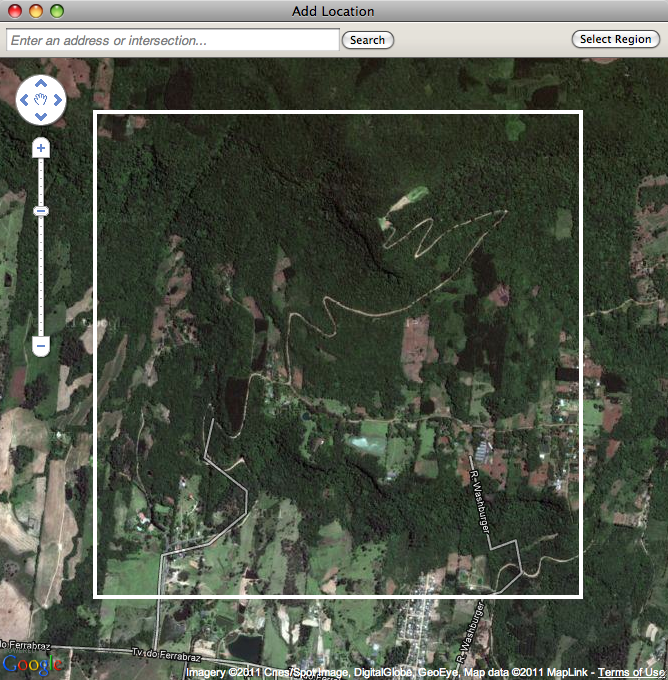
3.for Lowest Resolution just 'grab' the lot and cut up what you want. for 'HRLF' center the square and click in as far as allowed [seems to be 4 clicks] - NOW the trick, open 'Model Info' >> 'Geo'Location' and select 'Clear Location' and clear it.
- Go Back to 'Add Location' and 'grab', this will reset your Geo Location at the finest detail.
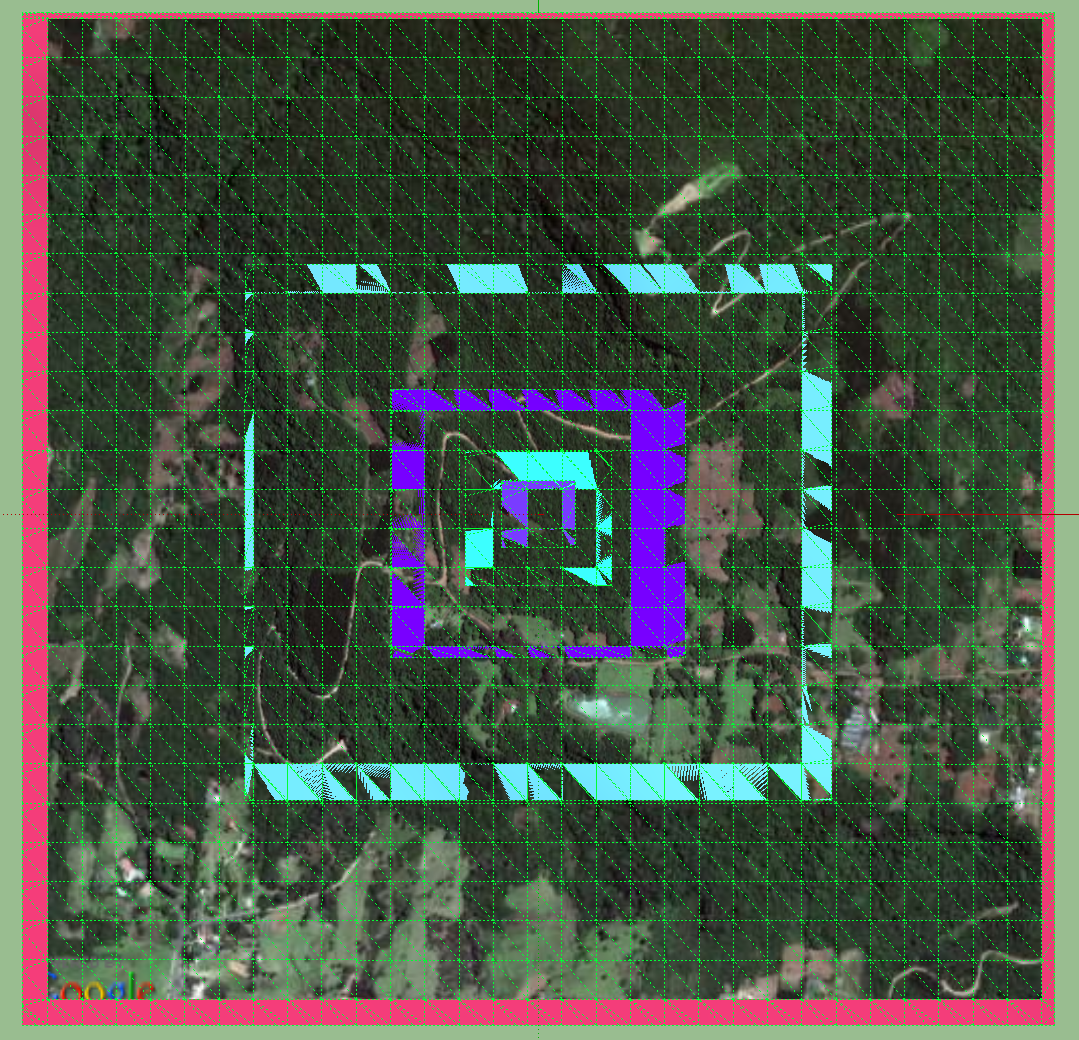
- Go Back to 'Add Location' and click out until you see the white border again, and 'grab' [this is the largest square at the highest resolution available].
- If you want neighbouring blocks at 'HRLF' repeat 6, but before the 'grab' also click N, S, E or W, a couple of clicks or move manually.
- unlock and delete the 'border region' rows or columns and stitch together.
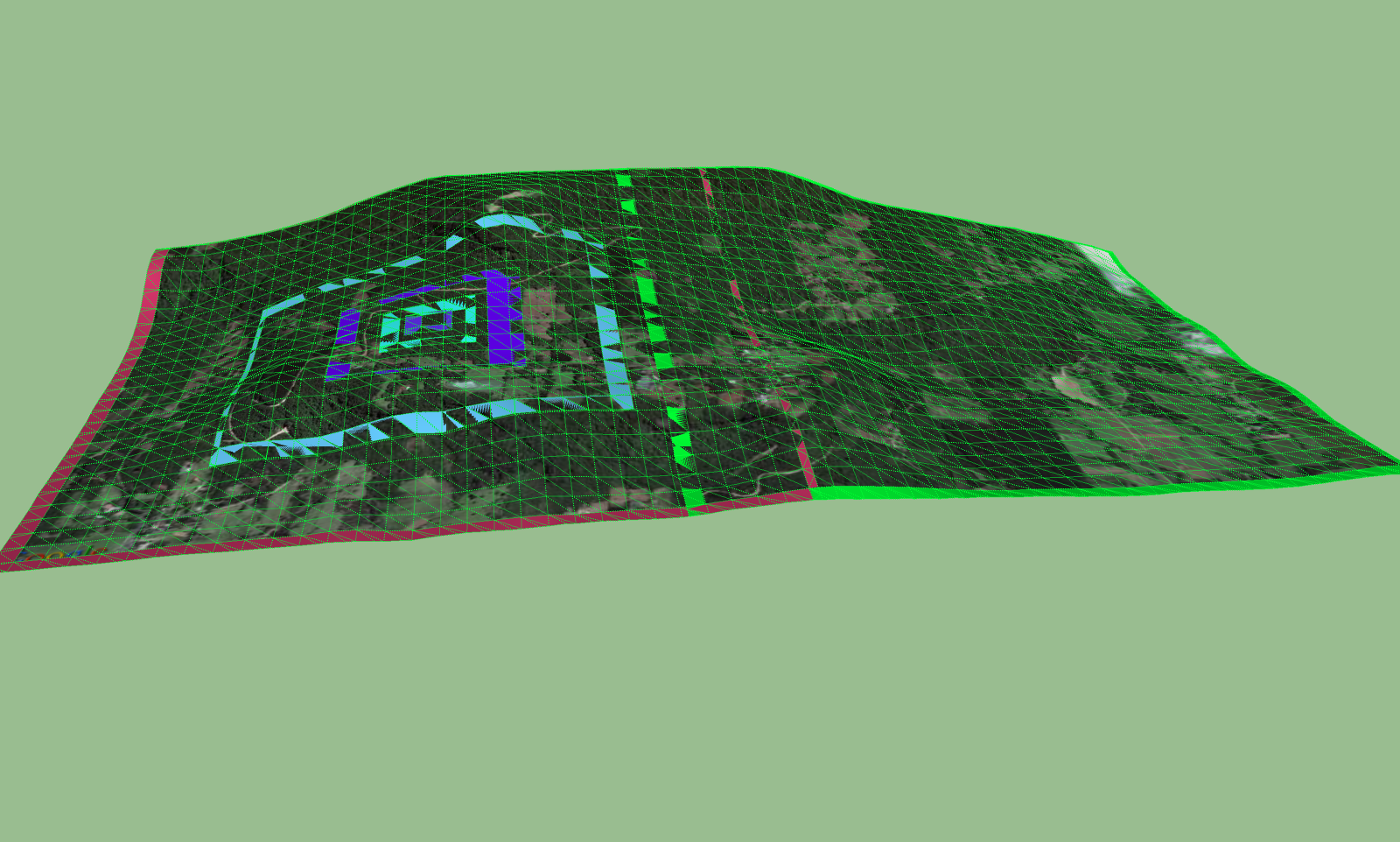
a ruby to unlock, select and delete these would help, [but it's quick anyway].
john -
I tested the new version you sent me via PM...
AWESOME!! Now it works flawlessly... ability to choose which mesh to keep and which to clip, and best of all... no gaps left between the meshes!!!the only other thing that would be great would be if Sketchup could better select new meshes to add (right now, it always resets to the original mesh location, when you are going to add a new mesh... its a stupid system), but as I have been told, you cant modify that with a plugin... but surely enough, your plugin is already incredibly awesome and will save me days of tedious stupid work having to cut all the meshes with Zorro.
Thanks a lot. You should create a topic for the plugin. Other people might get interested.
-
Any chance you could post that plugin?

-
@bob james said:
Any chance you could post that plugin?
Yes, but there are a few things that I want to check first.
-
The plugin created in response to this request has been posted.




Advertisement