sketchucation logo sketchucation
    • 登入
    Oops, your profile's looking a bit empty! To help us tailor your experience, please fill in key details like your SketchUp version, skill level, operating system, and more. Update and save your info on your profile page today!
    🔌 Smart Spline | Fluid way to handle splines for furniture design and complex structures. Download

    Computer paintings

    已排程 已置頂 已鎖定 已移動 Hardware, Software & Gadgets
    25 貼文 2 Posters 2.6k 瀏覽 2 Watching
    正在載入更多貼文
    • 從舊到新
    • 從新到舊
    • 最多點贊
    回覆
    • 在新貼文中回覆
    登入後回覆
    此主題已被刪除。只有擁有主題管理權限的使用者可以查看。
    • pilouP 離線
      pilou
      最後由 編輯

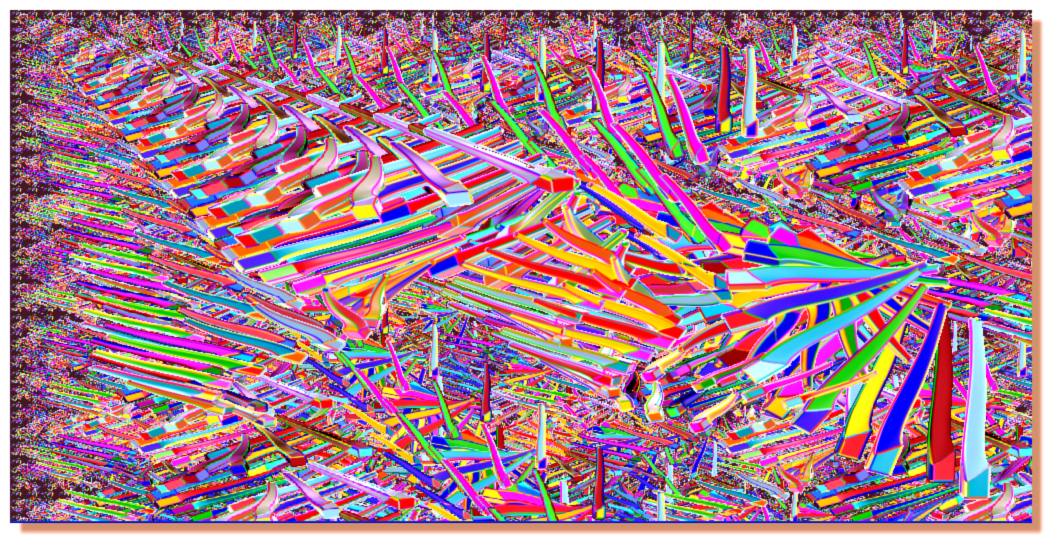
      Inspiration Claude Monet and Vieira Da Silva
      (first is my Sketchup model and the marvelous Random Painter by Chris Fullmer , second is a table's leg's model by Felix )
      if you are interested I have made this little prog 😄
      It's for Processing(free) but you can adapt for any language 😄
      A little fractal effect thx to Benoît Mandelbrot to revival the concept ☀
      Just put your image in the Data folder and copy past these few lines : it's all 😉

      
      size(1024,512);                                  // your image's size in pixel
      PImage pilou = loadImage("your image.png");     // any image with a subject + transparent background
       int t = 8;                                    //  minimum height size in pixel
      for (int k = 8; < 513; k = k + t) {      // increase width and height
         for (int y = 0; y < 513; y = y + k) {  //position x,y of each new image on the screen
           for (int x = 0; x < 1023; x = x + k*2) {
           image(pilou,x,y,k*2,k) ;             // draw an reducted image at the x,y position on the screen
           }                                   // end loop x
        }                                     // end loop y
      filter(INVERT);                        // invert colors between each new screen, you can erase it
      t=t*2;                                // increase  height size in pixel can be anything; Da Silva t= t+8
      }
      image(pilou,0,0);                   // draw at the end your original image ;)
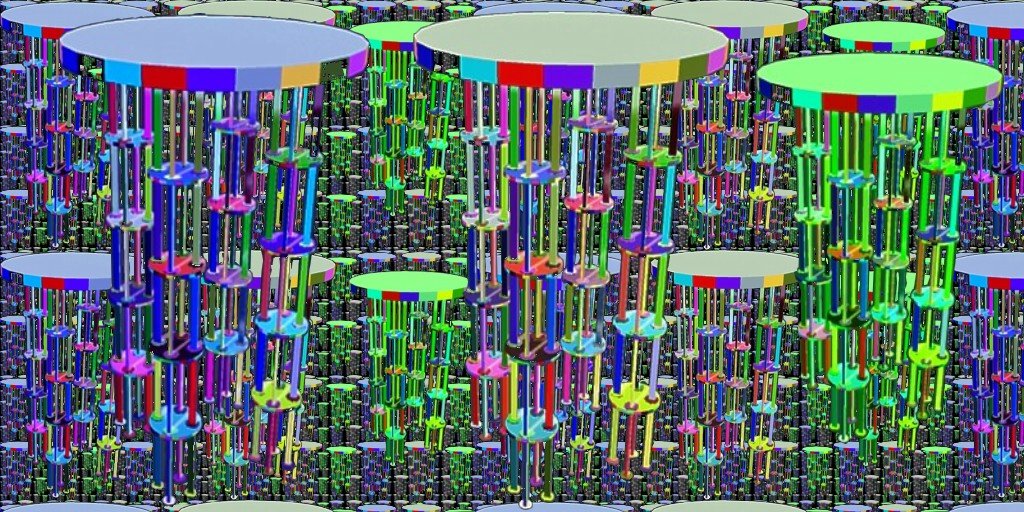
      

      tabouret7.jpg


      proc05.jpg

      Frenchy Pilou
      Is beautiful that please without concept!
      My Little site :)

      1 條回覆 最後回覆 回覆 引用 0
      • brookefoxB 離線
        brookefox
        最後由 編輯

        Pilou.... Like this?

        1. download 'Processing' http://processing.org/download/
        2. install it.
        3. a data folder will thus be created. Put your image in it and copy and paste the code also in the data folder, in a file called what? or what?
        4. run processing; load your image

        ~ Brooke

        1 條回覆 最後回覆 回覆 引用 0
        • brookefoxB 離線
          brookefox
          最後由 編輯

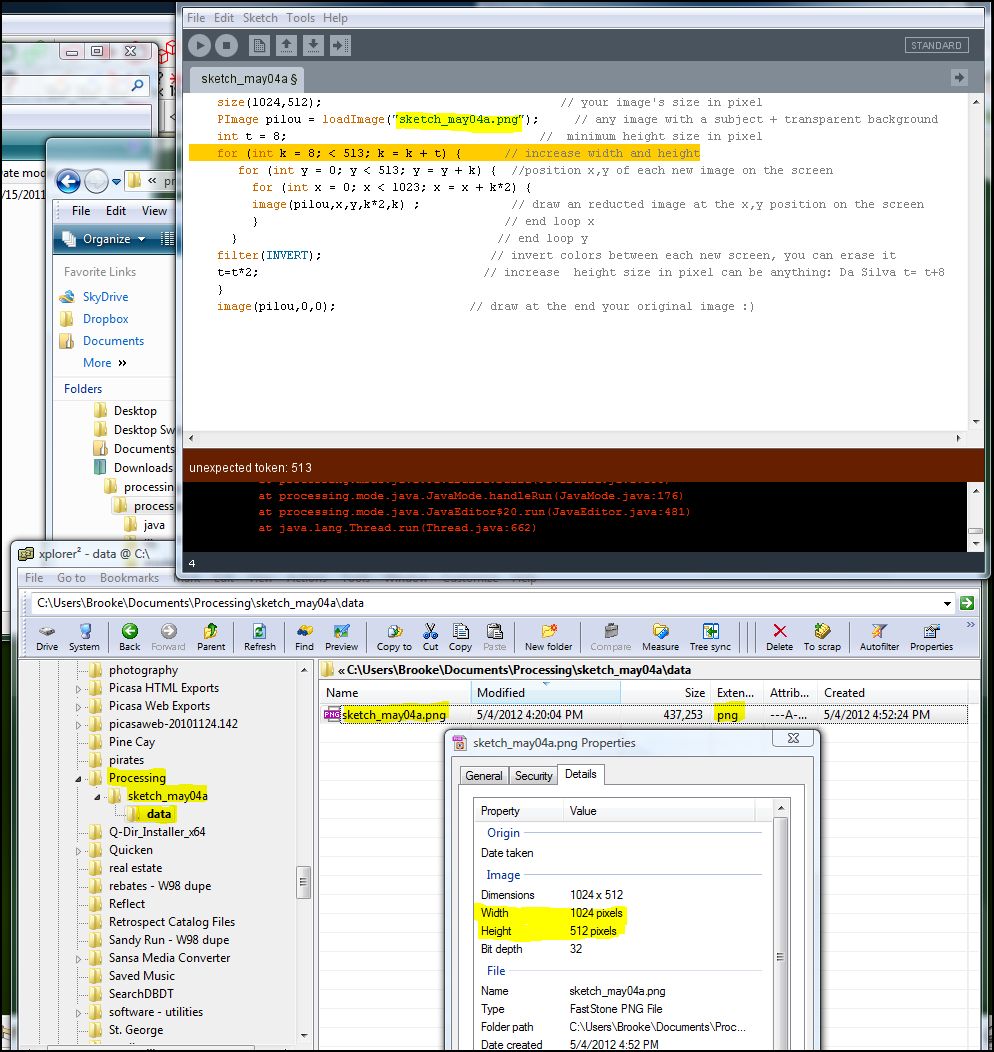
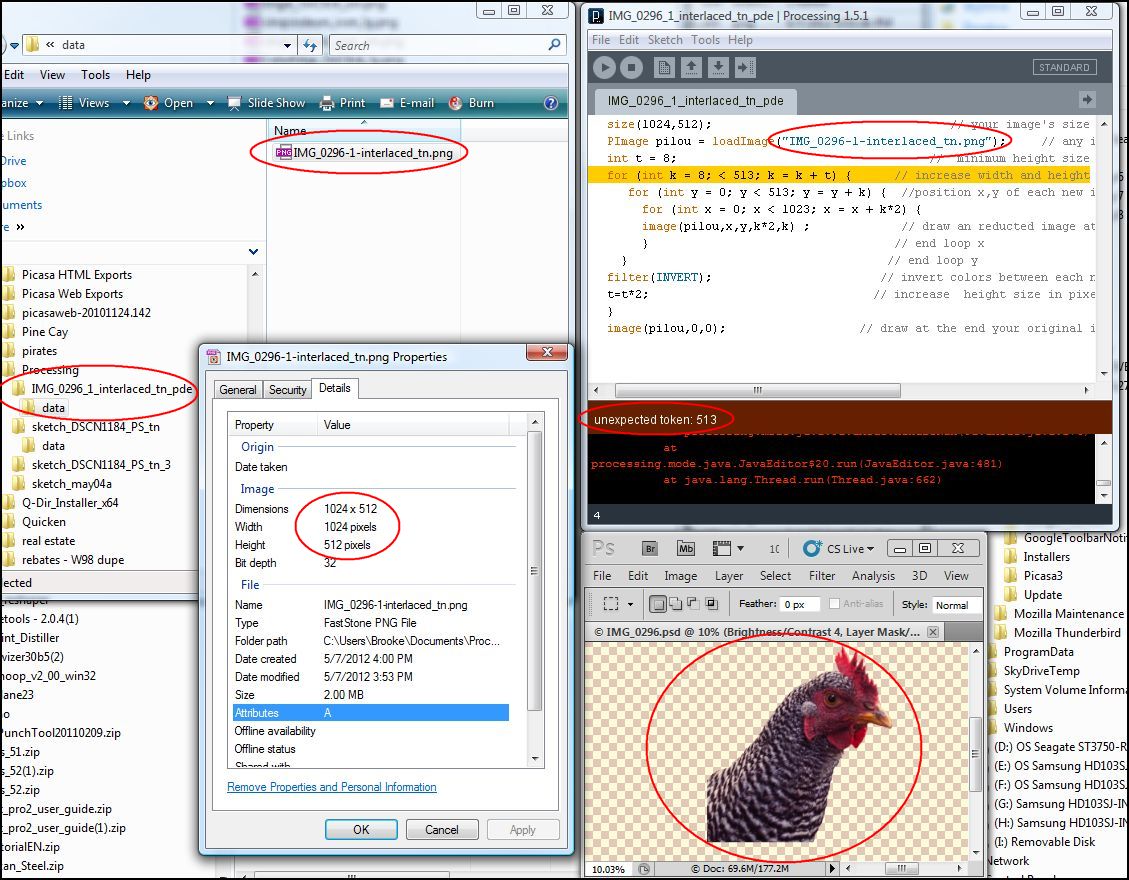
          Strike 1: "unexpected token:513"


          processing-1-noted.JPG

          ~ Brooke

          1 條回覆 最後回覆 回覆 引用 0
          • pilouP 離線
            pilou
            最後由 編輯

            If your orginal image has no background area transparent that will works not!

            Try with this one I lauch it now so I am sure that it's work 😄
            (click on Select all for select all the code)

            size(1024,512);
            
            PImage tabou = loadImage("your_image.png");
             int t = 8;
            for (int k = 8; k < 513; k = k + t) {
            
            for (int y = 0; y < 513; y = y + k) {
              for (int x = 0; x < 1023; x = x + k*2) {
               image(tabou,x,y,k*2,k) ;
               }
            }
            filter(INVERT);
            t=t+4;
            }
            image(tabou,0,0);
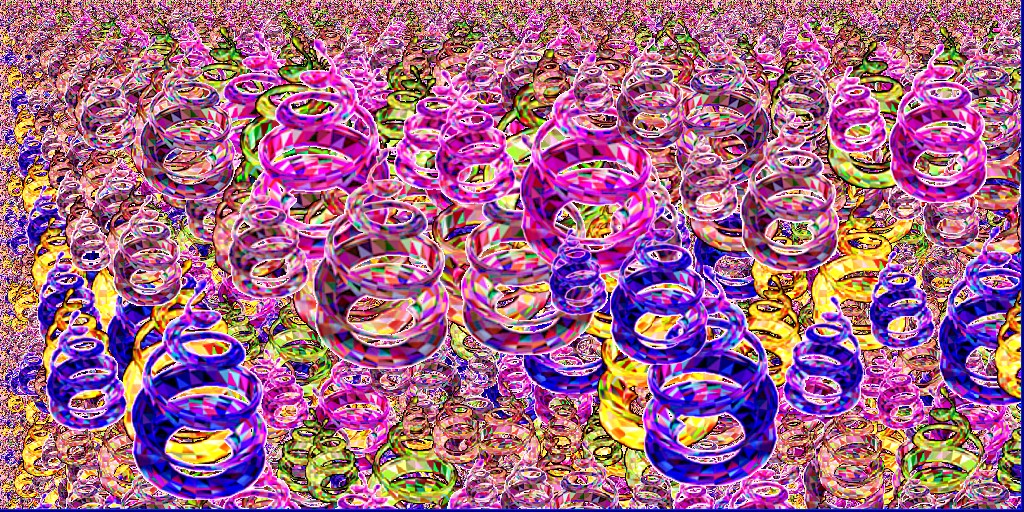


            procc.jpg

            [attachment=0:tgyb3p08]<!-- ia0 -->taboure512.png<!-- ia0 -->[/attachment:tgyb3p08]

            Frenchy Pilou
            Is beautiful that please without concept!
            My Little site :)

            1 條回覆 最後回覆 回覆 引用 0
            • pilouP 離線
              pilou
              最後由 編輯

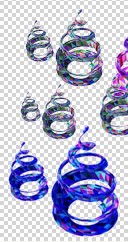
              Must have cheekerboard on background as transparent aera!

              Hope this works!
              See you soon in four days 😉
              dd.jpg

              Frenchy Pilou
              Is beautiful that please without concept!
              My Little site :)

              1 條回覆 最後回覆 回覆 引用 0
              • brookefoxB 離線
                brookefox
                最後由 編輯

                Ah..., merci. You are right that my image had no transparent areas though it was a png, though I don't know how you could tell.

                Hopefully I'll have something to show.

                Bon voyage.

                ~ Brooke

                1 條回覆 最後回覆 回覆 引用 0
                • brookefoxB 離線
                  brookefox
                  最後由 編輯

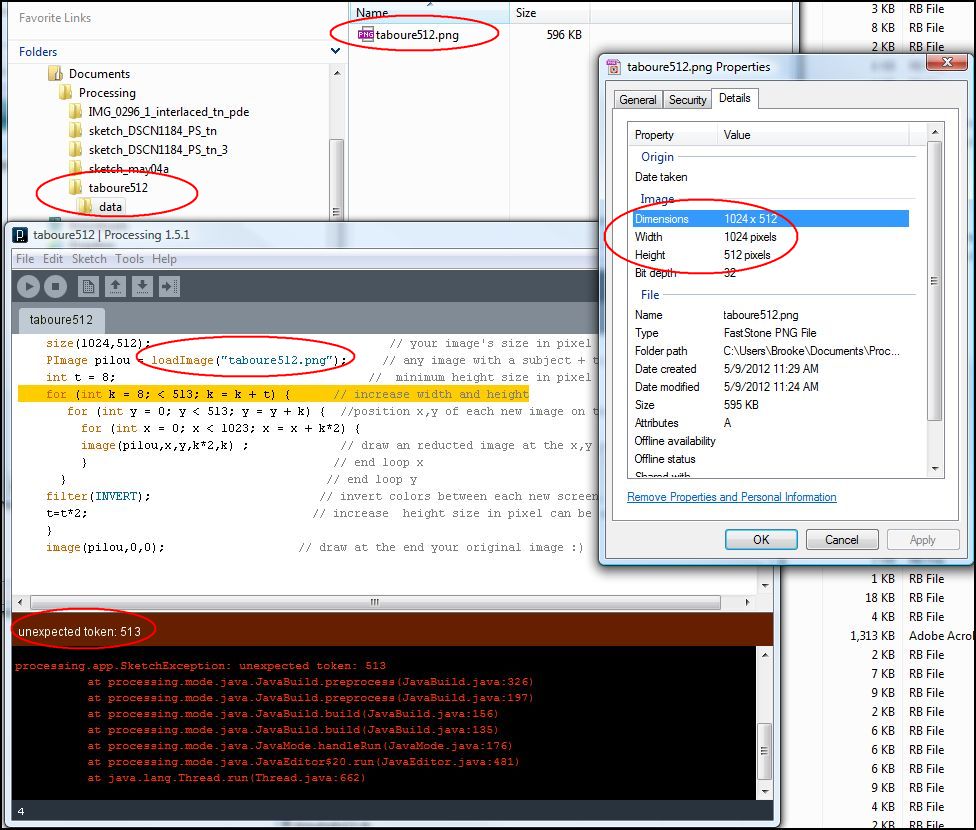
                  Still not working though with another with transparent areas. Same error. Please attach your image file so I can try it. Perhaps the png conversion by FastStone is faulty; I'll try another conversion program.

                  Didn't work with Irfan as the converter, with three different settings.. The checkerboard is how your prog is configured to display transparency; it can be balck or white or some other, I believe. I'll crank up PS for an other go.

                  ~ Brooke

                  1 條回覆 最後回覆 回覆 引用 0
                  • brookefoxB 離線
                    brookefox
                    最後由 編輯

                    The voting is over, Pilou. No luck here.

                    processing-2-noted.JPG

                    ~ Brooke

                    1 條回覆 最後回覆 回覆 引用 0
                    • pilouP 離線
                      pilou
                      最後由 編輯

                      Here an original image png (zipped) so unzipp it before any process!

                      Works for me 😄

                      If that yet don't work for you with this file, we must find another source of problem! 🤓


                      taboure512.zip

                      Frenchy Pilou
                      Is beautiful that please without concept!
                      My Little site :)

                      1 條回覆 最後回覆 回覆 引用 0
                      • brookefoxB 離線
                        brookefox
                        最後由 編輯

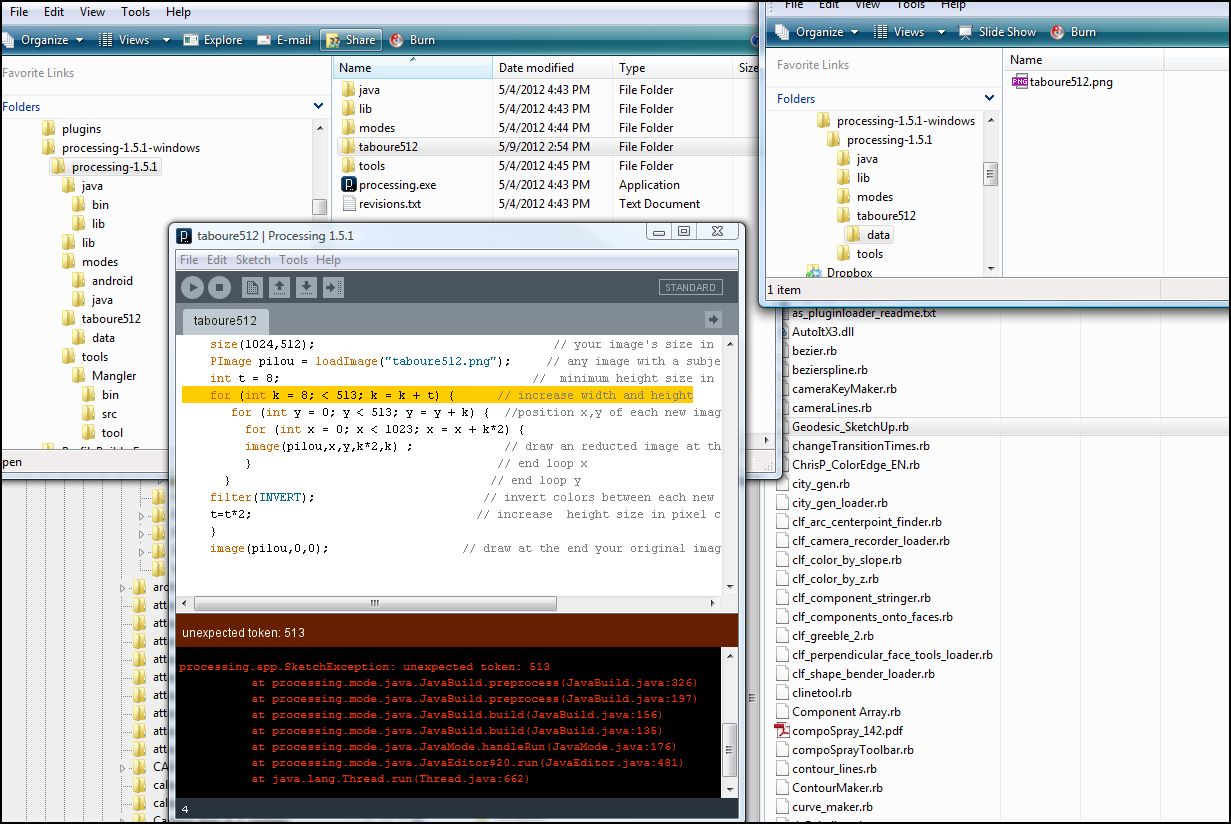
                        Alas, professor...


                        processing-3-noted.JPG

                        ~ Brooke

                        1 條回覆 最後回覆 回覆 引用 0
                        • pilouP 離線
                          pilou
                          最後由 編輯

                          Seems very mysterious
                          We have the same version of Processing 1.5.1

                          Can you show me the arborescence of folders / files ( I can't see all them on the image above)

                          Normally you must have just the file "prog" and the folder "data" on the same level
                          seems they are not on the same "level" from what I can see
                          Maybe 😄

                          Frenchy Pilou
                          Is beautiful that please without concept!
                          My Little site :)

                          1 條回覆 最後回覆 回覆 引用 0
                          • brookefoxB 離線
                            brookefox
                            最後由 編輯

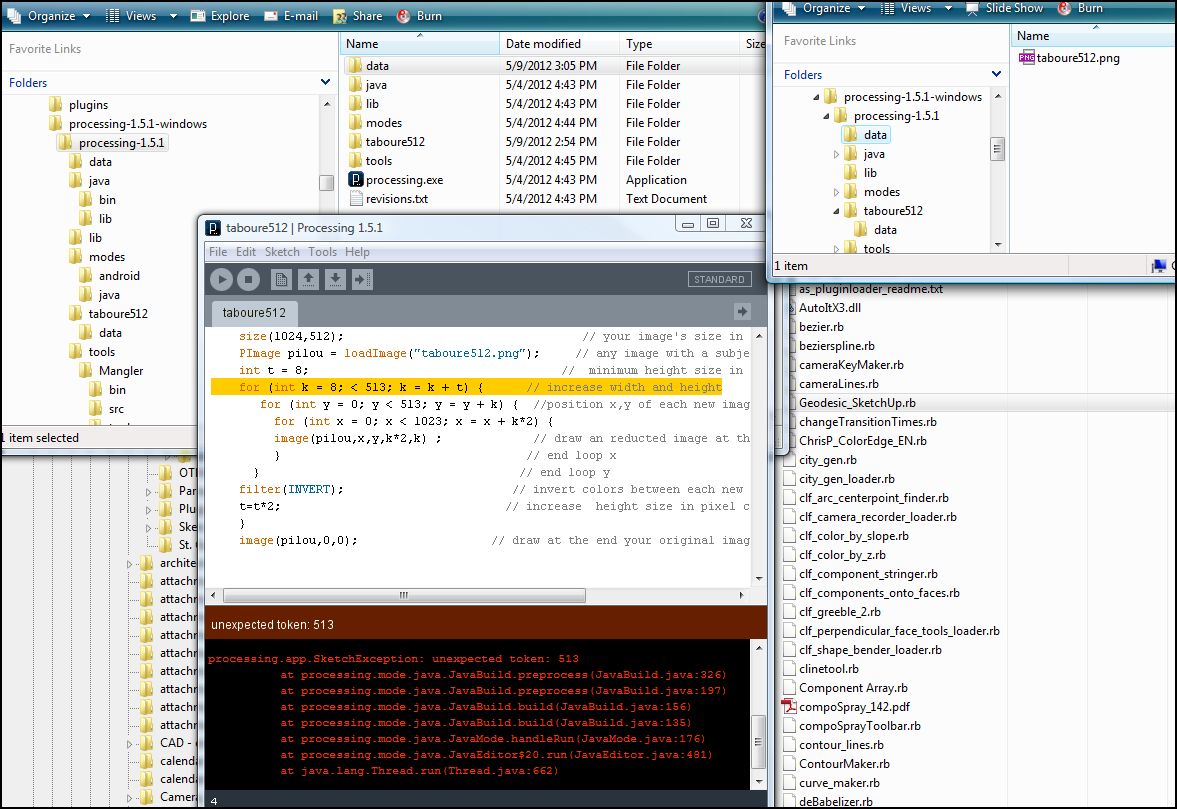
                            Some little thing I have wrong... Or maybe a big thing.

                            I tried it with data next to .exe and with data in taboure512 folder. Same result.
                            processing-4.JPG

                            processing-5.JPG

                            ~ Brooke

                            1 條回覆 最後回覆 回覆 引用 0
                            • pilouP 離線
                              pilou
                              最後由 編輯

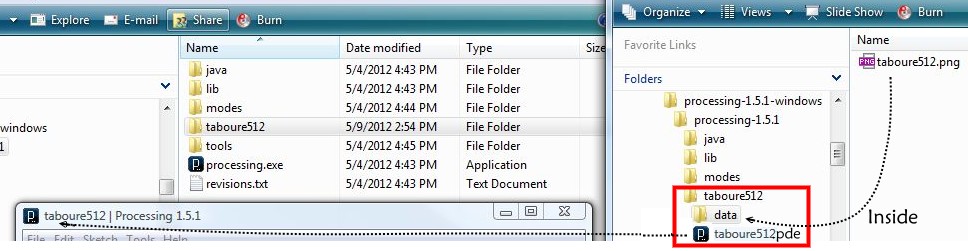
                              Have you this arborescence of File / Folder ?
                              You must have the red rectangle with this little arborescence
                              anywhere : it's an entity ! Can works anywhere !

                              Here it's mixed with the arborescence of Processing : can be possible but not very clear 😄

                              If you have not maybe re-read my first post for create the first arborescence!

                              If you have yet that is some ennuyous because I don't see anything else! 😳

                              proc02.jpg

                              Frenchy Pilou
                              Is beautiful that please without concept!
                              My Little site :)

                              1 條回覆 最後回覆 回覆 引用 0
                              • brookefoxB 離線
                                brookefox
                                最後由 編輯

                                I will reread your first post. Other than that, I am not sure what you are saying. The pic you show is my pic, so that yes is my setup. 'Arborescence' I assume means tree (directory, folder) structure.

                                My OS is Vista 64.

                                ~ Brooke

                                1 條回覆 最後回覆 回覆 引用 0
                                • pilouP 離線
                                  pilou
                                  最後由 編輯

                                  @unknownuser said:

                                  'Arborescence' I assume means tree (directory, folder) structure.

                                  Yes 😉

                                  @unknownuser said:

                                  The pic you show is my pic

                                  No !
                                  it's that you must see 😉 (I have made a photomontage)
                                  In yours above I don't see the black icon "taboure512.pde" under the "data"

                                  Frenchy Pilou
                                  Is beautiful that please without concept!
                                  My Little site :)

                                  1 條回覆 最後回覆 回覆 引用 0
                                  • pilouP 離線
                                    pilou
                                    最後由 編輯

                                    If I good remember 😉

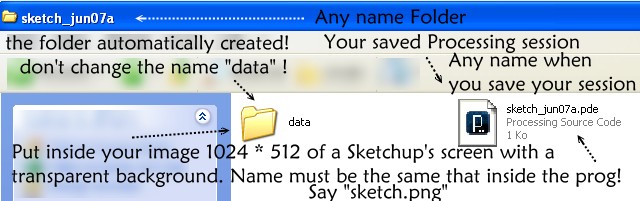
                                    the first time launch a Processing session
                                    Copy inside the lines above

                                    Save it in a folder anywhere of your choice say "my Processing test" (name of the folder)
                                    with the name that you want say "test" (name of your prog)

                                    Surrely a message eroor because ther is not yet an image inside the data folder created

                                    QUIT
                                    You must obtain a file "test.pde" and a folder "data" both inside "my Processing test" folder
                                    (".pde" is the extension name of a Processing program normally it's given automatically)
                                    (maybe extension 's file ".pde" is not visible following your system regulates )

                                    You must have the image follow

                                    proc.jpg

                                    You can now put inside your image inside the "data" folder created
                                    with the same name than inside the prog : say "sketch.png"

                                    (use always PNG format : support of the transparent background)

                                    Inside the prog the "" must be writed around the sketchUp's image!

                                    PImage pilou = loadImage("sketch.png");
                                    

                                    Relaunch it by double click on the file name "test.pde" inside your folder

                                    After 3 seconds (more or less following the age of your computer: mine is ten years! )
                                    An artistic image must be created on your screen 😄

                                    Grab it and past it inside your favorite 2D prog

                                    You can modify some numeric parameters inside the prog

                                    You can change of course the name of the image inside the prog
                                    if you input an other image with another name inside the data folder!
                                    (don't change the "pilou" words except you well understand the syntax)

                                    If you don't want the "filter Invert" on your image
                                    Jut put // before

                                    //filter(INVERT); 
                                    

                                    The image must have always 1024*512 inside the data folder!

                                    Hope this help you 😉

                                    Frenchy Pilou
                                    Is beautiful that please without concept!
                                    My Little site :)

                                    1 條回覆 最後回覆 回覆 引用 0
                                    • pilouP 離線
                                      pilou
                                      最後由 編輯

                                      And sorry it's the second post that you must maybe re-read 😉

                                      Frenchy Pilou
                                      Is beautiful that please without concept!
                                      My Little site :)

                                      1 條回覆 最後回覆 回覆 引用 0
                                      • brookefoxB 離線
                                        brookefox
                                        最後由 編輯

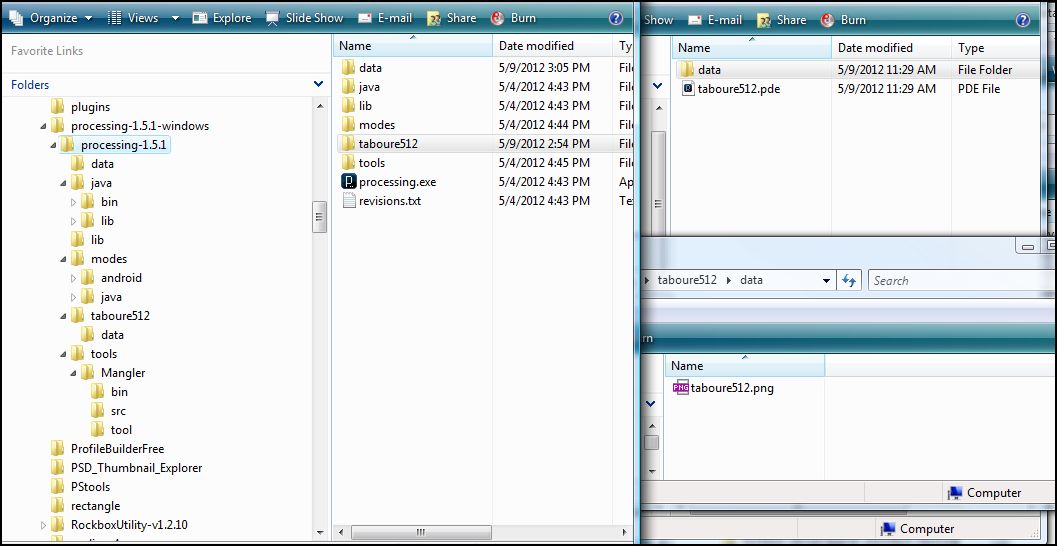
                                        OK. I did not show what was beside data, only what was in data. It is beside as you advise.

                                        processing-6.JPG

                                        ~ Brooke

                                        1 條回覆 最後回覆 回覆 引用 0
                                        • pilouP 離線
                                          pilou
                                          最後由 編輯

                                          Hum hum
                                          Last chance
                                          Copy the folder taboure512 on the Desk and run it from the Desk but I doubt

                                          Have you load and run some processing examples ?
                                          does they work ?

                                          Frenchy Pilou
                                          Is beautiful that please without concept!
                                          My Little site :)

                                          1 條回覆 最後回覆 回覆 引用 0
                                          • pilouP 離線
                                            pilou
                                            最後由 編輯

                                            Try to launch my own one!


                                            sketch_jun07a.zip

                                            Frenchy Pilou
                                            Is beautiful that please without concept!
                                            My Little site :)

                                            1 條回覆 最後回覆 回覆 引用 0
                                            • 1
                                            • 2
                                            • 1 / 2
                                            • 第一個貼文
                                              最後的貼文
                                            Buy SketchPlus
                                            Buy SUbD
                                            Buy WrapR
                                            Buy eBook
                                            Buy Modelur
                                            Buy Vertex Tools
                                            Buy SketchCuisine
                                            Buy FormFonts

                                            Advertisement