Trouble with Imgur images on blogger
-
I'm having trouble uploading images via imgur on blogger. My images get cut and dont display correctly what should I do? The bottom one image was uploaded on imgur.com and linked to blogger. but it doesn't show up as complete image.
I embed the following into the html code of the blog
<img src="http://i.imgur.com/qexuS.jpg" title="Hosted by imgur.com" />
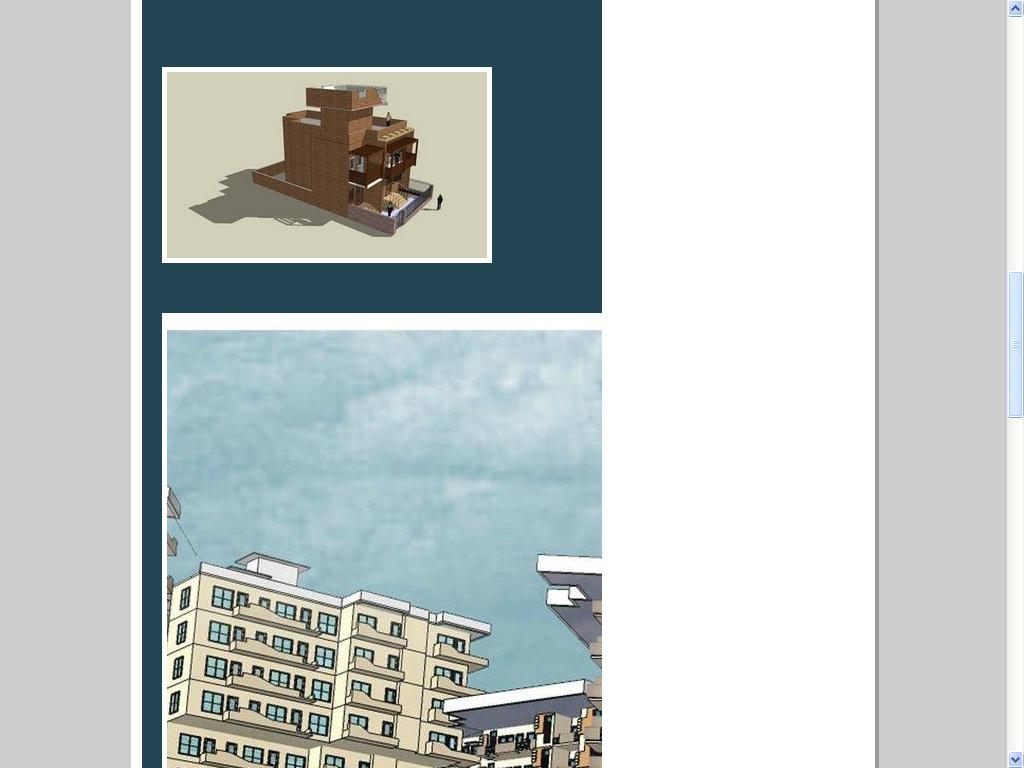
-
I do not know how your site is set up but there must be a <div> there with pre-defined width. Try to measure that div (here is a free screen ruler or get the width from the css file) and make a downsampled version ("thumbnail") of your image that is not wider than that. Name it something different (I named it as "-small" below)
Now insert this code:
<a href="http://i.imgur.com/qexuS.jpg"><img src="http://i.imgur.com/qexuS-small.jpg" title="Hosted by imgur.com" /></a>.Now your thumbnail image will be clickable and the big version will come up once someone clicks on it.
I have not used blogger for long but I am sure there are also cool plugins (or simply adding javascript) that would spice this up and make the bigger version load in some fancy js window, too.
-
a really technical reply. who says ur not a tech - savvy person.

but where do i add that length that you're talkin' about?
-
Just resize that image for the thumbnail. You enter that size in your image editor. Generally something like "Image (menu) > Size" or "Scale image". Make sure to keep the aspect ratio and just set the desired width.
@rock1 said:
a really technical reply. who says ur not a tech - savvy person.
Well, I have just picked these things up during the years...

(Some basic html or css knowledge is not too technical...)
I have just co-authored a book about a 4th century, Roman cemetery (part of the UNESCO World Heritage). Now that's my profession!
-
i toned down my images to a horizontal resolution of 800 pixels. Now they are appear the right way in blogger. But is there a way that i use a toned down image for blogger and if someone clicks on that image, a larger image is produced ?
-
That's the code I posted above.

Hello! It looks like you're interested in this conversation, but you don't have an account yet.
Getting fed up of having to scroll through the same posts each visit? When you register for an account, you'll always come back to exactly where you were before, and choose to be notified of new replies (either via email, or push notification). You'll also be able to save bookmarks and upvote posts to show your appreciation to other community members.
With your input, this post could be even better 💗
Register Login


Advertisement