Grey Textures in GE
-
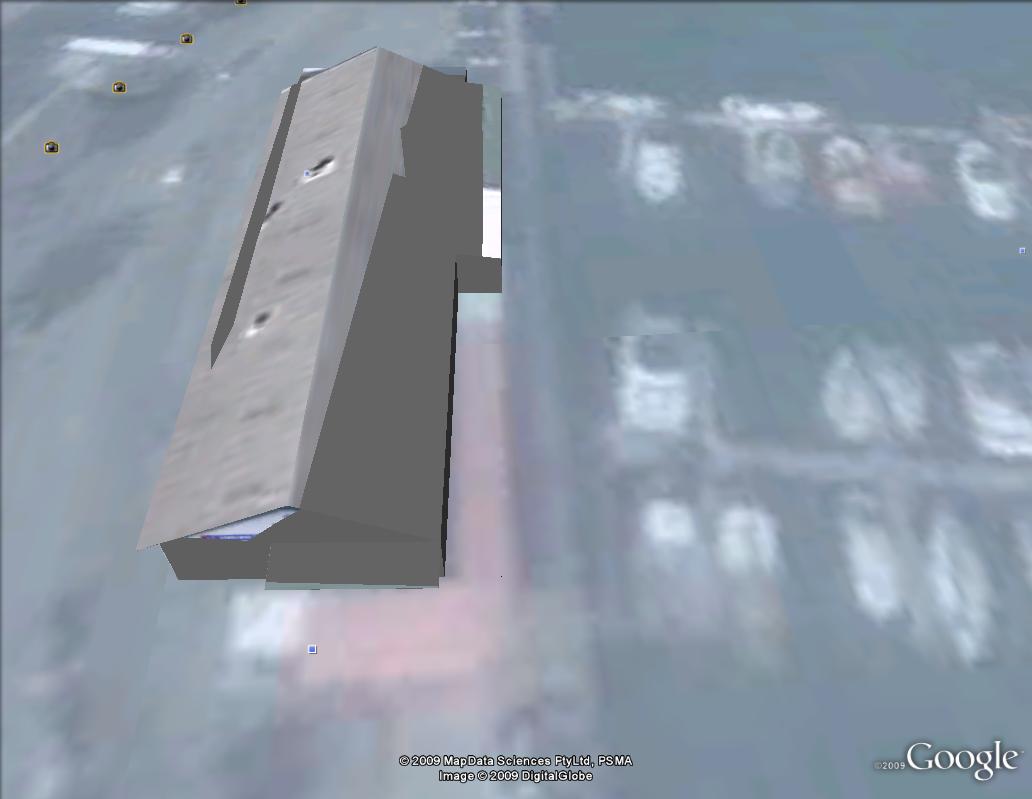
I have posted several models in the GE 3D buildings layer and they were all successful, everything was uploaded and photo-textures looked great. But now, for some unknown reason, the photo-textures have gone all messed up and appear gray in parts, this has only happened to 2 of the 5 models I uploaded 1 other model only has this issue at certain times.
Has anyone had this issue before?
Any help/suggestions are much appreciated.
-
By the way, when I view the same buildings via the GE api within a browser, the textural issues are gone. So its something to do with GE itself....but what?
-
I think the problem is that Google Earth is displaying two, or more, models at the same time. It is displaying the building because it's on the 3d Buildings Layer, but it's also displaying extra models that you've either placed or downloaded and they are clashing.
If you click on Show Sidebar and then uncheck the problem model you'll probably see your model displayed perfectly. It's probably best to then delete all the contents of that model from GE.
-
Haha, problem solved. Thanks very much.
I have to keep reminding myself to think of the simple solutions first.
 Much appreciated

Hello! It looks like you're interested in this conversation, but you don't have an account yet.
Getting fed up of having to scroll through the same posts each visit? When you register for an account, you'll always come back to exactly where you were before, and choose to be notified of new replies (either via email, or push notification). You'll also be able to save bookmarks and upvote posts to show your appreciation to other community members.
With your input, this post could be even better 💗
Register Login


Advertisement