Any plugin to select only ONE SIDE of a complex object?
-
I have this blanket, full of folds, etc. Very complex geometry. I want to paint each side in a different color... but how to select only one side of it? You can either select it all (this painting both sides) or only small triangles, each at a time...
-
Select only surfaces, no edges.
Then go to Entity Info Box and drop materials of your choice from Material Browser to Front face material box and Back face material box.
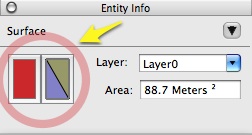
-
sincerely, I have no idea how to select the surfaces only, but no edges...
-
Hide them!
 ...or soften them, then select a surface with a single click.
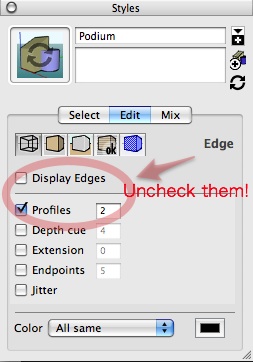

Hello! It looks like you're interested in this conversation, but you don't have an account yet.
Getting fed up of having to scroll through the same posts each visit? When you register for an account, you'll always come back to exactly where you were before, and choose to be notified of new replies (either via email, or push notification). You'll also be able to save bookmarks and upvote posts to show your appreciation to other community members.
With your input, this post could be even better 💗
Register Login


Advertisement