[Plugin] Shape Bender Beta
-
using windows 7, sketchup pro 7
I am trying the plugin but it freezes and does nothing
I get a message in the status bar:
->--------------- 5%. End @ ? (1 of 5) Searching for objects to explode.
What am I doing wrong?
-
Component Sporay is interfering. You will need to remove it for now. THere was a component Spray update a while ago that cleared up this issue, but it appears that the update might not be working right anymore. So for now, just remove it if you need to use ANY script that uses the progressbar plugin.
Chris
-
Thanks chris... wonder how plugins... lose their foolproof performance in few months!!!!
-
ok, I just went back and tested the component spray myself. It is indeed broken again. I'll have to contact Didier about it (I hate bugging him because he's very busy, but his script is breaking the progressbar!).
So you should be seeing that any script that uses progressbar (some of my other scripts, and most notably make_faces from smustard) are all broken because of component spray.
For now there is no simple work around. You just have to remove component spray from your plugins folder if you want to use shape bender or make_faces, or any script that uses progressbar. And then put component spray back if you want to use it and restart sketchup so it loads (or type
load 'compo_spray.rb'into the ruby console after you put it back in the plugins folder if you do not want to restart sketchup). But once its loaded, it will break progressbar until you restart SketchUp.And for the 1 of 5 error, that might actually be something else. That could be that you have complex geometry and it takes a lot of processing to bend it so it is thinking. OR it could also be that you have lots of sub groups in your component and it is trying to find them all (which it is VERY slow at because I did a poor job writing that part of the script). So I woulod recommend trying a very cimple object like a box first. If that bends then you know it is working. And complex objects take a lot of time. I bent a very detailed corvette once into an s-curve. It took a few hours, but it worked (well the mesh had issues, it was not completely clean, but it did bend it pretty well).
Good luck,
Chris
-
whoa!!!
 first time ever in my life i've heard that plugins can damage other pluginss.... man...now i understand... once my mirror plugin got corrupt... had to reinstall sketchup all over again... contacted other members to fix the problem but no one was able to ... .maybe that time also the mirror plugin got damaged by some other messy plugin.... anyway.. its fixed now....
-
whoa!!!
first time ever in my life i've heard that plugins can damage other pluginss.... man...now i understand... once my mirror plugin got corrupt... had to reinstall sketchup all over again... contacted other members to fix the problem but no one was able to ... .maybe that time also the mirror plugin got damaged by some other messy plugin.... anyway.. its fixed now....@chris fullmer said:
ok, I just went back and tested the component spray myself. And for the 1 of 5 error, that might actually be something else. That could be that you have complex geometry and it takes a lot of processing to bend it so it is thinking. OR it could also be that you have lots of sub groups in your component and it is trying to find them all (which it is VERY slow at because I did a poor job writing that part of the script). So I woulod recommend trying a very cimple object like a box first. If that bends then you know it is working. And complex objects take a lot of time. I bent a very detailed corvette once into an s-curve. It took a few hours, but it worked (well the mesh had issues, it was not completely clean, but it did bend it pretty well).
Chrishey chris... how many hours did it take to bend...any idea..??? can you just paste the pic of the corvette here so maybe we can get a tentative timing idea about the shape that we're tryin' to bend
-
Heh, I don't have a picture of it anymore. I should redo it and time it. But it took about 2 hours I think.
And plugins don't really damage other plugins exactly, but they can interefere with other plugins. What happened is that Didier used some code from progressbar in his component Spray plugin. But he did it in such a way that it messes up the original progressbar methods that are loaded inside of SketchUp. So if his plugin is loaded, progressbar does not behave the way Todd wrote it, it behaves the way Didier changed it. But everyone that uses progressbar writes their plugins to wokr the way Todd intended - which fails if component spray is installed.
Didier did some cool stuff, he just implemented it poorly so that it clashes with the original code. BUt it does not actually damage any other file.
Chris
-
i see... happy to know... no boxing match
 is goin' on 'tween plugins he he
-
where can i download a copy of the shape bender or fredo scale plug ins?
-
@chris fullmer said:
Heh, I don't have a picture of it anymore. I should redo it and time it. But it took about 2 hours I think.
And plugins don't really damage other plugins exactly, but they can interefere with other plugins. What happened is that Didier used some code from progressbar in his component Spray plugin. But he did it in such a way that it messes up the original progressbar methods that are loaded inside of SketchUp. So if his plugin is loaded, progressbar does not behave the way Todd wrote it, it behaves the way Didier changed it. But everyone that uses progressbar writes their plugins to wokr the way Todd intended - which fails if component spray is installed.
Didier did some cool stuff, he just implemented it poorly so that it clashes with the original code. BUt it does not actually damage any other file.
Chris
Chris am new here, where can i get a copy of the shapebender plugin?
-
Hi Jessi, welcome. The plugin is at the bottom of the very first post in this thread. That is how most plugins work on this forum. So go to the first post anmd download the zip file. Unzip the contents into your sketchup plugins folder. You will also need to install progressbar from http://www.smustard.com
Chris
-
@chris fullmer said:
The plugin is at the bottom of the very first post in this thread. That is how most plugins work on this forum.
This takes a little getting used to and is one of the very cool things about the software that SCF uses for the forum -- you can go back and edit a post to update it, correct typos, add that little bit that you remembered just as you clicked "Submit", etc. Every other forum that I spend any time with at all, once it's posted, it's posted, the most you can do is delete and repost.
I hope this helps,
August -
@chris fullmer said:
... plugins don't really damage other plugins exactly, but they can interefere with other plugins. What happened is that Didier used some code from progressbar in his component Spray plugin. But he did it in such a way that it messes up the original progressbar methods that are loaded inside of SketchUp. So if his [Didier's] plugin is loaded, progressbar does not behave the way Todd wrote it, it behaves the way Didier [accidentally] changed it. ...
It might help your understanding to have a little more behind-the-scenes, under-the-hood perspective.
The most likely cause of the problem is a variable name conflict. When someone adapts code for a different purpose, usually they change all the function and variable names to ensure that their new code uses unique names. The most likely cause of the problem is that somewhere in the block of code there was a variable or two that Didier missed and didn't rename, and possibly Todd's code has some presumptions where he uses the same name and is assuming that if that variable already exists, it means that his code created it and therefore is in the middle of what it's doing instead of being at the beginning.
It really could be a very wide range of things. I'm just offering a suggestion to give the flavor of the problem and of how hard it could be to track down, not to point at anything specific.
The point is that when either of the scripts are loaded by themselves, there is no problem, it's only when they are both installed that they trip over each other.
I hope this helps,
August -
@chris fullmer said:
'' So if his [Didier's] plugin is loaded, progressbar does not behave the way Todd wrote it, it behaves the way Didier [accidentally] changed it. ...
@august said:
''The most likely cause of the problem is a variable name conflict. AugustCat among the pidgins here,
as you may be aware, I've had problems with ShapeBender and VWS clashing on the Mac, so (considering this CompoSpray discussion) I ran both through my editor looking for the words 'ProgressBar' and it was indeed in 7 of the VWS rubies, and as it does not require"ProgressBar.rb" I renamed all to vwsProgressBar and the problems have disappeared...
I then got to thinking that I have CompoSpray installed through SCFPowerToolbar but haven't had any problems from it, so I did a test, and it 'CS' wasn't working??? I don't actually have it as a separate ruby and it's encoded and called "cd_power_m.rb" which fails to load due to a line code error on the Mac, so can't hurt anything....
to make long story, longer. I removed all references to "cd_power_m.rb" from SCFPB and download CompoSpray and installed it, and now all of them work together properly...
maybe others have two copies of CompoSpray, the SCFTB one of which has a code error??
hope that helps someone....
john
NB. pidgin |ˈpijən| noun [often as adj. ]
a grammatically simplified form of a language, used for communication between people not sharing a common language. -
Hehe, man that sounds confusing. But it is probably accurate soemhow. Todd had looked over Didier's code and found the error. Didied fixed it at some point. But I think that he might have released a new version since then and possibly reverted back to a tainted file. That is my best guess. So since that toolbar you have installs its own version of CompSpray it probably grabbed a version before Didier added his neat timer interrupt (which is the thing that breaks progressbar in his script).
-
And could anyone provide a step by step instructions to this plugin.
So far
I have a group which has a straight circlular springy tube. I have a seperate line path of multiple bends for piping.
For some reason It just wont work.
Oh by the way if you change the AXIS make sure you reset it before using this plugin. Otherwise all you will get is "please select line on red axis"
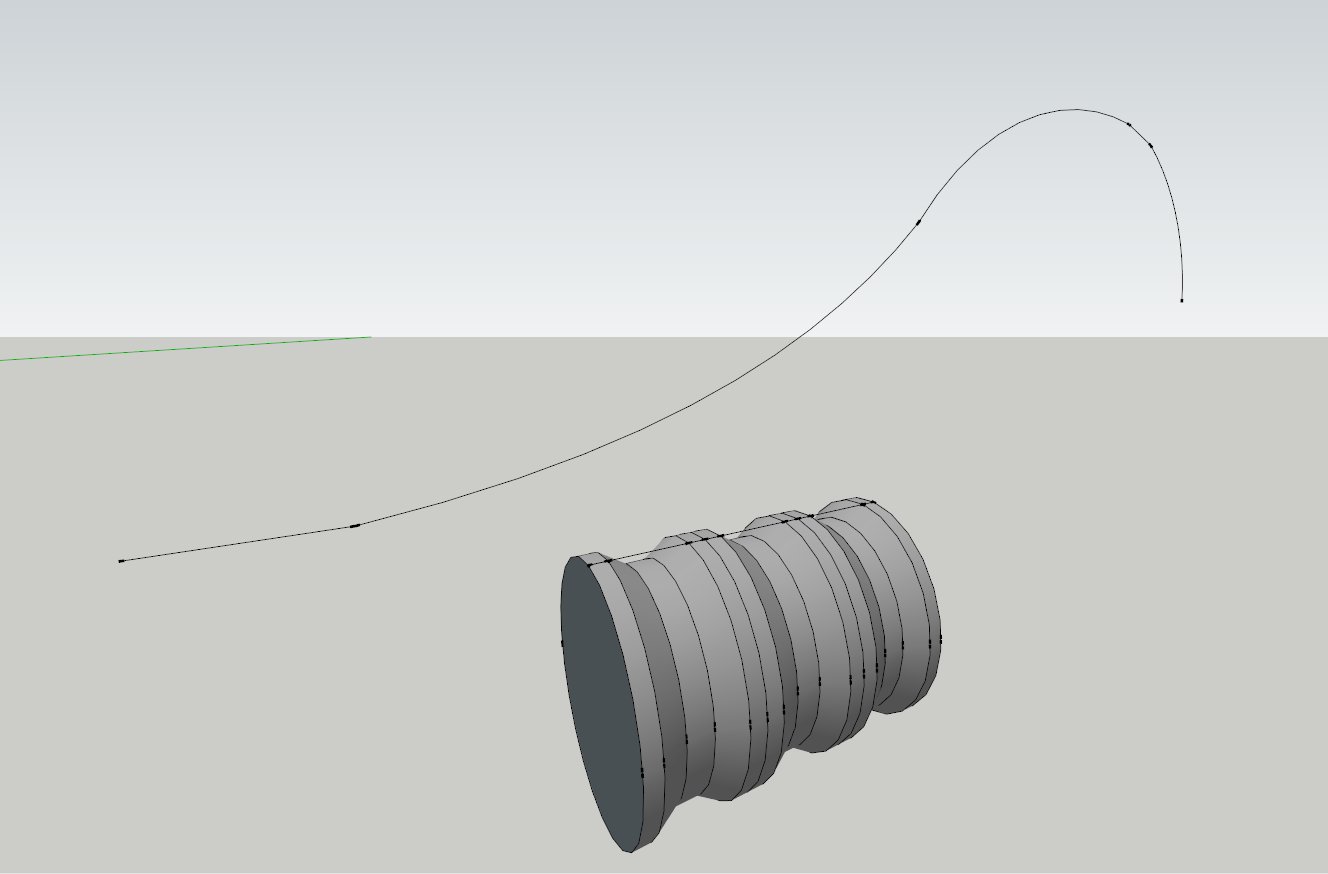
Version SU 7.1
Anyone got any ideas
-
Hi there,
Right in Chris's first post of this script there is a video.
Cheers,
Jeff
-
For some reason it doesnt work... Maybe something is wrong with the shape.
-
ok its all working now. Thanks
-
@jamma-pcb said:
For some reason it doesnt work... Maybe something is wrong with the shape.
some pointers,
draw your line the same length as your arc line
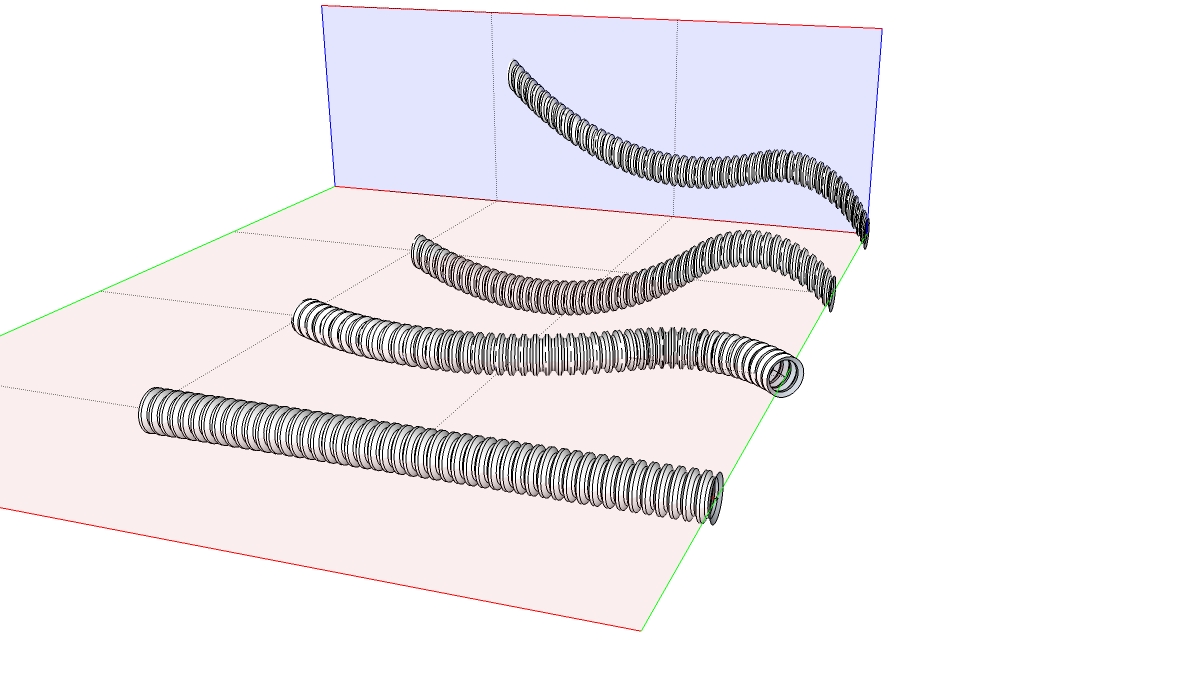
move your group so the line is centroid to it, edit group with move/copy and scale to match line length, remove at least one end, exposing the line
rotate your arc line (or copies) until it lies on the red plane and has both ends are parallel to the blue plane
off plane and off parallel will give less accurate 'real material' bends, but you may want that, so play around with copies of the arc line
john




Advertisement