Organic modeling from photos?
-
Photofly
 (it's free)
[flash=560,349:1n313mio]http://www.youtube.com/v/8YNrQA6eofI?version=3&[/flash:1n313mio] -
Salut Pilou!
I will add my review of Photofly to this very very old thread:
http://forums.sketchucation.com/viewtopic.php?f=169&t=37848&p=334675#p334675
I would like to have drone for taking aerial photos of the original subject of my first post -
@aerilius said:
I would like to have drone for taking aerial photos of the original subject of my first post
You could get a long way with a camera pole too

Out of curiosity - is that rock model on GE now? If it is - where is it exactly?
Looks like a very strange formation.And did you try PhotoScan too?
-
Not my area but maybe worth a read
 $$ http://www.brainstormllc.com/ but has 30 trial
 -
Photosketch looks nice, but it is advertised as a tool for creating lowpoly buildings inside SketchUp.
Just like SU's own PhotoMatch, but with some automation, like undistorted photos, point clouds and higher precision?What dense point clouds does is using brute force, just like when using DEMs for generating landscapes. You really often need millions of polys to get a well defined model with crisp details/creases. It often ends up looking like a metaball/blob object.
The beauty/power of PhotoScan is that it gives you the tools to model from photos fully controlled, and even make very dense automatically surface-fitted meshes like with point clouds, if that's what you want.
And it can be used with any object, buildings, complex/concave organic forms, terrain - even with glass and shiny objects (which never works with point cloud mesh generators).
I really doubt that any of the point cloud generators would have any chance to make an automatic model of something like this sharp edged, complicated/overlapping stainless steel sculpture?
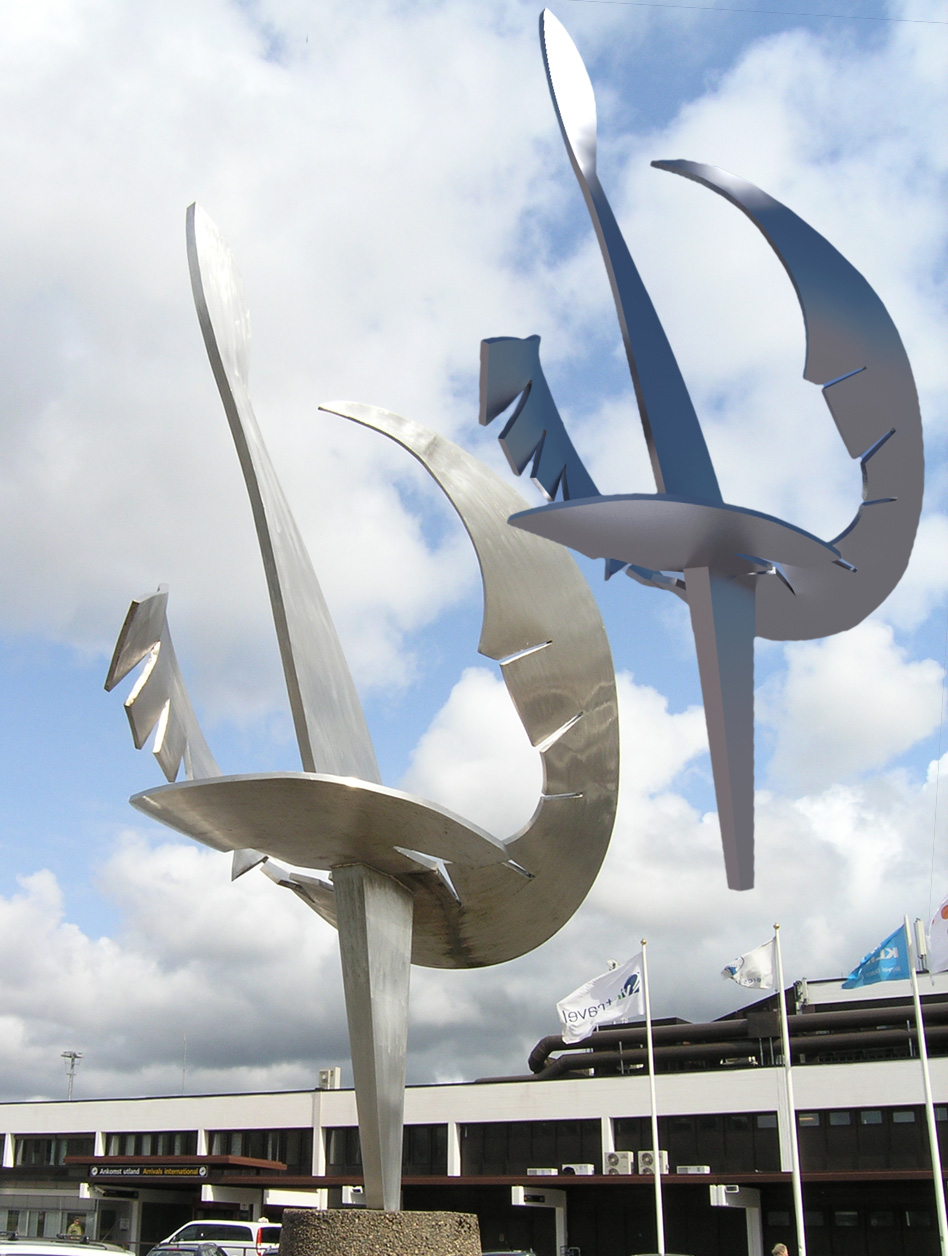
-
@unknownuser said:
I would like to have drone for taking aerial photos
It's very easy with a kite!

From this page


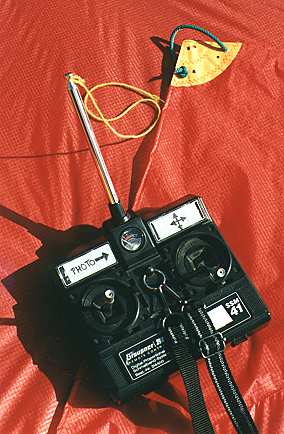

-
I have forgotten PhotoSculpt
(just 2 images ! -
Kites (aka KAP) are nice if there's wind and you're not close to people/buildings/trees/power lines.
Balloons, blimps, RC helis etc are nice if there are no wind, people/buildings etc
Poles are nice if you want closeups from lower altitudes than possible with a kite, and works fine anywhere, regardless of wind, people/buildings etc.
Besides, it requires a lot less rigging/setup and is a lot cheaper
A sturdy telescopic 7m pole may cost you $100?BTW, PhotoSculpt seems to have a very limited use for modeling, as it can only use 2 photos, and only makes a textured 3D relief.
-
@unknownuser said:
and only makes a textured 3D relief.
Yes but as it's a 3d file, just make the turn of your object
So maybe 12 photos and past the result -
@unknownuser said:
@unknownuser said:
and only makes a textured 3D relief.
Yes but as it's a 3d file, just make the turn of your object
So maybe 12 photos and past the resultLet's see an example?
-
I never try
just tricky fun images (from Chaoscope)
But I believe that the autor (a French guy
should make a new version with this option -
Well, they look pretty flat to me
I believe it doesn't really work with 3D coordinates, but more like 2 1/2D?
According to the info it makes a mesh with 1pixel = 1 face, and then adds depth info to that pixel. WHich means that a 6Mpx image will make a 6Mpoly mesh (or even 12 million triangles?)
Making 6 of those around the object (what about from above and below?) and trying to use SU to weld those 6x6 million faces (36 millions!) together won't be a fun job
It looks like it could work fine for making normal and bump maps though -
@unknownuser said:
No no, it's a real 3D file x,y,z, format export OBJ
Yes, but the x and z are probably in an evenly spaced grid, one per pixel, if there's one vertex (face) per pixel. Then you can't have more than one vertex per xz position (assuming y is the depth), and you will get no details at the top and bottom. That is just like a DEM, where you have a xy grid where each pixel/face will have an altitude z value, making it impossible to get overhangs etc, and with very little, and streaked, details on very steep walls/slopes.
-
No no, it's a real 3D file x,y,z, format export OBJ
and you can increase, decrease decimate numbers of polys
as you want inside the prog before the export!
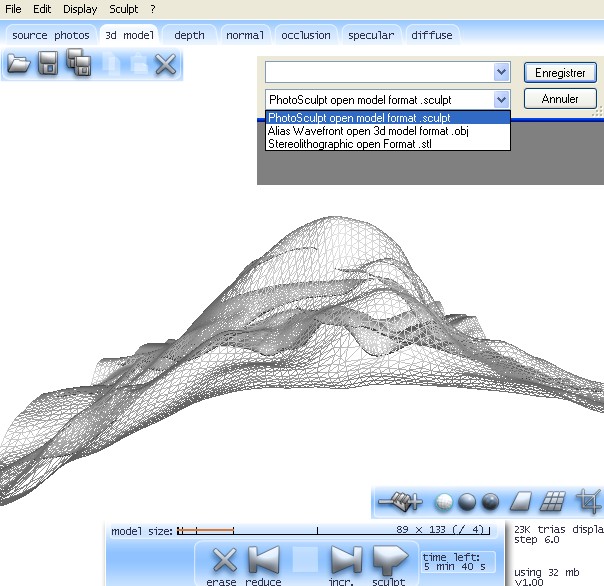
-
You can obtain the details by some bump or displacement as you have
the new calculated texture !
Here I have decreased twice from the maximum

Hello! It looks like you're interested in this conversation, but you don't have an account yet.
Getting fed up of having to scroll through the same posts each visit? When you register for an account, you'll always come back to exactly where you were before, and choose to be notified of new replies (either via email, or push notification). You'll also be able to save bookmarks and upvote posts to show your appreciation to other community members.
With your input, this post could be even better 💗
Register Login


Advertisement