Help with Forum "page back"
-
Hmmm......!
-
honoluludesktop did you ever get a fix for this problem.
I to have the same issue and have been putting up with as I thought it was how it's meant to be!
Once I go into a topic I can't go back using IE back button. I have to go right back to the original forum and and search again.
Thanks,
Craig -
Hi folks.
I also have this problem for so long that I don't bother anymore. I just use the possibility to jump back a few pages when I keep the "Previous page" button down for a few seconds.
However, I find it a nuisance.
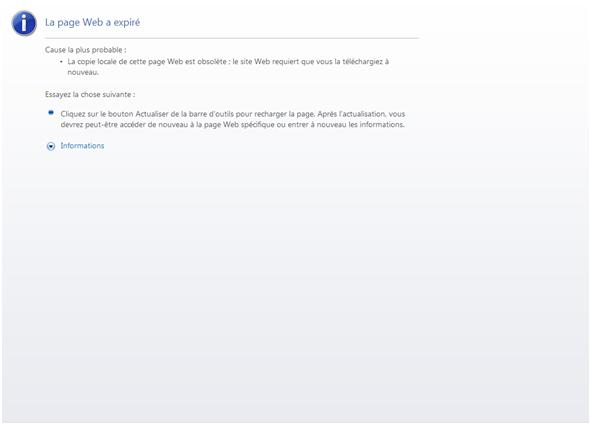
This is on PC with Windows XP-Pro SP3 and IE 8. This is on my machine at the office. Maybe Internet security and/or firewall are at play here. I don't know.
See the attached screen dump (in French).
Best regards.
-
HI all,
For what it is worth since no one seems to have the same problem or answer.
I now right click the thread and open in a new tab/window. Although not ideal it stops the need to go all the way back to the start.
-
If you use this method, you can also click on the link with your middle mouse button (the scroll wheel - just like the Orbit tool in SU) and by default, it will open the link in a new tab both in Firefox and in IE 7+
-
Hi faithfull, I took the drastic step of erasing all cookies on my system, then re-registered with SUCF. If you elect to do this, make sure that you have the passwords, etc. for all Internet accounts as you will have to re-register everywhere.
-
Did you also lose all your previous posts and such back then?
(Note that I can assign any older posts to a new account - just one-by-one, manually so be merciful).
How about deleting the board cookies? (The link to this action is somewhere at the bottom right of the index page I think). It is fairly "innocent" and won't do much harm - I have also done it (just out of curiosity)
-
No my post were OK. I initially deleted the board cookies, but in my case it made matters worst, so I ended up going to the system cookies. Fortunately, I anticipated the worst when setting up my system and had info on all important Internet accounts in one place.
Because I have "been there and done that crash", in addition to data backup's, I also save all downloaded program installation and upgrade files for emergencies.
-
@Gaieus:
I do the Delete Board Cookies ritual every time I log in to my account. Because of some timeout problems that I think have to do with my wireless network, I don't leave my account open. Instead, after reading posts, I will either simply log out and minimize the Board Index page, or disconnect/close the page. I mostly use Firefox. -
This is rather annoying. Do you really have to create a new account? What is causing this?
-
Guys I swear I would tell (and / or fix) if I knew. I have never had any similar problems with the board so cannot even "try" what it is like.




Hello! It looks like you're interested in this conversation, but you don't have an account yet.
Getting fed up of having to scroll through the same posts each visit? When you register for an account, you'll always come back to exactly where you were before, and choose to be notified of new replies (either via email, or push notification). You'll also be able to save bookmarks and upvote posts to show your appreciation to other community members.
With your input, this post could be even better 💗
Register Login


Advertisement