[Plugin] SU2POV for GSU6
-
Hi,
@unknownuser said:
Is something missing in the 3.2 installer when I can't find the button toolbars and components?
There are no toolbars and no icons in 3.2. Maybe in 3.3

su2pov_materials.exe is an executable that runs from within SU when you edit pov-ray material properties.
Regards, -
OK, that explains why...

Is it possible to get the 2.4 versions lights, 3D trees etc. somewhere? Or is a 3.3 version coming soon?

-
dear Didier . thanx for your nice jib on improving SU2POV.. and waiting to have v3.2beta ( material editor problem resolved )
 . v3.2 was a great improve !!!
yours kindly -
Dear Didier, Found this tread and after moving a copy of the su2pov folder into the components folder I am now able to use "lights" with the "esc" key.
I am still unable to "edit pov-ray" finishes. When ever I try to "apply" a change, a ASCII file titled "Program" is created in the root directory. The contents of this file include the selected changes. Apparently the file is not being saved in the proper location. (I discovered this file when I booted the computer and the boot process reported the file, requireing that it be renamed) When I again attempt to access the "edit pov-ray" menu, the menu would not open until I clear the file "Program" from the root directory. The title of the "edit pov-ray" menu is "Files/Google/Google". Is that right? I currently have su2pov.rb and the su2pov folder in the "plugins" folder. In addition, the su2pov folder is installed in the "components" folder.
-
Hi,
Thanks for the bug report. I also had a file on c:\ named "program" and never though it was my own script that did it ! Seems you've tracked the bug I'm on for a long time ! -
Didier, Glad to be of help, and Mahalo (thanks) for the script. I am looking forward to the patch.
-
I'm trying to build a demo of a Christmas Light display for a friend, but get some strange things with POV-Ray. This is a screen shot of the model and the POV Render Settings dialog.
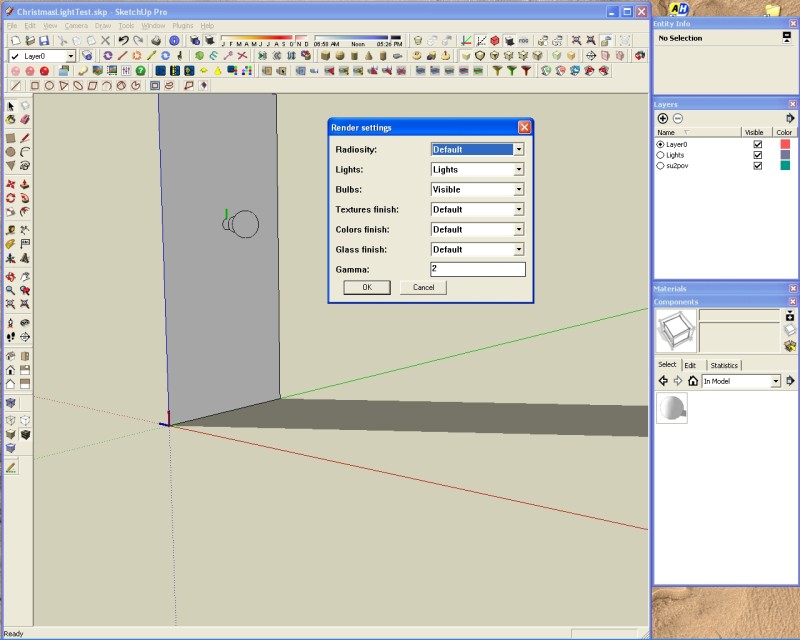
The render is putting what appears to be a light at the origin as well as the light I placed. This is the render:
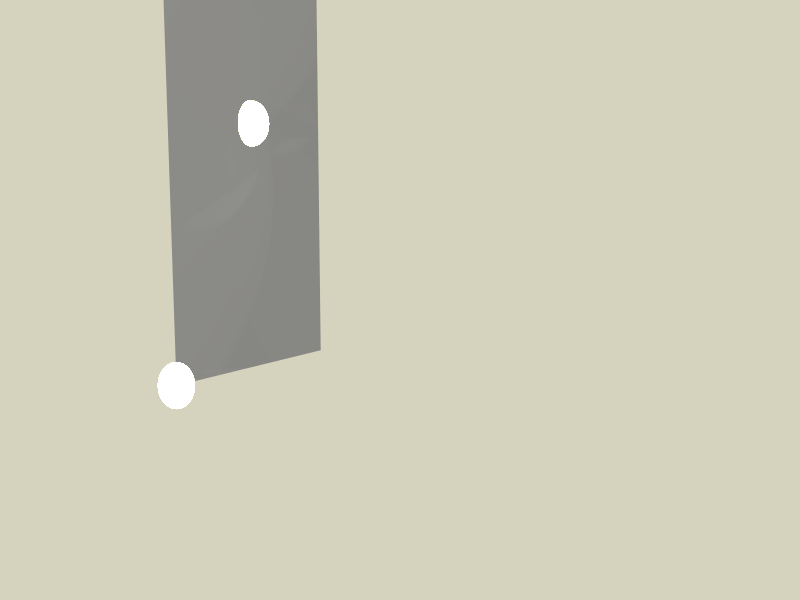
And the model:
Any idea what is going on?
-
Didn't find a problem with your file. Added SU color, spotlight, sky, ground and rendered.
![ChristmasLightTest[1].JPG](/uploads/imported_attachments/GZ8i_ChristmasLightTest1.JPG)
-
For those who have problems with materials and lights in Su2Pov, the following:
-
As previously documented regarding placing the lights: First be sure that a copy of the Su2Pov folder is in the Su components folder. Use the <esc> key after selecting a Su2Pov light fixture to produce a cursor that will locate the light.
-
The "edit Pov-Ray Finish" menu is available if you start Su by selecting a project.skp with your mouse. If you start the program before opening a file, the menu may not appear. Once the program is started in this way, the menu is available, until you shut down. The dos screen flashes from time to time when the feature can not be accessed. Make sure that you edit component or group for access to a material.
Aside from always starting the program in this way is to make a shortcut of a untitled.skp, rename it SketchUp, and change the folder icon to the Su icon, place the shortcut where ever you start your program from. The drawback to this is that you can not start Su by dragging a file into the shortcut.
If anyone finds exception to this, let me know and I will edit this post.
-





Advertisement