[Plugin] Layers/Tags In Time - v1.0.3 - 16 Feb. 2021
-
With Layers/Tags In Time, a new free SketchUp plugin:
- Display or hide layers/tags depending on time (dates or hours).
- Create and assign simultaneously a layer/tag to an entity via context menu.
- Export time layers/tags to a MP4 or GIF animation.
- Export and import time layers/tags in JSON format.
- Now, your favorite 3D modeling software understands seasons concept.
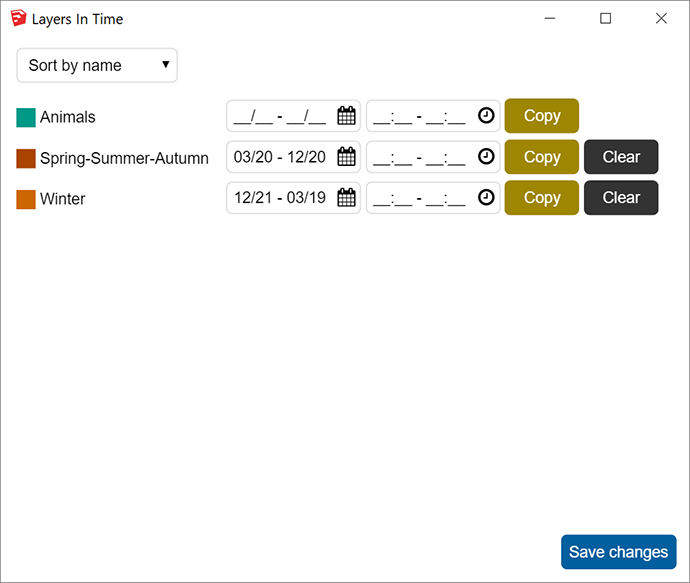
Demo & Screen

Download
Get latest Layers/Tags In Time plugin from the SketchUcation PluginStore.
-
What's new in 1.0.1 version?
- One can sort layers by name or start date or end date or start hour or end hour.
- One can copy-paste time data (even if they are empty) between layers.
- Layers label is proportional to window size.
Download latest Layers/Tags In Time plugin from the SketchUcation PluginStore.
-
What's new in 1.0.2 version?
- One can export and import time layers in JSON format.
- When you save then import a component associated to time layers: this plugin prompts if you want to import these time layers.
Download latest Layers/Tags In Time plugin from the SketchUcation PluginStore.
-
What's new in 1.0.3 version?
- One can export time layers to a MP4 or GIF animation.
- Import of component time data has been fixed.
- A toolbar is available.
Download latest Layers/Tags In Time plugin from the SketchUcation PluginStore.

Hello! It looks like you're interested in this conversation, but you don't have an account yet.
Getting fed up of having to scroll through the same posts each visit? When you register for an account, you'll always come back to exactly where you were before, and choose to be notified of new replies (either via email, or push notification). You'll also be able to save bookmarks and upvote posts to show your appreciation to other community members.
With your input, this post could be even better 💗
Register Login


Advertisement