Windows>System32>AdobePDF.dll
-
Folks. I'm trying to install a Adobe Suite but it says I need AdobePDF.dll.
when I look in the Sys32 folder I see it and a lot of other .dll files (right side of this s shot) but when I browse for it from the adobe installer I don't see any files in Sys32, only folders,
so what do I need to do to be able to see and Choose this file o a Win 7 machine?
In Folder Options>View I have 'Show Hidden Files, Folders' checked.
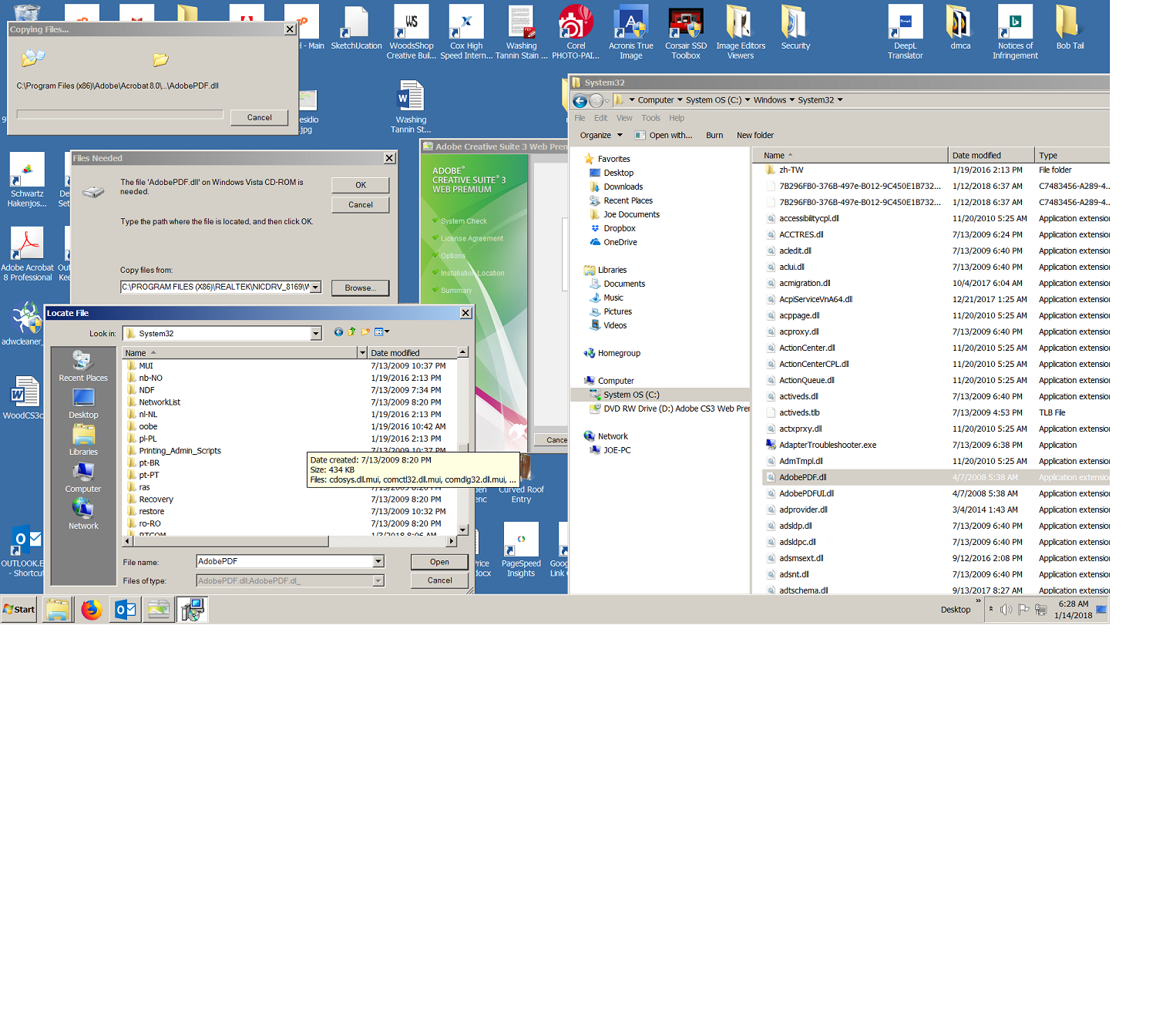
-
It says- Type the file path where the file is located,
so what would the file path be? Sorry I'm not very computer savvy.
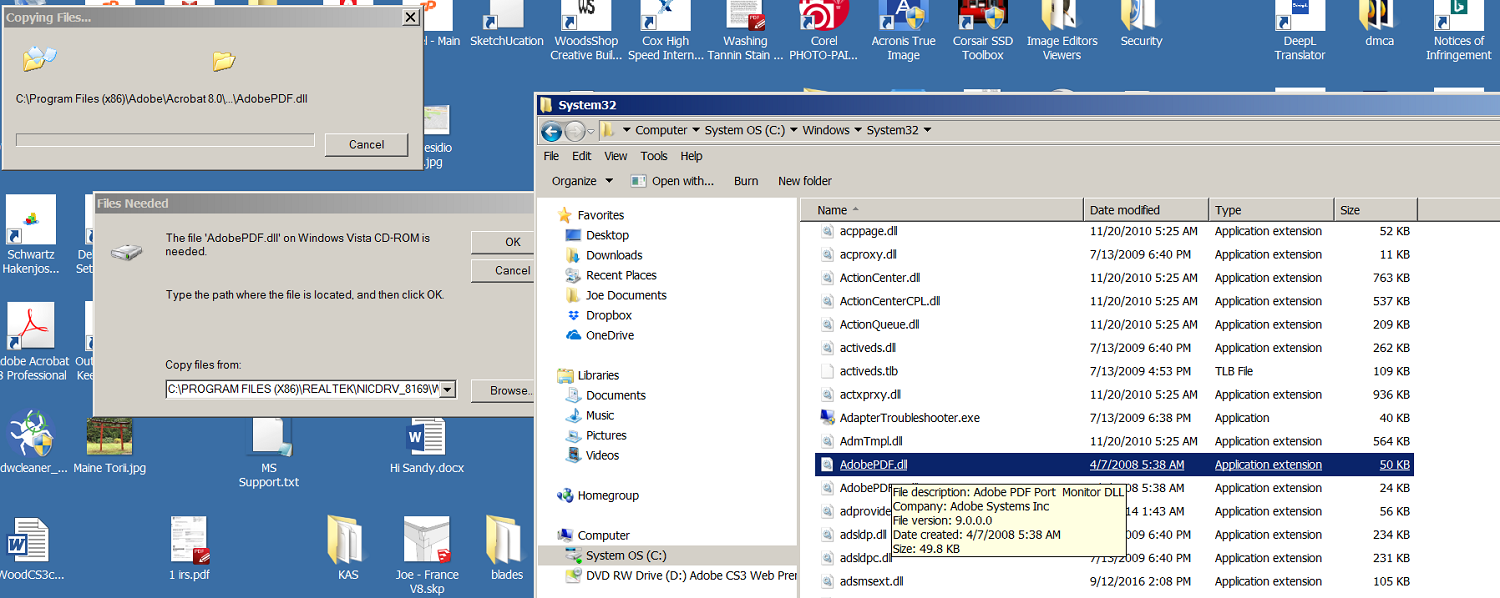
-
I tried C:\Windows\System32 but that didn't work.
-
Joe, I'm Not a windows person ( on a mac ). I've circled what I suspect is the path, I assume you have to enter it just like it reads ???
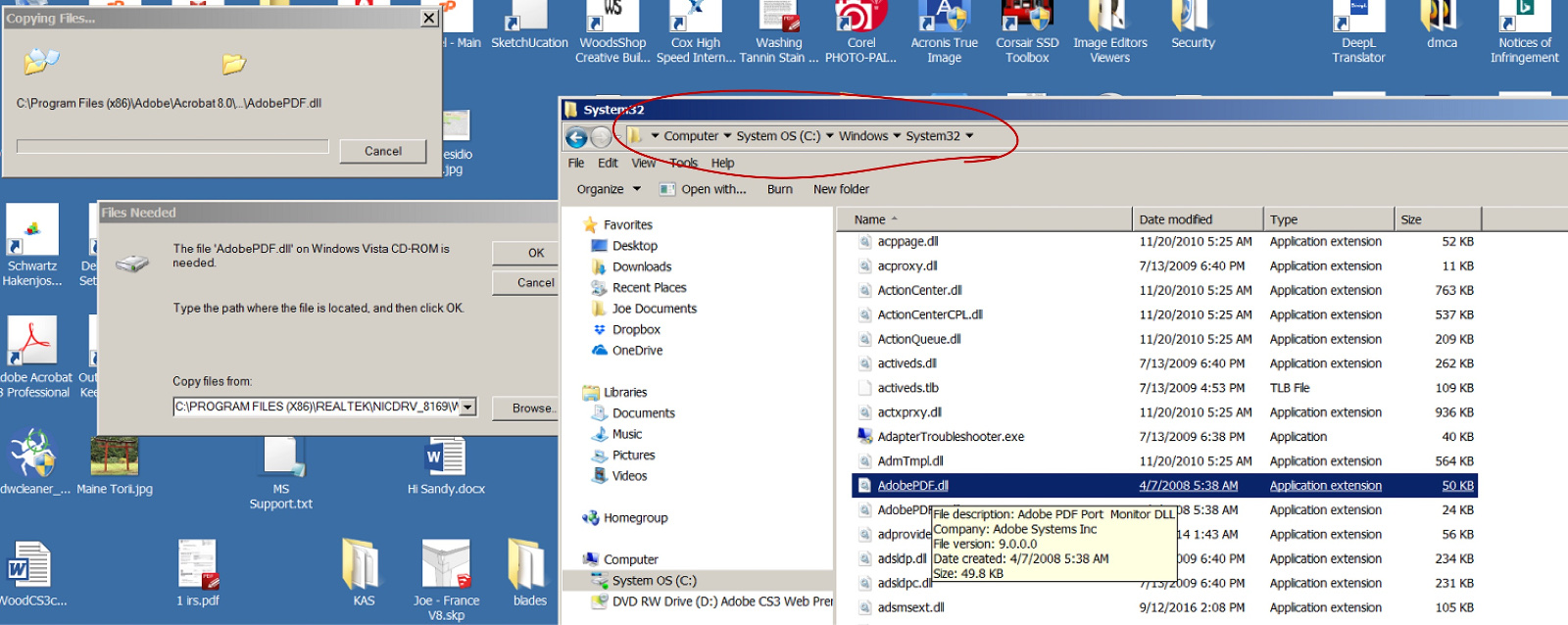
-
yeah I tried that I think .. C:\Windows\System32
-
Which version of Adobe Acrobat? Here is a "missing adobepdf.dll" error described for Acrobat 8
https://helpx.adobe.com/creative-suite/kb/error-file-adobepdf-dll-needed.html -
thanks for taking the time to find that article number but somehow I got it to install without that dll file, I hope.


Hello! It looks like you're interested in this conversation, but you don't have an account yet.
Getting fed up of having to scroll through the same posts each visit? When you register for an account, you'll always come back to exactly where you were before, and choose to be notified of new replies (either via email, or push notification). You'll also be able to save bookmarks and upvote posts to show your appreciation to other community members.
With your input, this post could be even better 💗
Register Login


Advertisement