Material Sub Folders on Mac
-
I was wondering if there is a way to make folders within the Texture Palette Folders in Materials, i.e.; sub-folders. I downloaded a folder from Permacon with all their paver and stone textures, which are all subdivided into other folders. When I drop it into my materials it does not recognize the sub folders. Instead, I have to drag each .skp file into the folder named "Permacon" under texture palletes. There are over 50 files, so this is not the ideal way to do it. I know a friend on a PC is able to do this, however, on a Mac I don't seem to be able to. Is there a way around this?
-
on a mac you need to do the opposite of what you seem to have done...
from the parent folder i.e. Permacon, drag the sub folders [full of skm files] into User Materials folder...
you may want to change all the names first using Automator to avoid clashes...
e.g. Stone >> Perm_Stone, Brick >> Perm_Brick, etc...
john
-
@driven said:
on a mac you need to do the opposite of what you seem to have done...
from the parent folder i.e. Permacon, drag the sub folders [full of skm files] into User Materials folder...
you may want to change all the names first using Automator to avoid clashes...
e.g. Stone >> Perm_Stone, Brick >> Perm_Brick, etc...
john
I have done that, I am just looking for a way to not have to. On my friend's PC, in the actual Materials Window in Sketchup, he can go into one of the folders (example: Permacon) which in that, has folders to open further (eg: Permacon >> Celtik wall >> Range Oxford.skm. However, on a Mac, it stops at the first folder and does not recognize any folders within "Permacon". Therefor I have about 100 name lists in my Materials, which I would just like to group under "Permacon" but can't.
So now in my dropdown in Materials, I have "Celtik Wall" , "Cinco Stone", "Heritage Pavers", etc... which should all be under Permacon, but I can't group them. Within The initial folders, I can only have .skm folders. Which just creates a pain in the butt drop down list. I know this all sounds confusing...
-
Hi John,
thanks for the reply... I am still a bit confused, however. I did drag folders into my User Materials folder, but when I am actually in SketchUp, and in the paint bucket tool with a list of materials, it does not recognize a folder within a folder. I can only have one single path per folder.
So in my dropdown menu in materials, in Sketchup, I have Permacon, etc. In my actual materials folder on my desktop, there are folders for each range of stone, WITHIN the permacon folder. However, going back into sketchUp, when I click Permacon on the dropdown,it will not show folders. It will only recognize any single .skm files. Therefor, instead of just having a "permacon" folder, with the different folders of specific stones inside, I now have a dropdown menu full of folders in the material tool itself.
I hope this makes sense. I wish I could attach screenshots to show you. -
on a mac the SU material folders can only go 'one' level deep...
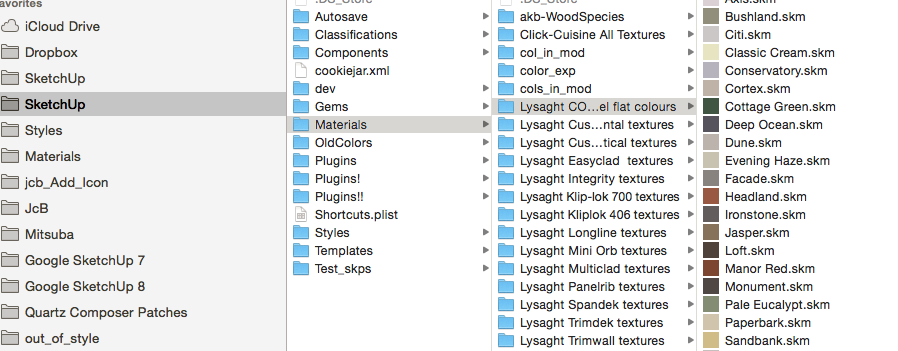
renaming each folder with the Product name helps find what you need in SU...
but you do get a long dropdown menu...
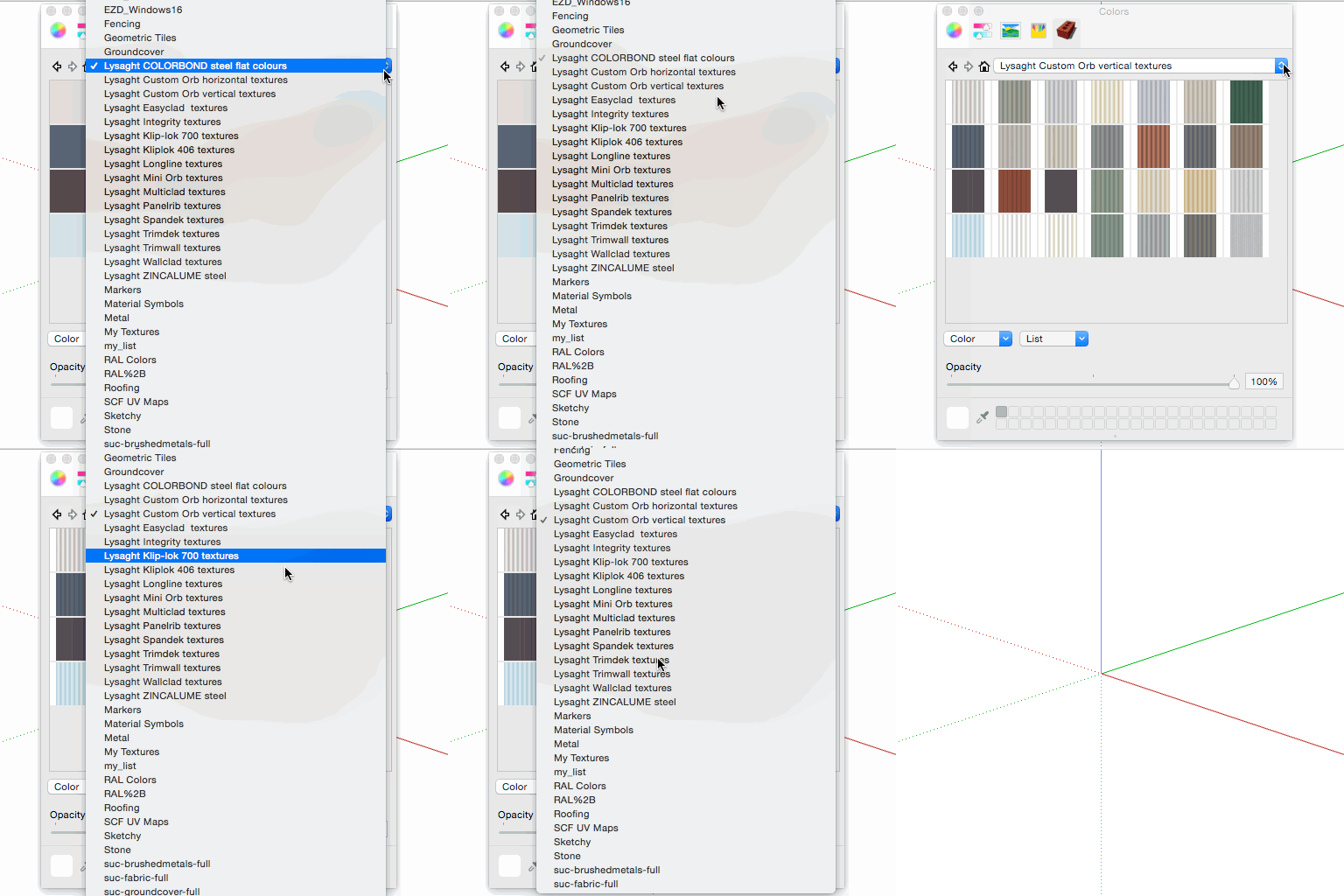
I use my Add_Icon plugin 'batch mode' to add 'quicklook' icons for Finder...
john
Hello! It looks like you're interested in this conversation, but you don't have an account yet.
Getting fed up of having to scroll through the same posts each visit? When you register for an account, you'll always come back to exactly where you were before, and choose to be notified of new replies (either via email, or push notification). You'll also be able to save bookmarks and upvote posts to show your appreciation to other community members.
With your input, this post could be even better 💗
Register Login


Advertisement