[Code] Texture Faces that are on Shadow
-
Hi,
I want to share some insight on what I am interested in doing in hope someone finds it useful and apply some techniques here to their own projects. Keep in mind the following code is a starting point meaning it still needs to be develop.
Here is the concept behind it...I want to automate the painting with color or textures the faces that are in shadow. Technique I am using is the following;
-
Go through all faces
-
Find center
-
Cast a raytrace from face center point to sun position
-
if raytrace hits another surface it means is being blocked from the sun.
-
Paint that face with specified color or texture.
This was a modification of a similar technique I used in Canvas plugin to place components only in shadow. Here is a thread me asking for help in that regard... http://sketchucation.com/forums/viewtopic.php?f=180&t=51715
Anyways, the image below is an example of what can be achieved with few extra steps I will mention later.
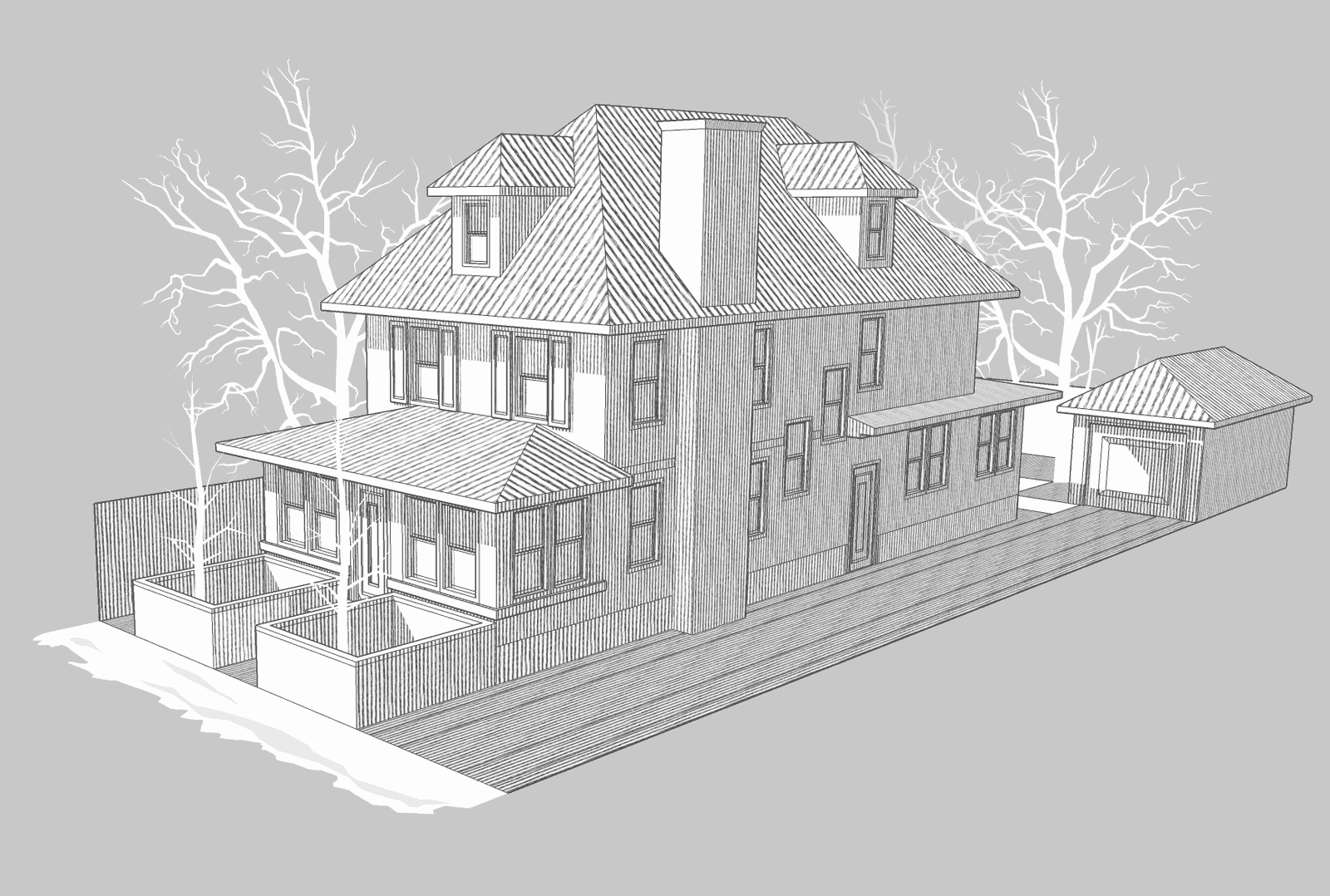
The extra step I took was create faces on shadows that were projected by other faces but most of the work is done by code. I believe TIG developed a plugin named "TIG-shadowProjector" so you can use that but in some instances it doesn't work so you have to do it by hand.
Here is the code:
model = Sketchup.active_model
ents = model.entities
sel = model.selection

materials = model.materials
m = materials.add "shadow"
texture = m.texture = "c;\\Users\\Renderiza\\Desktop\\folder\\b.jpg"
m.texture.size = 10

faces = []
v_sun = model.shadow_info["SunDirection"]

ents.each do |e|

	if e.is_a? Sketchup;;Face
		faces << e
	end

end


faces.each do |e|

	boundbox = e.bounds
	center = boundbox.center
	hit_path = Sketchup.active_model.raytest [center,v_sun]

	if hit_path != nil
		e.material = m
	else
		e.material = [190,190,190]

			znormal = e.normal.z #Face that are facing up
			if znormal == 1
			e.material = [250,250,250]
			end
	end

 end
This is it for now hope someone finds it helpfull or interesting.

-

Hello! It looks like you're interested in this conversation, but you don't have an account yet.
Getting fed up of having to scroll through the same posts each visit? When you register for an account, you'll always come back to exactly where you were before, and choose to be notified of new replies (either via email, or push notification). You'll also be able to save bookmarks and upvote posts to show your appreciation to other community members.
With your input, this post could be even better 💗
Register Login


Advertisement