My Apple Keyboard VK_KEYS
-
Here's a shot of the keyboard I have with the VK_ keys labeled. Just want to compare notes.
My version of Key Tool (prints keycodes including VK_ constants.)
(Menu: Plugins/Key Codes)
Small Map

-
Just noticed the Numpad 'enter' key reports different values on Down and Up - (13 and 3)
TIG noted the onKeyDown method of a Tool class does not indicate the tab key being pushed.
-
When you hold down SHIFT and hit the option key... do you get VK_ALT ?
-
I tried that on my PC. When I press ALT it says VK_MENU.
Is this little tool cross-platfrom ?
-
No, I get 2 actions one for each keypress in the order I press them. I haven't been able to trigger a VK_ALT on either system.
I might add the constraint, copy, and alt masks to the key tool.
-
VK_ALT == VK_MENU == VK_COMMAND == 18
It's just that VK_MENU won out in the Hash conflict. (so a problem in my keytool.)
-
hi Jim,
I've got an apple wireless keyboard, and just tested the keycodes, can't find home yet but will do a mock up of all the variants, that require using the fn() key...
cheers
john
-
Thanks John.
fn() key?
On Windows, using VK_DELETE, VK_PRIOR, and VK_NEXT, I am only getting results from onKeyUp. Nothing at all from onKeyDown.
-
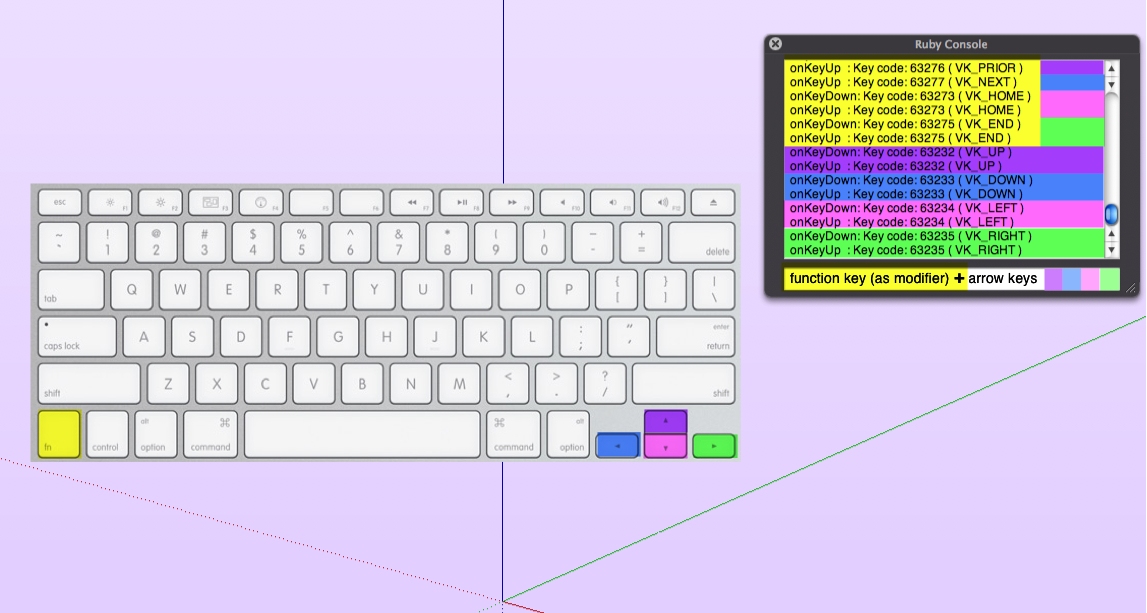
only onKeyUp for prior and next...
-
It needs work...
- a class var KeyTool.@@instance to hold the handle.
- a use() class method that conditionally either calls new() or gets the instance if the tool is already loaded.
- the menu item needs to call the JF::KeyTool.use() method.
- a menu validation proc that properly checks the menuitem activate and deactivate
Currently clicking the menu item, does not really stop the tool.
EDIT: (It actually creates a new instance.) PM'd you an updated file with the changes above. -
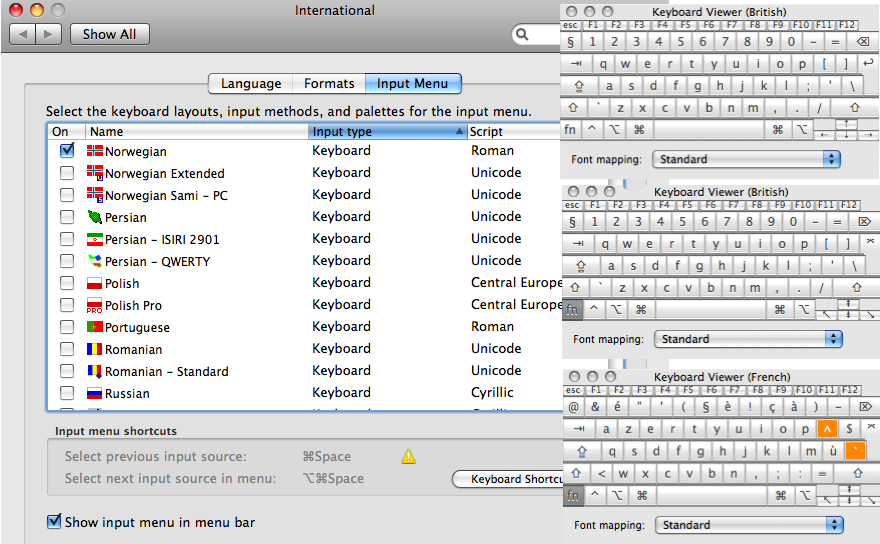
you can also change to other languages layouts and try them...
-
This is kinda weird. While the KeyTool was active, I had a face selected (prior to activating the tool,) and when I pressed the DELETE key, the face was deleted.
Perhaps the tool should clear the selection ?
Wonder what other things might happen via Shortcuts when the tool is active ?
-
all the shortcut keys, SU and system just carry on working and don't register in the console at all, here at least
-
onKeyUp : Key code: 127 using standard apple back-delete
onKeyUp : Key code: 63272 ( VK_DELETE ) using fn(key)+standard apple back-delete
NO onKeyDown for delete -
@driven said:
all the shortcut keys, SU and system just carry on working and don't register in the console at all, here at least
The DELETE key registered "onKeyUp : Key code: 46 ( VK_DELETE )" in the Console (on my PC,) and deleted the selected face.
It seems weird that keys would bubble up from a Tool instance keytrap callback. I can see having a bubble method that allows passing the key up to Sketchup, but to do it all the time?

Hello! It looks like you're interested in this conversation, but you don't have an account yet.
Getting fed up of having to scroll through the same posts each visit? When you register for an account, you'll always come back to exactly where you were before, and choose to be notified of new replies (either via email, or push notification). You'll also be able to save bookmarks and upvote posts to show your appreciation to other community members.
With your input, this post could be even better 💗
Register Login


Advertisement