Line styles
-
Line Styles manager in the layers box.
-
There areline styles - in exploded view - although not in the layers manager but in the shape styles dialog. This is SU7 / LO2 only (you'd need to upgrade)
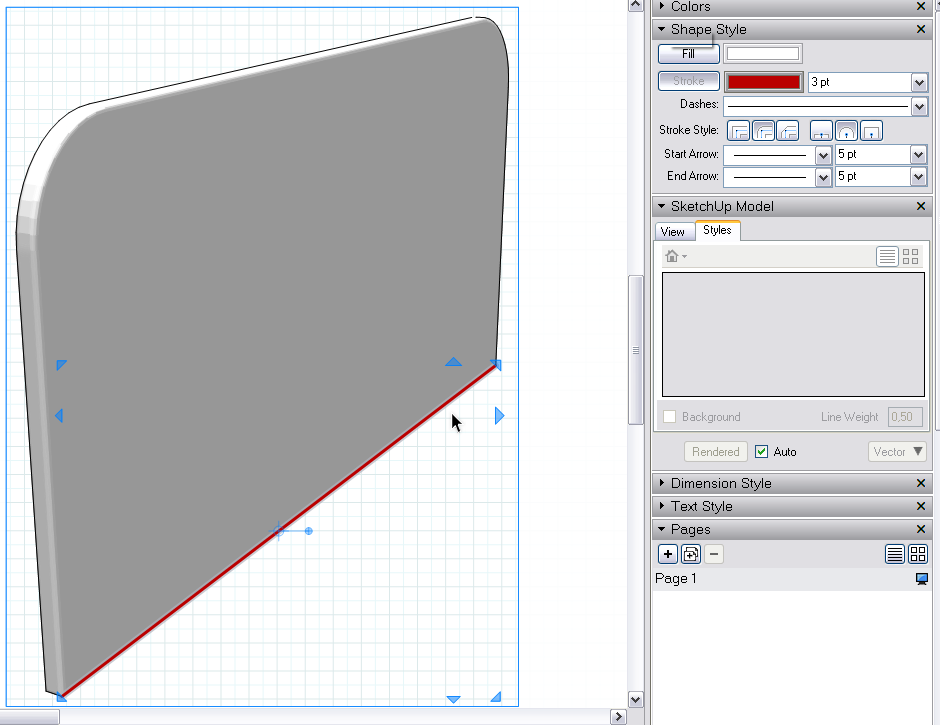
-
I guess what i am looking for is quick way to change all the lines on a specific layer (not only color but style). It is not efficient for me to go threw and select each line i want, especially if i am trying to change 10 differnt line types.
-
You can right click on the layer name, and choose "select entities".
This will select all the objects on the layer, which would be close to what I think you want to do.
After selecting all the objects you want to change, you can then change the settings using the shape style, or use the sample tool (default shortcut "s") and click on the shape you want to change the style settings to.
(this is in SketchUp 7)

Hello! It looks like you're interested in this conversation, but you don't have an account yet.
Getting fed up of having to scroll through the same posts each visit? When you register for an account, you'll always come back to exactly where you were before, and choose to be notified of new replies (either via email, or push notification). You'll also be able to save bookmarks and upvote posts to show your appreciation to other community members.
With your input, this post could be even better 💗
Register Login


Advertisement